
eemmcnfndkhikgmpnalpaebfblkogjin
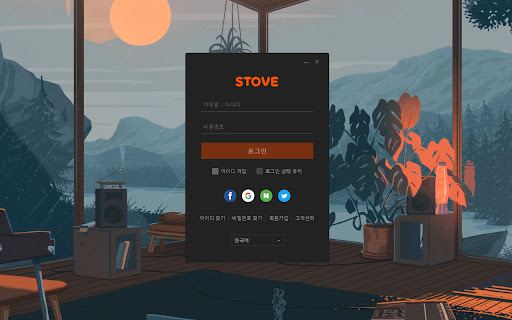
시크릿 창으로 열리는 소셜 로그인을 일반 창으로 열어서 자동 로그인을 사용할 수 있도록 해드립니다. 로스트아크(LOST ARK) 구글 로그인을 사용시 시크릿탭으로 열리는 대신 일반 탭으로 열어서 자동 로그인이 되도록 해줍니다. ! 꼭 읽어주세요. 해당 확장 프로그램은 스크릿탭에서 작동해야됩니다. 설치 후 아래 단계를 통해 시크릿 모드에서 허용해주세요. 1. 설정 2. 확장 프로그램 3. 이 확장 프로그램 상세정보 버튼 4. 시크릿 모드에서 허용

DragFree (Mouse Unblock+Char Count+Image Save+Capture)
Restores mouse drag, right-click, and image save on blocked sites. Adds bulk image save, char counter, and page capture. If you've ever felt frustrated by being unable to select text or right-click on news articles, blogs, study materials, or shopping pages, try **DragFree**. * **Unblock Restrictions:** Enable mouse dragging, right-clicking, text selection, copying, and pasting. * **"Auto" Mode:** Automatically unlocks restrictions on every website you visit. * **"Manual" Mode:** Unlock only when needed by clicking the [Unlock] button or using a shortcut. * **View Text:** View the page's HTML/text in a new tab (extracts content even within iframes). * **Batch Image Save:** Download all images from a page at once. * **4 Capture Modes:** Current screen, Select area, Select element, and Full scroll page. * **Built-in Word Counter:** Easily check the character count of any text. * **"Manual" Mode (Recommended)** Click the [Unlock] button on the desired page or press the shortcut (**Alt+1**) to instantly remove restrictions. * **"Auto" Mode** Automatically removes restrictions on all sites. If a specific site does not function correctly, use the "Register Current Domain" button to add it to the **Exceptions List**. * **Text View Pro-Tip** For sites with advanced protection where right-click cannot be enabled, use **[View Text]** to extract and view the content in a new tab. * **Image Saving / Screen Capture** requires "Download" permission. Please refresh the page once after granting permission. * You can manage or revoke granted permissions at any time via the `chrome://extensions` page.

PIP screen for html5 video
Enable Picture-in-Picture mode for any video on the web It just find video element(HTML5) and run Picture in picture script on Chrome. that's what i made. You can also set shortcuts in the extension settings.

스타레일 자동출석
스타레일 출석을 자동으로 해주는 확장 프로그램 입니다! 스타레일 홈페이지 자동 출석 시스템입니다. "HOYOLAB"에 한 번이라도 로그인 해야 기능이 정상적으로 작동합니다.

Mul.Live Plus
==== 소스 코드: https://github.com/jebibot/mullive-extension 디스코드: https://discord.gg/9kq3UNKAkz
