
eeceimooeojijecjhjedodbhimcfgiif
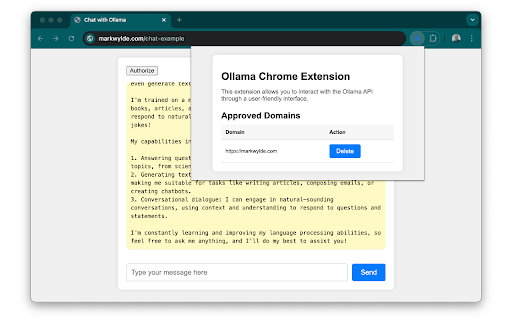
Allow websites to access your locally running Ollama instance. By installing this extension, you can let any website talk to your locally running Ollama instance. Latest Changes: v2: - Simplify the usage of the API by removing the npmjs extension and allowing fetch access (each domain must still be approved by the user)

Ollama Universal Extension
An extension to interact with a local Ollama LLM. Ollama Web Extension allows websites (like your own custom apps) to securely and privately communicate with an Ollama LLM running on your local machine. It injects a lightweight API into supported webpages, enabling features like: Sending prompts and receiving generated text Keeping all data processing on your device

open-os LLM Browser Extension
Quick access to your favorite local LLM from your browser (Ollama). Ollama UI. A lightweight, open-source extension for Chromium-based browsers (Chrome, Brave, Edge) that gives you instant access to your local AI assistant while you browse. Features: - Works with any Ollama model — Llama 3, Qwen, Gemma, Mistral, DeepSeek, and more - Configurable Ollama host — connect to a remote server on your local network or anywhere - Switch between installed models on the fly - Streaming responses rendered token by token - Full Markdown support in conversations - Access from the sidebar (supported browsers) or as a new tab - Pre-prompts and scenarios to set the right context for your LLM - 6 built-in themes: Light, Dark, Light Modern, Dark Modern, Retro Terminal (MS-DOS), and NOSTROMO MU-TH-UR 6000 - Soul Identity Injection (experimental) — inject rich AI personalities like MU-TH-UR 6000, HAL 9000, or OS1 into your conversations. Powered by soul-protocol.com - Customization options: font size, username, assistant name, header text - Simple, fast, private — no accounts, no telemetry, no external servers 1. Install Ollama from https://ollama.com 2. Pull a model from your terminal, e.g.: ollama run llama3:8b 3. Click the extension icon to start chatting. Right-click to open in a new tab.

Chatty for LLMs
Helps you to chat and RAG with your LLMs via ollama This tool is designed to help to chat with your LLMs running locally using Ollama and perform RAG on the document in the active tab. Uses ollama to chat with your local LLMs installed. run ollama using this command: export OLLAMA_ORIGINS=chrome-extension://* ; ollama serve

Ollama KISS UI
A simple, stupid UI for Ollama. Keep It Simple, Stupid (KISS). While there are many excellent Ollama UIs available, most of them come with abundant features and dependencies that you might not need. I just wanted a straightforward interface to chat with Ollama models, without installing a ton of packages or dealing with complex configurations. - Single page chat interface - Model switching - Chat history - Markdown support (including code blocks) - Code syntax highlighting - One-click code copying - Export chat history as JSON - Dark/Light theme - Server URL configuration - That's it!
