
edjaedpifkihpjkcgknfokmibkoafhme

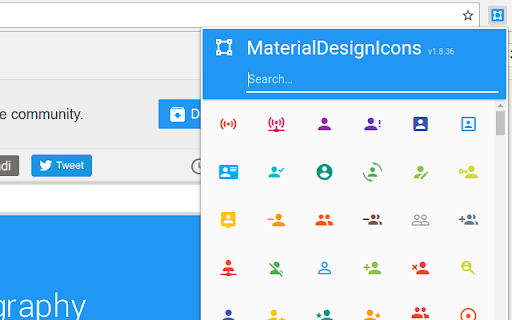
"Material Design Icons' growing icon collection allows designers and developers targeting various platforms to download icons in the format, color and size they need for any project." This extension allows you to easily find a suitable icon for your needs, right from your browser!

floccus bookmarks sync
Sync your bookmarks privately across browsers and devices **Floccus Bookmarks Sync: Private, Cross‑Browser & Device Sync** *Securely synchronize bookmarks across Chrome, Firefox, Edge, and more using your own cloud storage.* **Seamless Cross‑Browser & Cross‑Device Sync** - Sync bookmarks between Chrome, Firefox, Edge, and any browser that supports extensions. - Works on desktop, mobile, and tablet. - Syncs instantly when you add or edit a bookmark. **Ultimate Privacy & Control** - No data is stored on Floccus servers. - All data stays on your chosen backend (Nextcloud, WebDAV, Google Drive, or Git). - Optional end‑to‑end encryption for WebDAV and Google Drive. **Flexible Backend Support** - Nextcloud, Linkwarden, KaraKeep any WebDAV server, Git repositories, Google Drive, Dropbox - Choose the backend that best fits your workflow. **Easy Setup & Usage** - One‑click installation from the Chrome Web Store. - Simple wizard guides you through selecting a backend and configuring sync. - Automatic updates keep your bookmarks in sync. - **Privacy‑First** – Your bookmarks never leave your chosen storage. - **Cross‑Platform** – Works on all major browsers and devices. - **No Ads / No Fees** – Free to use, no hidden costs. Although, I do appreciate donations :) - **Customizable** – Pick any backend you trust. - **Community‑Supported** – Open‑source code and active community. **Get Floccus now and take control of your bookmarks!** If you'd like to support the creation and maintenance of this software, you can donate here: https://floccus.org/donate/ Please file bug reports or requests for help over on Github: https://github.com/floccusaddon/floccus

PiHole Browser Extension
Browser extension to control your PiHole. PiHole browser extension is a small browser extension for Chrome and Firefox. With this extension you can control your PiHole remotely (e.g. Turning it on/off, black/white listing current tab, etc.). Features: - Disable your PiHole(s) easily with one click - Individual configuration for multiple PiHoles - Dark Mode depending on your OS Settings - Compact UI - White-/Blacklist your current tabs url with one click - Shortcuts - Use features quickly with a hotkey shortcut or pages context menu Please follow the install instructions on the offical github page: https://github.com/badsgahhl/pihole-browser-extension

adam:ONE® assist
Allows the user to easily initiate an unblock request when an HTTPS site was denied by the adam:ONE® system. Enhances the user experience for adam:ONE® users (formerly known as DNSthingy™) - Display the Block Page for denied HTTPS sites. - List website dependencies. - Allow Google's reCAPTCHA to function when Google domains are denied. - Display protection status behind adam:ONE®.

AutoRemote
Send and receive messages to and from your Android Device through AutoRemote With the AutoRemote extension you can setup Commands that will enable you to send AutoRemote messages based on your current selection in Chrome. You can also receive messages from anywhere, so you can open pages remotely from your phone, for example, or receive your phone's notifications on your PC. You can also redirect messages to the EventGhost plugin for total automation. More info on EventGhost here: http://joaoapps.com/autoremote/eventghost/ For example, you can setup a Command that will create a "call" command. This way, when you select a phone number on any webpage, just send it with the call command to your phone, and a "call=:=NR_HERE" command will be sent. In Tasker, setup an AutoRemote profile with a "call=:=" message filter and with a direct call task where you use the "%arcomm" variable as a phone number Quickstart guide: - Start by adding your Android devices at the top - Add any commandyou want at the bottom. Rules will be setup one by one for the devices you choose. - If you check the "Don't send right-click selection with this command" checkbox, the selection you choose on a page when you right-click it, won't be sent with the message. - You can also use keyboard shortcuts Ctrl+Shift+1 to Ctrl+Shift+4 to quickly use the commands you have defined.
