
edakgbfdfagmejpllgkdfbabldbbkfle

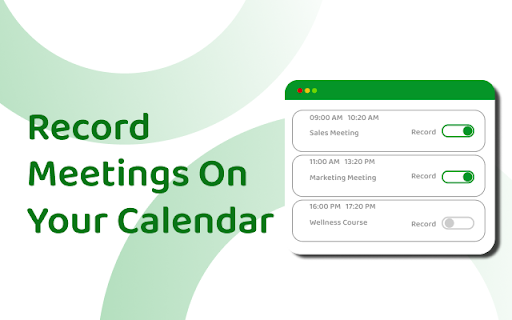
Automatically record, transcribe and summarize online meetings. Transform your online meeting dynamics with Meetingtor Application, the leading-edge Smart Meeting Recorder extension designed for Chrome. Tailored for forward-thinking professionals and dynamic teams leveraging Zoom, Google Meet, and Microsoft Teams, Meetingtor is the innovation in meeting management. It offers a comprehensive suite for recording, transcribing, summarizing, and sharing online meetings with accuracy and efficiency. Dive into a realm of productivity where every vital discussion is captured, every word is accounted for, and collaboration knows no bounds. - Meeting Recording & Effortless Sharing: Simplify your online engagements with our state-of-the-art recording technology. Meetingtor Application is not just an extension; it's a revolution in remote meeting recording, designed to enhance accessibility and interaction across any device. - Security for Confidential Discussions: We understand the importance of privacy and security in the digital age. Meetingtor Application stands out with its SOC and SSL certifications, setting a gold standard in securing your online meeting data. - Innovative Automatic Note-Taking: Leverage Meetingtor Application's cutting-edge AI to automatically join, record, transcribe, and summarize your meetings. It's time to move beyond traditional note-taking, enabling every team member to engage fully in the conversation while ensuring that all meeting insights are captured and easily accessible. - Efficient Setup & Integration: Begin your journey to smarter meetings with a seamless setup. A quick sign-up through Google or an email account opens the doors to a streamlined meeting experience. Connect your Google or Outlook calendar in seconds, integrating your professional life for optimal organization and productivity. - Language Support for Global Teams: In today's globalized work environment, Meetingtor Application's support for over 99 languages stands as a testament to our commitment to inclusivity and effective communication. Whether your team spans continents or cultures, Meetingtor Application bridges the gap, ensuring every voice is heard and documented. - Advanced Recording Management Tools: With Meetingtor, control is at your fingertips. Our user-friendly platform allows you to transcribe, summarize, download, or share your meeting recordings with unparalleled ease. Whether you're in the office or on the go, your meeting data is accessible, secure, and ready when you are. Elevate Your Meeting Experience: - Instant Access: Sign up in moments and dive into a world of efficient meeting management. - Calendar Synchronization: Link your calendar for a fully integrated experience, ensuring you're always prepared for your next meeting. - Autonomous Meeting Assistant: Trust Meetingtor Application to autonomously manage your meeting recordings, from joining meetings to secure storage, all handled with meticulous attention to detail. - Enhanced Meeting Insights: Utilize our advanced features to gain deeper insights into your meetings. Transcribe conversations, summarize key points, and share important moments with ease. Meetingtor is at the forefront of meeting technology, designed for the modern professional who demands efficiency, security, and sophistication. Our platform not only simplifies the recording process but elevates your entire meeting experience, ensuring you stay focused on what matters most — connecting, collaborating, and achieving together. Get the full potential of your online engagements with Meetingtor. Try it today and experience the meeting efficiency and productivity. Welcome to the future of online meetings, where every interaction is an opportunity for success.

Otter.ai: Record & Transcribe Meetings - Google Meet & Web Audio
Live transcription, summary, AI chat for meetings or website audio — Zoom, YouTube, online lectures, and more. No bot in Google Meet Otter.ai Chrome Extension offers real-time transcription, AI-powered summaries, and ChatGPT-style Chat to online meetings and any tab with audio—all inside Chrome. Compatible with Zoom, Microsoft Teams, and Google Meet. No-bot in Teams or Google Meet. Also compatible with YouTube, Coursera, online lectures, podcasts, and any website on Chrome browser. KEY FEATURES - Live transcription & captions – High accuracy so you never miss a word - Smart meeting summaries – bullet points, action items, and insights after the call. - AI chat with your meeting – Ask “What’s the deadline?” or “Summarize next steps” and get instant answers. - No-bot in Google Meet – no extra participant joins your call. - YouTube captions – Great for high-quality transcripts and language learning. - Works everywhere – from webinars and online classes to Twitter/X Spaces and LinkedIn Live - Search & share – locate any sentence later; export to Google Docs, Slack, CRM HOW TO PIN THE EXTENSION AND LOG IN: - After downloading, tap the extension icon, then tap the pin icon to add it to your browser bar. - You need to log in to use Otter. Tap the pinned Otter logo in your browser bar to log in to or sign up for an Otter account. HOW TO USE WITH GOOGLE MEET: - Remain logged in to use Otter. - After you join a Google Meet meeting, an Otter extension pop-up will open and ask if you want to - Record the meeting on your device, with no bot in the meeting. - Send AI Notetaker to the meeting as a normal participant. - You can see live transcript in the meeting. HOW TO USE WITH ZOOM: - Open a Zoom URL in your Chrome browser. - An Otter extension pop-up will open and ask if you want to send AI Notetaker the meeting to get an automatic meeting summary - However, if AI Noteteker is already scheduled to attend the meeting, you will not receive this pop-up. - You need to sync your calendar to enable Otter AI Notetaker to automatically join and record future meetings on your calendar. HOW TO TRANSCRIBE AUDIO ON THE BROWSER: - Open the website you want to transcribe the audio of, such as YouTube, online lectures, etc. - On this website, open the Otter Chrome Extension, and click “Record”. - If you mute or pause the audio or video you want to record and transcribe, the audio will not be recorded. - An overlay with live transcript will appear on the website that is being recorded. You can minimize the overlay.

Briefly: AI meeting summary & email follow up
Capture meeting notes, transcribe, summarize and gather insights without distraction. Capture meeting notes, transcribe, summarize and gather insights without distraction. Let Briefly take your meeting notes, organize your thoughts, and be more focused during meetings, all within your browser. Briefly makes it easy to be more productive after meetings by generating summaries, action items, and composing thoughtful follow-up emails. It simplifies your post-meeting workflow by transforming your conversations into a variety of polished project documents like product requirements, marketing briefs, sentiment reports, investment memos, and more. Briefly works where you do. Update your CRM directly from Slack after receiving and reviewing meeting summaries and insights from your latest call. ✅ Never miss a thing Briefly transcribes all your meetings and categorizes them based on the topics and content covered. Capture important points with our voice-activated notes feature. Get your summaries delivered to your inbox after every call to make it easier to organize your meeting notes for a later time. 💡Objective summaries and takeaways Briefly uses AI to generate comprehensive summaries from transcriptions, identify key insights grouped by topic and personalized action items, so you don't have to comb through transcripts to synthesize notes. ✍️ Personalized follow-ups Timely correspondence and accurate action items can lead to higher close rates and follow-up meetings booked. Briefly automatically crafts compelling customized follow-up messages from the contents of your meeting. Send them out right after your meeting is over so you can save time when you’re in back-to-back meetings. 💼 Sync your CRM Keep all customer interactions in sync. Automatically sync meeting notes with customer contacts in either Salesforce or Hubspot using Slack. 📝 Craft your project docs Input your custom prompt and let Briefly convert your transcript into the requested document. Browse our popular templates, and tailor them until your results are perfect. Make the most out of the knowledge shared in conversation by using different prompts to draft multiple docs per call. 🥷 Unintrusive Briefly does not add a “ghost” note-taker into your meeting, and does not require you to record the meeting, allowing you to stay focused and not be distracted. 📑 No matter what platform you take your calls on, import your meeting transcripts from Zoom, Microsoft Teams, or any other platform directly to Briefly. Upload reports, articles, and any other text files and turn them into summaries and project documents via your dashboard. 🪄Briefly is great for: Product and Engineering Sales Marketing Customer Success Venture Capital 📌 How to Get Started: 1. Install Chrome Extension and pin the icon to your toolbar. 2. Sign in with Google. 3. Start your Google Meet and under Current Call, click “Start transcribing this meeting”. 4. After the call, open the Briefly extension and click the “Past Call” tab to view the transcripts and AI summaries for all your calls. 5. Click the AI follow-up tab to view the follow-up email and edit it from your Gmail inbox. 6. Check your spam if you’re not receiving your recaps shortly after the call. Your recaps are only sent to you. 7. To access your dashboard, go to the Past Calls tab by clicking "Create on web" or visit: https://app.brieflyai.com ** Important Note: Your transcripts, conversations, and summaries are NOT stored or collected by Briefly. Briefly is powered by OpenAI’s GPTchat.

MeetGeek: AI Meeting Notes, Transcripts & Screen Recording
Get automatic recordings, transcripts, and summaries for online meetings on Google Meet, Zoom, and Teams. MeetGeek transforms online calls with AI meeting automation 🤖 Say goodbye to manual note-taking and hello to seamless integration across Zoom, Google Meet, Microsoft Teams, and more! Using the MeetGeek Chrome extension is FREE. Here’s how to enable it: - Install the extension and pin it to your browser bar - Log in or sign up for a free MeetGeek account - Start a meeting on your preferred platform—MeetGeek joins in one click! How it works: ✔ To record without the bot: Click the video camera icon in the MeetGeek widget during the meeting and select the Chrome tab you want to record. ✔ To use the AI notetaker automatically (record with bot): Sync your calendar with MeetGeek and enable the “Automatic join” setting. ✔ To invite the bot to ad-hoc calls: Click the widget’s “Invite notetaker” option or paste the meeting link into the extension sidebar. With the MeetGeek extension, you’ll be able to: 🎥 Record online meetings anywhere without an AI bot or notetaker 📝 See live transcription during your meetings (Google Meet supported) ⏸️ Pause or resume note-taking anytime through the floating widget ⚙️ Easily control whether the notetaker joins your scheduled meetings 🪢 Instantly invite the AI notetaker to your Zoom, Google Meet, and Microsoft Teams calls 📂 Access your latest meeting summaries & transcripts directly 🚀 How MeetGeek already boosts meeting productivity for 30k+ teams: - Instant AI note-taking: Save time with automated notes and searchable transcripts - Automated AI meeting summaries: AI extracts key points, decisions, and action items - Live AI transcription: Follow conversations in real time and revisit them later with searchable transcripts - Multi-language transcription: Transcribe in 60+ languages including English, French, Spanish, Portuguese, German, Arabic, Chinese, and more - Meeting insights & analytics: Track speaker talk time, engagement, meeting trends, and more - Custom automation: Sync meeting insights directly into tools like HubSpot, Salesforce, Notion, ClickUp, and set up tailored workflows (10,000+ apps through Zapier, Make & n8n) - Easy sharing & collaboration: Share meeting summaries and action items with your team 🔒 MeetGeek secures powerful data encryption, GDPR compliance, and SOC2 Type 2 certification. Read more about it at [https://meetgeek.ai/security](https://meetgeek.ai/security) Turn every meeting into a productivity powerhouse ⚡ Get started with MeetGeek today—a FREE plan is available! Need help? Visit meetgeek.ai for more info or explore our Help Center at [https://support.meetgeek.ai/en/articles/9148521-meetgeek-chrome-extension](https://support.meetgeek.ai/en/articles/9148521-meetgeek-chrome-extension) Follow us for updates:

Live Meeting Notes
🎙️ Live Meeting Notes Turn meetings, lectures, interviews, and online classes into organized notes, searchable transcripts, audio/video records, and professional Word reports. Record what matters. Find it later. Stay in control of your data. Live Meeting Notes works directly in Chrome and helps you capture audio from your microphone, system audio, browser tabs, meeting apps, or both at the same time. Use it with Zoom, Microsoft Teams, Google Meet, Webex, online lectures, webinars, training sessions, client calls, interviews, or in-person conversations. No meeting-platform integration is required. ________________________________________ ✨ What you can do 🎙️ Record audio from multiple sources Capture your microphone, system audio, browser tab audio, meeting app audio, or the full conversation in one recording session. 🎥 Optional screen video recording Record your screen together with system audio when you need visual context for demos, lessons, presentations, walkthroughs, webinars, or online classes. 📝 Live speech-to-text Use browser-based live transcription while recording. It is fast, free, and helpful for creating rough real-time notes during the session. 🤖 High-quality AI transcription with Gemini After recording, use Gemini AI to convert audio into cleaner, structured transcripts with timestamps, speaker labels, punctuation, and improved text quality. ⏱️ Smart handling for long recordings Large or long audio files can be split into smaller parts automatically, processed sequentially, and merged back into one complete timeline. ✂️ Transcribe only the part you need Select a specific time range when you do not need the entire recording converted. 🔎 Timestamped notes and transcripts Every note and transcript segment can be tied to the audio timeline. Click a timestamp to jump back to the exact moment in the recording. 🌊 Audio waveform playback Review recordings with waveform navigation, play/pause, skip, zoom, volume control, and timestamp insertion. 🎬 Video playback panel Open saved screen recordings, switch between video segments, control playback speed and volume, and jump from transcript timestamps to the relevant point in the video. ✍️ Edit everything before export Fix transcript text, adjust timestamps, rename speakers, edit meeting summaries, and refine your notes before creating the final report. 📄 Export professional Word reports Save meeting information, manual notes, AI summaries, detailed transcripts, timestamps, and speaker labels into a .docx report. 💾 Open and continue saved projects Load a previous meeting folder, keep editing, add more recording, run AI transcription later, or export an updated report. 🛟 Auto-backup and recovery Notes, metadata, transcripts, and recording chunks are backed up automatically. If Chrome closes unexpectedly, you can restore notes only or recover the full session with audio. ⚡ Works offline for local work Playback, note editing, saved projects, and Word export can work without internet. Online features such as Gemini AI and browser speech recognition require internet access. ________________________________________ 🔒 Privacy and data control Your recordings and notes are stored on your device. Live Meeting Notes does not require a user account to start recording and taking notes. Local features such as recording, editing, playback, project saving, and Word export stay on your machine. AI features are optional. When using Gemini AI transcription or summary, the selected audio or text is sent to Google Gemini API using your own API key. You stay in control of when AI processing is used. ________________________________________ 🆓 Free vs Pro Free plan Use the core workflow for recordings and audio files up to 45 minutes. Pro plan Use the same experience without the 45-minute limit. Upgrade only when your meetings, lectures, interviews, or recordings get longer. ________________________________________ 👥 Best for 🎓 Students recording lectures and building study materials 💼 Professionals capturing client calls, meetings, and decisions 👥 Teams documenting discussions and action items 🎤 Trainers, coaches, and consultants saving session records 🔬 Researchers and interviewers reviewing long conversations 🔎 Anyone who needs searchable, timestamped notes from real audio
