
ecgllillhilocegdanfdmbfnjonmhpie


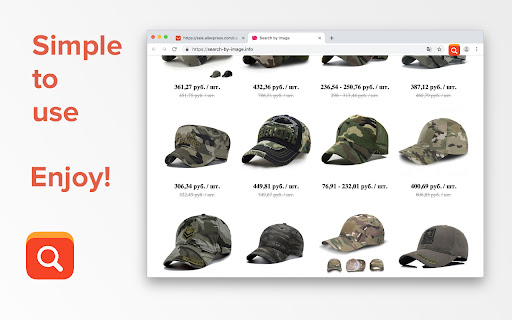
Search products on AliExpress using images or screen area selection This extension for search similar products on Aliexpress.com by image. It happened that you liked a product or a picture, and you wanted to buy it, but you didn’t know how to find it? Now the problem is solved! Just two right-click mouse - and you can easily find a variety of products with prices for your picture on Aliexpress.com! For your comfort, we have removed the elements blocking access to images on Aliexpress. For example, on the product page, when the image is zoomed. You can search by an any image in internet, not only from store or item page. We conducted a study of similar tools and can confidently say that this extension shows the best results. Does the seller discount? Fine! You will see this on the results page! Do you do dropshipping? Fine! On the search results page, you can see the price and choose the cheapest option! Try searching for branded items. We know that Aliexpress is full of copies of different brands and sellers. Now you can do even more orders. We tried to make a great helper for your shopping! We also want to point out that by installing the extension, you allow developers to receive a cashback from your purchases as a reward for using the extension.

AliSave | Download AliExpress Images & Videos
Save Aliexpress Images & Videos. The most popular tool for AliExpress & Alibaba! This extension allows you to easily save AliExpress images and videos to your computer. You will be able to download product images in one click with the best quality possible! 1. Install the extension by clicking the “Add to chrome” button. 2. Open an AliExpress product page. 3. Click on the download buttons next to the product images. You can also the app window by clicking on the icon on the top right of your browser and start downloading! FREE version: - Download main product images, variations images and pictures from description - Save images as ZIP (it’s useful to keep a clean download folder) - Get the best quality image download - Convert webp images to jpg PRO version: - Support all features on AliExpress AND Alibaba! - Save time and download ALL images in one click - Organise downloads with subdirectories - Open download directory after download - Remove images metadatas - Right click to download images with the BEST QUALITY possible - Right click to download REVIEW images - Save product’s VIDEOS If you have any questions, or suggestions to improve the app, please let us know at support@alisave.app! The extension is NOT affiliated with or endorsed by Alibaba Group or any of the other marketplaces like aliexpress.com and alibaba.com

Search by image on Aliexpress
Search for any product in one click on aliexpress. Search by Image on Aliexpress is a powerful browser extension designed to simplify and streamline the online shopping experience on AliExpress. With the tremendous growth of e-commerce in recent years, AliExpress has emerged as one of the most popular and widely-used platforms for online shopping. However, with millions of products available, finding the right item can often be a challenge. This is where the Search by Image on Aliexpress extension comes in, providing users with a range of powerful tools and features that make it easy to find the products they need quickly and efficiently. The Search by Image on Aliexpress extension is a must-have tool for anyone who shops on AliExpress regularly. One of the key features of the extension is its ability to analyze images and return a range of suitable AliExpress products based on a range of parameters. Whether you are looking for clothing, electronics, or any other type of product, the extension can quickly identify and present a selection of products that match the image you have uploaded. To use the extension, all you need to do is right-click on any image in your browser and select "Product Search". The extension will then upload the image to the server, analyze it using its trained neural network, and return a selection of suitable AliExpress products. With this powerful tool at your fingertips, you can quickly and easily find the products you need without having to spend hours searching through the AliExpress website. In addition to its powerful image search capabilities, the Search by Image on Aliexpress extension also provides users with a range of other useful features and tools. For example, the extension allows you to view real prices for AliExpress products, making it easy to compare prices and choose the best option for your needs. The extension also provides users with access to a huge selection of eligible products, ensuring that you always have a wide range of options to choose from. One of the key advantages of the Search by Image on Aliexpress extension is its ease of use. Unlike many other browser extensions, the extension is designed to be user-friendly and accessible to all Internet users. This means that even if you are not familiar with complex technical concepts, you can still benefit from the powerful features and tools that the extension provides. Overall, if you are an avid AliExpress shopper, the Search by Image on Aliexpress extension is an essential tool that can help you save time, money, and effort. Whether you are looking for clothing, electronics, or any other type of product, the extension can quickly and easily find the products you need, with real prices and a wide range of options to choose from. So why wait? Download the Search by Image on Aliexpress extension today and start enjoying a better, more streamlined shopping experience on AliExpress!

AliExpress Image Search
Find the best suppliers with the lower prices for your products Find the cheapest products with AliExpress search by image. ✜ Download Choose the extension for AliExpress image search by Ali Chrome Press the “Add to chrome” button This extension only works on your Chrome browser ✜ Use and operation The Search by image plugin helps you find the best products: Starting from https://aliexpress.com/ itself as several sellers sell the same product at different prices and with different seller reviews Starting from another site (dropshipping for example) and finding a supplier of this product. The extension works by searching AliExpress by photo and then sorts the products by best match (which means the best price and bestseller via the simple image search) ▻ How to use Search by image Chrome extension ? There are two ways to use photo search: 1) Once the search by image extension is installed, a yellow logo appears in your browser a) Go to the product page which has an image b) Press the yellow lamb (the logo of the plugin) c) A yellow circle turns, like an hourglass to display the best offers. The yellow circle may spin for a few tens of seconds, this is the time needed to sort the best products. If there is an error detected, the yellow circle turns red. d) You can click on the first product displayed which will be the best product found by picture search 2) You can also use it on any site to see if the product is available (to compare prices on Wish, Amazon, eBay etc ...). The extension image search works on any site. a) All you have to do is go to a product page of a competitor site that has an image b) Click on the image (right click) and press "search for the best deals" this will automatically generate the photo search from search by image AliExpress c) A page opens and allows you to display search results. d) You can thus find the best product by searching by image. ✜ Privacy and collection Personal data is not required to use the extension. The "search AliExpress by image" extension is in no way related to https://aliexpress.com/ or the Alibaba Company, the extension uses the Thieve API to allow users to find better products. By using the extension "AliExpress reverse image search", you accept the T & Cs, you agree that the extension will be remunerated as a reporter by Alibaba on orders

AliExpress Search By Image - Quick Product Finder
Right-click any image to search on AliExpress! Find products fast and dropship easily with this powerful image search tool. Aliexpress Search by Image is very important for dropshipping business. Rovalty providing you next level Search by Image on AliExpress for Free. #1 Search by Image on AliExpress tool for your business or personal use. Using an image search, you may purchase items from AliExpress using the website Royalty. You can find immediate matches to your preferred product, along with its price and availability. By saving the image of it and uploading it to the Rovalty image search engine. This works for any product you want from any website or e-commerce site and adds to your cart for purchase from AliExpress. You must be having questions about how Rovalty might work and help you while you are looking for products to purchase online. You must first install the Rovalty Chrome extension or go to their website, after which you must save an image of your choice (can be from Google, Facebook, or an e-commerce site). Once you've uploaded the image, use the Rovalty image search engine to conduct a search. You will then be able to examine the results that correspond to your preferred product. After that, you can order it from AliExpress.com. Let’s go into detail about how the Rovalty image search engine possibly works: ✦✦ AliExpress by Image for Rovalty✦✦ On Rovalty, look up products using images. Not a Google redirect like other addons! Right-click and do a search. In contrast to other Chrome extensions, search AliExpress by Image genuinely conducts an image search on AliExpress rather than redirecting to Google. Simply right-click on an image and select "Search AliExpress By Image" to begin. ➜ Install the chrome extension. ➜ Find any image and right-click "Search AliExpress By Image". ➜ Browse through results on Rovalty. ➜ Click on products and view them on AliExpress. ✦✦ Affiliate Disclosure✦✦ This extension participates in the Alibaba Affiliate Program. If you click on a search result or make a purchase after using this tool, we may receive a small commission at no extra cost to you. This helps us maintain and improve the extension for our users. Very simple to use! Email us at info@rovalty.com if you need assistance or have any queries. Enjoy! This add-on allows you to look for products on Aliexpress photo search on Rovalty.com using images. Made with ❤️ in Rovalty
