
ebilmgbhdahhkbdfnicbcccfcciflghp

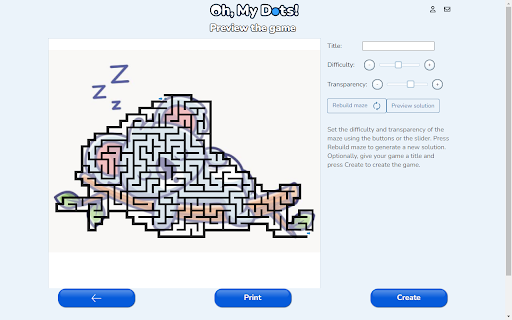

Create a connect the dots game or picture maze game from any picture in your browser. Easily create a connect the dots game or a picture maze game from any picture in your browser. Just right on a picture and select Oh, my Dots! Game Creator and the game mode. You can create unlimited games to play online or print. No registration required.

Catloaf, where are we?
Ask the loafing cat where you are and he'll meow the page title at you. Tabs can get narrow and their titles become unreadable. Sometimes the top of the browser is cluttered with open tabs and the title is obscured by clouds or whatever. If you ever wonder where you are while browsing and need to confirm the name of the active web page in your browser, just click on the extension icon and a cat in a loafing posture will tell you the tab title.

Sprout
Track your mood each day Keep track of your daily mood and visualize your progress throughout the year. Choose one of five plant moods everyday and watch your year slowly unfold before you. How to use: 1. Click on one of the five buttons which each represent a different mood. 2. Hover over any day on the calendar to see what mood was selected for that particular day. 3. Click the home or calendar button to navigate between pages. If you run into any bugs/problems, please contact us at: sprouthelpteam@gmail.com

❤ Ducktor - Your Adorable Web Companion
Sometimes, the internet gets you down. Ducktor blocks out bad image content and replaces it with... well... ducks. And more! From screen time reminders to duck dress-up, Ducktor sits in your tray, keeping you company as you surf the web. 🦆 --- The news and internet often gets a lot of us down. We see things we don't wish to see, and we often know what kind of material we really want to block out. As a group, we decided that the best way to navigate the web safely is to replace these images using a blocked wordlist. But no one wants to stare at a bunch of broken image links, so what better, cuter thing to use than a bunch of ducks? So we set out to do just that, adding some customisable duck fun along the way and a host of other functions to make our cute little duckling a truly formidable web companion. --- Ducktor sits in any Chrome-based browser, showing a customisable animated duck whenever you click it. This duck can be awakened or set to sleep, depending on whether you want Ducktor's functions on or off - and its individual functions can be toggled too. Ducktor's main function is image replacement. When on, it replaces any image that matches a set of user-defined word criteria with a picture of your own customised duck. This duck can be given various hats and even a name, making sure that you never get bored of replacing images with an adorable friend you've helped make. Ducktor also promotes other forms of wellbeing; - A little duck will pop up in the bottom right corner of your screen giving you a reminder of how much time you've been spending online. This reminder is customisable, allowing you to set just how long you want to be online. - When opening the Ducktor window, your duck will give you motivational and inspirational quotes to remind you just how much it loves you

Where is Cookie?
Hidden clues, sharper mind! Find Cookie & boost your brain As you search for Cookie, our adorable hidden dog, on website pages, you're actually enhancing your cognitive skills. Each level is designed to improve your attention to detail, speed up your visual processing, and sharpen your observational abilities. Enjoy the thrill of the hunt while giving your brain a beneficial workout. Ready to play and train your brain with Cookie? Let's get started!
