
ebgonfpmppfndacngpbmgajldoabnjkm
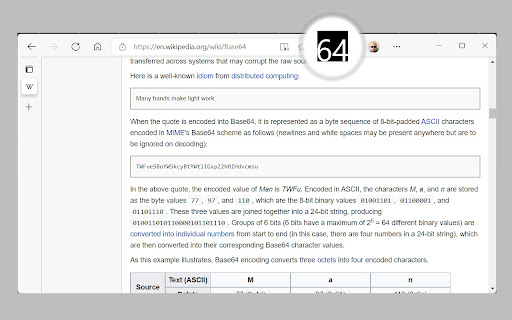

Base64Coder is a Chrome extension that allows you to encode and decode data in Base64 format. Base64Coder is a powerful and versatile Chrome extension designed to simplify encoding, decoding, and working with Base64 data, including JWT (JSON Web Tokens) and images. Whether you're a developer, data analyst, or someone who frequently handles Base64 strings, JWTs, or images, this tool provides a seamless experience with its intuitive interface, dark theme support, customizable hotkeys, and unique image-to-Base64 conversion feature. Encode text, files or even images from web pages to Base64, decode Base64 data, or inspect JWT tokens—all within your browser. - Encode to Base64: Instantly convert plain text, files, or URLs into Base64 format. - Decode from Base64: Decode Base64 strings back to their original text, file, or image format. - JWT Decoding: Decode JSON Web Tokens (JWT) to view the header, payload, and signature details. - Image to Base64: Copy images directly from web pages and convert them to Base64 format in one click. - Dark Theme Support: A sleek, eye-friendly dark theme for comfortable use in low-light environments. - Hotkeys for Speed: Keyboard shortcuts to speed up encoding, decoding, and other actions. - Clipboard Integration: Copy encoded or decoded results (including Base64 images) to your clipboard instantly. - File Handling: Encode and decode files directly within the extension. - Lightweight & Fast: Minimal resource usage for quick and efficient performance. Ideal For: - Developers working with APIs, data encoding, JWT authentication, or Base64 image handling. - Data analysts handling Base64-encoded datasets, inspecting JWT tokens, or working with Base64 images. - Designers or content creators needing to extract and encode images from web pages. - Anyone needing quick Base64 conversions, JWT decoding, or image encoding with a streamlined workflow. Transform your workflow with Base64Coder—install it today and enjoy a faster, smoother, and more feature-rich experience!

ARGOS DOM
Xpath extraction extension for ARGOS STU (HTML Action) This extension works in conjunction with the HTML Action operation in ARGOS STU (the automation scenario development software of the ARGOS Low-code platform). It visualizes and facilitates acquisition of Xpath and other various browser related information for development of ARGOS Automation Scenarios.

Smartlink Health
Smartlink Health's software enables the real-time exchange of data between EHRs and other health IT systems, including: *Presentation of diagnosis gaps and care gaps within the clinical workflow *Insertion of clinical information into patient records *Extraction of patient information, such as orders, referrals, labs, appointments, demographics, and other data from the EHR

Image to Base64 Encoder
- Convert Images: Right-click on any image to convert it to base64 format. - Upload: Upload images via the popup and convert them to base64 format

Uzera
Empower users with Uzera. Integrate tours and demos seamlessly. Design interactive tours, record engaging DemoX. Uzera: Elevate User Experience with Product Tours and DemoX 🚀 Welcome to Uzera, the ultimate Chrome extension designed to revolutionize user engagement on your website or application. With two powerful features – Product Tours 🎯 and DemoX 🎬 – Uzera empowers you to provide an immersive and user-friendly experience for your audience. 1. Product Tours 🌐: Easily create interactive product tours that guide users through the essential features of your website or application. The intuitive design interface allows you to define step-by-step instructions, ensuring users grasp the full potential of your product. 2. DemoX - Video Guides 📹: Take user guidance to the next level with DemoX. Record step-by-step actions within your website or application, transforming them into captivating video guides. Share these DemoX videos to enhance user understanding and streamline the onboarding process. - Product Tours: - Design Engaging Steps 🎨: Craft visually appealing and informative steps for your product tour. Customize each step to showcase specific features or actions. - Seamless Integration 🚀: Integrate product tours effortlessly into your website or application, enhancing user onboarding and feature discovery. - DemoX - Video Guides: - Effortless Recording 🎥: Capture user interactions and workflows within your website or application effortlessly. - Shareable Video Guides 🌐: Generate shareable DemoX videos to provide users with a dynamic visual guide for using your product. - Enhanced User Engagement 🤝: Keep users engaged and informed with interactive product tours and video guides that cater to different learning preferences. - Simplified Onboarding 🛤️: Streamline the onboarding process for new users by providing them with comprehensive product tours and step-by-step video guides. - Versatility 💼: Whether you're a developer, marketer, or product manager, Uzera Toolbox is a versatile tool that adapts to your needs, enhancing user engagement across the board. 1. Install the Uzera Chrome extension. 2. Access the intuitive design interface for Product Tours or start recording with DemoX. 3. Elevate your user engagement and provide an unparalleled experience for your audience. Transform user engagement today with Uzera – Your Gateway to Intuitive Product Tours and Dynamic DemoX Video Guides! 🚀
