
ebeaokdfdhmgojpclbojdfmhlalmfndp
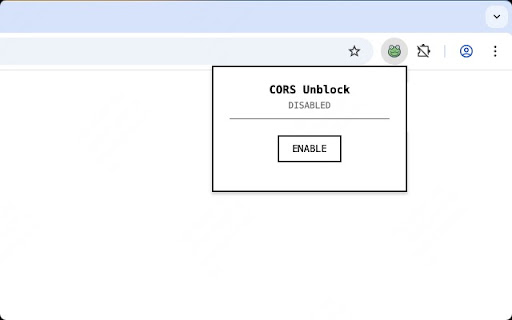

A browser extension that allows cross-origin requests by disabling CORS restrictions Unlock web development potential! This extension bypasses CORS restrictions for developers, enabling seamless API testing, local development, and cross-origin requests. Perfect for debugging web applications and accessing APIs without server-side proxy setup

SA CORS Unblock
An extension to help to bypass CORS security errors on superannotate domains This extension helps overcome CORS policy limitations ONLY on SuperAnnotate’s and localhost domains by modifying the `Access-Control-Allow-*` response headers. You can enable or disable the extension by clicking on its icon. Additionally, you can toggle which types of headers it modifies: We value web security and have intentionally kept this extension as minimal as possible to ensure a safe browsing experience. This extension DOES NOT collect, store, or share any user data.

CORS Unblock
Temporarily unblock CORS for development and testing purposes Unblock CORS (cautiously!) for Development & Testing Need to temporarily unblock CORS restrictions on a trusted website for development or testing? This extension allows you to do that with a "SINGLE CLICK", but be aware of the security implications. Unblocking is temporary and won't persist across page reloads. Use responsibly on trusted sites only! Simple one-click unblocking. Clear warnings about security risks and temporary nature of changes. Designed for developers and testers (use with caution on production websites). This extension is a valuable tool for developers and testers, but it's crucial to use it responsibly and understand the potential security risks. Completely free and NO ads! For JSON Validation and formatting visit: https://jsonvalidator.onrender.com

CORS Unblock
Web apps cross-origin access with precise domain control and simple permissions. CORS Unblock is a powerful browser extension that enhances web applications by enabling controlled cross-origin requests. It provides native-like networking capabilities while maintaining security through explicit permission controls. • Security-First Design - No user data collection - All operations performed locally in your browser - Explicit permission model for maximum security For Developers: CORS Unblock provides a straightforward API to request domain access permissions. Once user authorization is granted, your web application can make cross-origin requests without complex proxy servers or CORS configurations. For Users: The extension works automatically in the background. When a web application needs cross-origin access, you'll receive a clear permission request. You maintain full control over which domains can communicate with each other. Privacy & Security: We take your privacy seriously. CORS Unblock: - Collects no user data - Processes all operations locally - Requires explicit permission for each domain - Allows instant permission revocation This extension is perfect for developers building modern web applications and users who want to safely enable cross-origin capabilities while maintaining control over their browsing security. Contact: If you have any questions or suggestions, please join us at https://discord.gg/re3cFtxAjT

CORS Helper
Developer tool to bypass CORS restrictions during local testing. Features profiles, allowlist, and auto-off timer for safety. CORS Helper - Developer Tool for Local Testing ⚠️ FOR DEVELOPERS ONLY - This tool bypasses browser security. Use only during development! 🎯 WHAT IT DOES Bypass CORS (Cross-Origin Resource Sharing) restrictions when testing local applications. Perfect for frontend developers working with APIs on different ports or domains. Smart Profile System • Create multiple profiles for different projects • Domain allowlist per profile • Quick switch between configurations • Import/export profiles as JSON Privacy-First Design • Debug logging OFF by default • No tracking or analytics • No external servers • All data stored locally • You control what gets logged Auto-Off Timer • 10 minutes, 30 minutes, 2 hours, or infinite • Countdown badge shows remaining time • Global mode defaults to 10-min timer for safety • Never leave CORS accidentally disabled Domain Management • Allowlist mode: Only specified domains (recommended) • Global mode: All domains (use with caution) • Right-click context menu: "Allow this domain" • "Allow Active Tab" button for instant access • Preset buttons for common localhost ports Debug Logging (Optional) • Track which requests are modified • View HTTP status codes and methods • Preflight failure detection with helpful hints • Logs capped at 60 entries, stored locally only Built-In Test Console • Test API endpoints directly from options page • Supports GET, POST, PUT, PATCH, DELETE • Add custom headers to trigger preflight • View all CORS headers in response • JSON formatting and error troubleshooting 🎨 USER EXPERIENCE • Dynamic icons for different modes (off/allowlist/global) • Keyboard shortcuts for quick actions • Dark mode support • Clean, modern interface • Onboarding wizard for first-time users • Real-time countdown badge 🔒 SECURITY & PRIVACY ✓ Manifest V3 compliant ✓ No external API calls ✓ No tracking or analytics ✓ Open source code ✓ Data never leaves your browser ✓ Debug logging OFF by default ✓ Clear privacy policy 📋 COMMON USE CASES 1. Test React/Vue/Angular apps with backend APIs on different ports 2. Connect microservices running locally on different ports 3. Test third-party APIs without CORS restrictions 4. Develop Chrome extensions with cross-origin requests 5. Connect local dev server to mobile test devices 💡 BEST PRACTICES • Use Allowlist mode for better security • Enable Auto-off timer when using Global mode • Turn on Debug logging only when troubleshooting • Create separate profiles for different projects • Disable when not actively testing ⚠️ IMPORTANT DISCLAIMER FOR DEVELOPMENT USE ONLY. Disabling CORS removes an important browser security feature. Only use during local development on domains you control. Always disable when browsing normally.
