
eaiojpmgklfngpjddhoalgcpkepgkclh
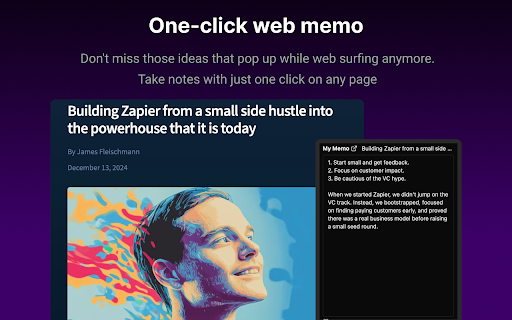


Summarize any webpage or YouTube video with AI in one click. Save notes instantly. Free to use! Stop letting your web browsing slip away. "I should look this up later..." "Where should I jot this down?" "This video is so long, I just want the key points..." Sound familiar? Great ideas pass you by, important information disappears in browser tabs. That frustration ends now. ✨ The Web Memo Experience 1. One-Click Memo - Never Lose an Idea 🖋 Stop scrolling, opening new tabs, searching for a notepad... No more hassle. One click and your thought is instantly saved. 2. AI-Powered Summaries 🤖 Long articles, lengthy YouTube videos - no longer overwhelming. AI extracts the key points and saves your precious time. 3. Ask AI Anything 💬 When you don't understand the content, or want to dig deeper. Just ask AI. It answers based on what you're reading. 4. Auto-Categorization Magic 🏷 No need to organize manually. AI analyzes content and automatically sorts your memos into folders. 5. Save for Later 🩷 Too busy now but don't want to lose that content? Add it to your wishlist and enjoy it when you have time. ✅ 100% Free - No signup, no payment, no ads ✅ Works Everywhere - YouTube, blogs, news, any webpage ✅ Cross-Platform - Chrome extension, web, and mobile app ✅ Fast Updates - Your feedback is quickly reflected With Web Memo, browsing becomes collecting - turning consumption into value. Your feedback makes Web Memo better. Have ideas or suggestions? Reach out anytime\! Your voice shapes the future of Web Memo.

Loom – Screen Recorder & Screen Capture
Record your screen and camera with one click. Share that content in an instant with a link. Loom is the industry leading screen recording tool. Join more than 14 million people across 200,000 companies who use Loom to record their screen, share their thoughts visually, and provide asynchronous feedback. With Loom you can record your screen and instantly get a link to share with anyone. It’s the fastest and easiest way to screen capture and stay connected with your team. Whether you’re screen recording a product demo, giving feedback, or simply sharing your thoughts, Loom makes it simple to stay in the loop with async video. KEY FEATURES 📽️ Record your screen, camera, microphone, and internal audio 💾 Automatically save videos to the cloud and share them instantly with a link 💬 Get notified when someone views, reacts, or comments on your video 😀 Leave time-based comments and emoji reactions 📚 Manage your Loom video library on-the-go and across devices 🔒 Choose who can see your video with security and access controls ⏬ Download recordings to your camera roll 📽️ Screen Recorder 📽️ - Record your screen, camera, or both for free - iOS and Android apps to record your mobile phone - Record in 720p, 1080p, 1440p, or 4k HD - Add flair to your video with camera frames, backgrounds, and camera effects like blurring 💾 Video Hosting 💾 - Store your videos inside of Loom HQ - Upload Zoom and Google Meet recordings directly into Loom to search and find later - Create hashtags to keep track of important videos 🪄 Share With A Link 🪄 - Our recordings finish so fast that we had to file multiple patents - Anyone in the world can watch your screen recording for free - Share your videos to LinkedIn, Twitter, or publish to the Google Search index 🗣️ Drive Engagement 🗣️ - Use comments and emoji reactions to boost engagement - Respond with your own Loom in the comments to create a video message thread - Loom videos automatically display in Slack and Microsoft Teams ⏱️ Meeting Replacement ⏱️ - Send a Loom instead of having another standup meeting - Record a presentation with Loom and send it to your audience ahead of time - Screen record your next weekly update to add rich visual context and your own personal touch TRUSTED BY THE BEST Over 14 million people across 200,000 companies use Loom to record, share, and review asynchronous video. From HubSpot, to Atlassian, to Netflix, Loom is the screen recording and collaboration tool of choice for top companies. EVERYTHING YOU NEED AND MORE Using Loom, you can collaborate with your team, add time-stamped comments and reactions to those videos, and save videos you’ve recorded to your device. Now, you can spend less time crafting the perfect email between meetings, and say it with video using Loom. ABOUT LOOM Loom is the leading video communication platform for async work. Engineered for simplicity and speed, you can record, watch, and share videos to move work forward whether you're at your desk or on the move. LOOM IN THE NEWS "Why are we all trapped in enterprise chat apps if we talk 6X faster than we type, and our brain processes visual info 60,000X faster than text?...now is the time for Loom." – TechCrunch "It fills this gap between writing an email and taking the time to have a meeting or conference...it's rare to have something that's low friction and high impact, while also adding personal connection." – Forbes “Asynchronous video is catching on fast, and Loom thinks it's going to change the way we work. And maybe do everything else, too.” – Protocol

Easy Summaries
AI-powered summaries for any webpage, article, YouTube video, or PDF. Save hours. Get the key points in seconds. Summerize.ai uses advanced AI to summarize any webpage, article, research paper, YouTube video, or PDF — in under 10 seconds. Built for people who value their time. 🎯 Who is this for? 💼 Busy professionals drowning in articles and reports 🎓 Students and researchers cutting through dense content 📰 News junkies who want the story, not the scroll 🔬 Anyone who wants to read smarter, not longer ✨ Key Features 🧠 Instant AI Summaries One click. Any page. Get a sharp, structured summary in seconds — no fluff, just the essential points. 📌 Floating Side Panel Summerize stays out of your way until you need it. A sleek side panel appears as you scroll, giving you instant access without breaking your flow. 🔑 Keyword Selection & Navigation Tap any keyword in your summary to jump directly to that section of the page. Find what matters fast. 📋 Copy Results in One Click Copy your full summary or keywords instantly — paste into notes, emails, or docs without friction. 📂 Improved History Tab Your past summaries are synced to the cloud and accessible from any device. Search, browse, and revisit with a clean card layout. Click any card to go back to the source. 🎨 Improved Output Structure Summaries are now formatted for readability — headers, bullet points, and sections that match the type of content you're reading. 🤖 Content-Aware AI The AI adapts its style based on what you're reading — articles, documentation, research papers, blog posts — for more accurate, relevant results. 🎵 YouTube & PDF Support Works on YouTube videos and PDF documents. Not just webpages. ⭐ Premium Go unlimited. Subscribe directly from the extension via Stripe. No caps, no interruptions. 📌 Floating side panel — Summerize follows you as you scroll for instant access 🔑 Keyword selection & in-page navigation — jump to any section from the summary 📋 Copy results button — one-click copy for summaries and keywords 📂 Improved history page — better layout, faster search, cleaner cards 🎨 Improved output structure — summaries now formatted with clear sections and hierarchy 🔐 Authentication fix — resolved sign-in issues affecting some users 📋 Version History 💳 Premium subscription via Stripe — subscribe directly from the extension ☁️ Cloud-synced history — access your summaries across all devices 🔍 Search your past summaries from the history tab 🤖 Content-aware AI — adapts summarization style to content type 👍👎 Feedback on every summary — help us improve ⚡ Faster backend response times v1.32 🔊 Audio mode — listen to your summaries Upgraded to GPT-4 for improved accuracy v1.20 🌙 Dark mode ▶️ YouTube video summaries Keywords and highlights split into separate options v1.12 📄 PDF support added 🔒 Privacy We never store the content of pages you summarize. Full details at summerize.ai/privacy-policy.

NotebookLM AI Sidebar
Use NotebookLM AI Sidebar to import web links into a notebook and add YouTube videos and shorts with one click! 📒 The NotebookLM AI Sidebar Chrome extension is a powerful tool designed to streamline note-taking and research. With AI-driven features, it allows users to easily create and manage structured links. Whether you're gathering documents, generating insights, or add webpages into a notebook, Notebook LM makes in-depth research seamless and efficient. This extension allows you to effortlessly create documents in NotebookLM and easily add various articles to existing documents. 🛠️ Quick Start Guide: 1. Install the extension by clicking 'Add to Chrome' from Google Chrome Store 2. Click the icon in the top right corner of the browser tab. 3. Start creating or adding sources to your projects effortlessly! Why Choose This Extension? 1️⃣ Instantly create a notebook lm sidebar with just a click 2️⃣ Easily add sources to existing projects, add YouTube links or YouTube shorts 3️⃣ Enhance your investigation experience with artificial intelligence-powered assistance 4️⃣ Seamlessly integrate with Google for a smoother workflow 5️⃣ Improve productivity and organization with notebook lm sidebar features 6️⃣ Quickly access, edit, remove and manage your notebooks anytime 7️⃣ Optimize information gathering with notebook lm sidebar 8️⃣ Maximize efficiency using the extension 9️⃣ Find the perfect notebook lm sidebar alternative for your workflow 🔮 Discover a smarter way to organize with NotebookLM! 📚 Take a Audio Deep Dive 👍 Easily compile documents for deep research 💡 Generate insights using notebooklm capabilities 🤝 Discover how to use effectively for various purposes 📱 Podcast Feature 🔄 Transcribe, summarize, and analyze podcasts 📈 Get structured insights from audio discussions 🎤 Enhance learning with the AI podcast generator 💡 What is this extension? 🦊 This NotebookLM AI Sidebar Chrome Extension is an advanced powered tool designed to help users organize, easily create new projects and seamlessly add sources and also generate insights with ease. Whether you're working on deep research or need an ai-powered assistant, it is the ultimate solution. 🛠️ How to Use It? 1️⃣ Install the extension from Google Chrome Store 2️⃣ Click on the icon of this extension to right corner of the broweser tab 3️⃣ Start adding documents or creating new notebook instantly 🔍 Explore Alternatives 🚀 Looking for a NotebookLM alternative? Explore similar AI Notebook solutions with comparable features, ensuring flexibility and efficiency. 💻 Enhance Your Research with Google LM 📡 Use artificial intelligence-powered tools to generate summaries ✨ Organize your notes with Notebook Google KLM 📃 Collaborate effectively using LM Notes 🌟 AI notebook lm for Smarter Research 🏷️ Improve productivity with NotebookLM Podcast tools 🖋️ Leverage the notebook lm for structured insights ⚛️ Utilize NotebookLM for academic and professional work 🎧 AI Podcast Generator & Learning 🗣️ Convert discussions into structured notes 💬 Learn how to generate artificial intelligence podcasts with google lm 🔑 Access key insights quickly using google lm features 💡 Google AI Podcast Generator 💡 Automate podcast transcription and summarization ⏳ Save time with artificial intelligence-generated text from discussions 📀 Enhance learning and research with AI-driven insights 🧠 AI Revolution 🚀 Google ai notebook transforms how you interact with information online. This NoteboolLLM solution provides intelligent assistance for: ➤ Summarizing complex topics ➤ Identifying key concepts ➤ Generating insights from multiple sources ➤ Creating connections between different pieces of information ➤ Producing comprehensive reports and analyses 💪 Boost Productivity with Google AI 📅 Stay organized with intuitive NotebookLM features 💰 Get instant insights from NotebookLM 🎚️ Simplify research with an advanced notebook ai 🔄 Source Management Made Simple Wondering how many sources can handle or how to download sources from extension? The extension offers robust documents management: ➤ Add unlimited documents to your projects ➤ Organize sources by topic, project, or custom categories ➤ Easily download and export source materials ➤ Track documents origins automatically ➤ Cite sources properly with built-in citation tools 💰 Great Value at Any Level Concerned about cost? Rest assured that the extension offers tremendous value: ➤ Free tier with essential features ➤ Affordable premium options for power users ➤ Enterprise solutions for teams and organizations ➤ Special pricing for educational institutions ➤ Flexible payment options to suit any budget 📱 Cross-Platform Compatibility The Google AI app works across your devices: ➤ Chrome browser on desktops and laptops ➤ Mobile browsers for on-the-go access ➤ Tablet compatibility for flexible use ➤ Consistent experience across all platforms ➤ Automatic syncing between devices 🔒 Privacy & Analytics To improve the extension, we collect anonymous usage statistics (e.g., which features are used and how often) linked to a randomly generated device identifier. No personal data, Google account info, notebook content, or browsing history is ever collected or shared. 🌐 Can I Use Offline? 📢 Currently, Its requires an internet connection. However, users can save content for offline access within their browser. 📝 How many sources notebooklm? ✈️ Google lm allows users to add multiple sources without restrictions ⛄ Ideal for deep research, content creation, and knowledge organization 💾 How to download sources from notebook lm? 🌊 Access your sources in google lm site 🦊 Use the built-in export function to download sources 🐶 Organize and store your data efficiently 📌 Can ai notebook generate content based on my sources? 💡 Yes! The ai can create summaries, reports, and even creative content based on your collected sources. 📌 Can I use Notebook LM for academic research? 💡 Absolutely! The extension is perfect for academic research with proper citation and source tracking capabilities. 📌 Does Notebook LM support multiple languages? 💡 Yes, the extension supports dozens of languages for truly global research capabilities. 📌 Is my data secure with NotebookML? 💡 Yes! Your data is protected with industry-standard encryption and Google's robust security practices. 🚀 Install the Chrome extension now and take your research experience to the next level with Notebook LM!

Summify: Free YouTube and Web Summarizer
Summarize Webpages and YouTube videos with ease! Summify is a FREE AI-powered productivity tool that summarizes articles, websites, and YouTube videos instantly. Summify also allows you to choose the summary length, such as a snapshot or a more detailed summary. Whenever you are viewing content, you will have the option to select the summary length. Then, press the 'Summarize' button at the bottom of the extension, and Summify will do its magic! Summify Currently supports English (US/UK), French, Spanish, Hindi, Traditional Chinese, and other languages that Summify autodetects.
