
dppagmeegjejiahkdigimcodfbanpcph
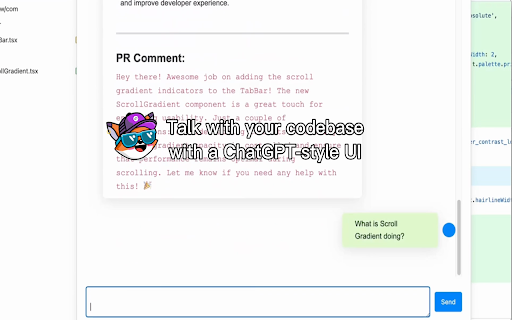


Enhance GitHub PR reviews with AI-powered explanations. GitBuddy.dev is an AI-powered Chrome extension that supercharges your GitHub pull request (PR) workflow. It helps developers review code faster and more effectively with contextual code insights, AI-generated PR titles and descriptions, and an embedded AI chat assistant powered by state-of-the-art LLMs like GPT-4o and Claude. 🔧 How to use: 1. Visit gitbuddy.dev and create an account. 2. Install the GitBuddy Chrome extension. 3. Head over to any GitHub pull request. 🤖 Chat with a GPT-style assistant directly in the PR page for deeper insights, debugging help, or suggestions. It seamlessly blends into your GitHub workflow without requiring any manual setup in repositories.

GitHub Conventional Comments
Rewrites your GitHub issue and pull request comments into the Conventional Comments style (https://conventionalcomments.org/) so reviews are easier to scan and act on. How it works • Open a comment or review box on github.com. • Use the extension’s control in the composer to reformat your draft. • The extension calls Google’s Gemini API only when you run it—not in the background. API key • Get a key from Google AI Studio: https://aistudio.google.com/apikey • Save it in the extension popup. It is kept in Chrome’s local storage on your device only - not on the developer’s servers.

GitHub Release
📢 GitHub Release – Your Ultimate GitHub Workflow Enhancer 🚀 Tired of manually navigating through GitHub repositories? GitHub Release streamlines your GitHub workflow with just a few clicks! ✨ Features: ✅ Open Compare Pages Instantly – Quickly open GitHub compare pages for multiple repositories with a defined source and destination branch. ✅ Copy open PR Links – Grab all open GitHub pull request URLs from your browser in one click and copy them to your clipboard. ✅ Open Draft Release – Navigate directly to the GitHub draft release page for multiple repositories at once. ✅ Quickly Open Repository Links – Open all repositories from your list instantly without manual searching. 💡 How It Works 1️⃣ Paste multiple GitHub repository links into the input field. 2️⃣ Define source and destination branches for compare pages. 3️⃣ Click the action buttons to open compare pages, copy PR links, or draft releases effortlessly! 🌎 Works with: 🔹 Chrome 🟢 (via Chrome Web Store) 🔹 Firefox 🔵 (via Firefox Add-ons Store) 🚀 Enhance your GitHub productivity now! Download and simplify your workflow today. 🎉

LLM-Ready GitHub PR Review Exporter
Export GitHub PR review comments with file paths, line numbers, and code suggestions. Customize with AI-assisted review prompts. GitHub PR Review Exporter streamlines your code review workflow by instantly exporting GitHub Pull Request review comments to your clipboard in a clean, structured format. Each export includes: - File path – Know exactly which file the review targets - Line numbers – Precise location info (e.g., "Comment on lines +123 to +125") - Full comment content – Including suggestion code blocks in raw markdown - AI bot detection – Automatically labels and cleans up reviews from GitHub Copilot and OpenAI Codex - Perfect for AI-Assisted Workflows – Export reviews and paste them directly into ChatGPT, Claude, or other AI tools. Add custom instructions that guide the AI on how to evaluate each suggestion. - Batch Export Saves Time – One click exports ALL unresolved review comments from a PR. No more copying threads one by one when addressing feedback. - Smart Content Extraction – Gets the raw markdown from comments, including those tricky suggestion blocks that normally require manual formatting. - Zero Data Collection – Works entirely locally. No external servers, no analytics, no tracking. Your code stays private. Key Features ✅ Export single review comments with one click ✅ Export with custom AI instruction prepended ✅ Batch export all unresolved reviews at once ✅ Edit instructions directly on GitHub (no popup needed) ✅ Detects AI reviewers (Copilot, Codex) and removes boilerplate ✅ Syncs your custom instruction across devices via Chrome

코드 리뷰 어시스턴트
Our extension provides a service that automatically detects pull requests (PRs) from specified repositories on GitHub and conducts code reviews for users. When a review is written on a user's PR, they can check it through the history feature on their personal page. Additionally, the history feature offers various statistics and analyses using the stored reviews.
