
dpkbfcakfleiipafifgbndbeamkdcopm
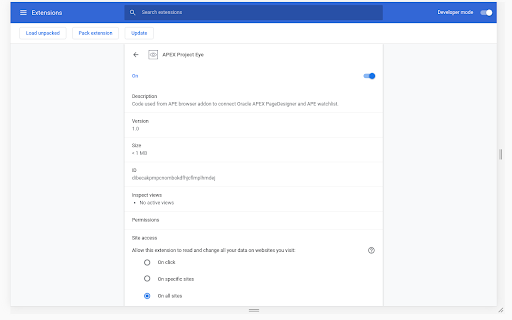
Code used from APE browser addon to connect Oracle APEX PageDesigner and APE watchlist. This Add-On initializes a broadcast channel in Oracle Page Designer and allows APEX Project Eye applications to retrieve the application and page ids that are being edited. It injects a line of javascript code that is executed only if Page Designer is detected. Broadcast channels allow communication between tabs/windows within the same domain in the same browser.

Shared Saved Replies
Shared Saved Replies allows teams using GitHub to easily share and keep GitHub issue and pull request saved replies up to date. See the website for details on how to use the extension. The source code for the extension is available at https://github.com/awright18/SharedSavedReplies NOTE: The extension does use the webNagiation.onHistoryStateUpdated api which accesses the browsers history when the history changes. However, it only gets notified when a change results in accessing github.com. GitHub makes extensive use of modifying the browsers history to keep their app feeling like a native application without many page refreshes. Using the webNavigation feature is the most accurate way to tell which content is currently loaded in the browser.

PLSQL Formatter for APEX
For APEX developers to add the Format Document command to the code editor For APEX developers to add the Format Document command to the code editor. This will format SQL and PL/SQL code.

Post Selected
Quickly send selected text from any webpage to a specified URL with this handy Chrome extension. Simply select the text you want to send, right-click, and choose the 'Post Selected' option from the context menu. You can customize the extension to send the selected text to any URL of your choice. Perfect for sharing quotes, snippets, or other information with your team or storing in research tools like Dovetail. Try it out today and see how it can make your online tasks even easier!

JSON Wrangler
This extension makes it so JSON files are displayed in a much nicer and more interactive way in the browser. There already exist various extensions to do this, but they all suffered from being old and unmaintained, or buggy, or missing features I consider vital. In particular they could not cope at all with large files, which this extension can (up to hundreds of megabytes). * Extremely fast compared to the other JSON extensions, and is the only extension that copes with large files. * The display is aesthetically pleasing but also compact (e.g. small objects and arrays are displayed on one line), and automatically adapts to dark or light mode. * Toggle objects and arrays closed, including doing so automatically to all children of the item you click on (ctrl-click to do this). * Displays the JSONPath of the item the mouse is over. * You can search using regular expressions (type a JavaScript regular expression literal in the search box to do this). * URLs in strings (including property names) are detected automatically and made clickable.
