
dpdlfkjjbcnbpncjhajmadgomplopehf
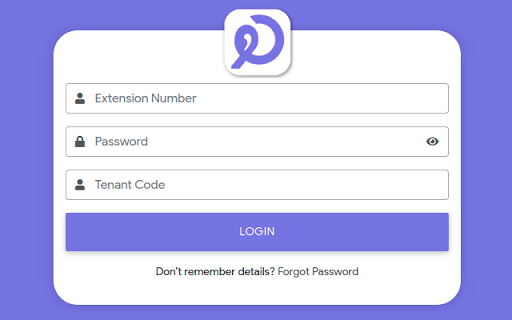
Hala Call is a WebRTC client for PBX. Hala Call works using WebRTC & SIP protocol. It makes communication easy and cost-effective. -> Audio Calls -> Video Calls -> Conferencing -> Call Hold -> Call Transfer -> Call Park -> Mute/ Unmute -> Call History -> Phonebook -> Extension Settings -> Voicemail Play & Download -> Fax Record -> Instant Messaging (Chat) -> SMS

Yeastar Linkus for Google
Manage your office calls easily and never miss a call from your business phone system. Yeastar Linkus for Google seamlessly integrates Yeastar PBX services to create a lightweight yet powerful browser-based softphone tool. Enable easy dialpad, click-to-call, advanced call handing, call notification, phone number auto-detection on web pages and more to maximize your workday efficiency. ● Incoming call pop-up to avoid missing important calls, even with your web browser or Linkus web client closed. ● Easy dialpad and PBX-integrated contact search & auto-matching ● Active call control, including web-based audio/video calls, call transfer, hold, mute, record, CTI, etc. ● Click-to-call any phone numbers on a web page, including web-based CRMs ● Notifications for new voicemails and missed calls ● Extension presence switch between Available, Away, Do Not Disturb, etc. ● Queue agent pause/unpause, log in/out ● Blocklist certain websites to prevent the extension from detecting those numbers ● Customizable function keys to achieve one-click operation of often-used functions, including speed dial, extension status monitoring, call parking, etc. This plugin only works with Yeastar business phone systems and is not a standalone extension. Some of the stated features are limited to specific Yeastar PBX series. See details below: ● Yeastar P-Series PBX System: you must have a Linkus Web Client account or a Linkus Desktop Client to use the plugin. ● If used with Linkus Web Client, this extension will support all the features. ● If used with Linkus Desktop Client, this extension will only support click-to-call, phone number auto-detection on web pages, and website blocklist features.

Click to call Zadarma
Zadarma WebRTC extension for calls from the browser. Zadarma Click to Call extension allows to make calls straight from the browser. Zadarma users can call any number without a hustle - simply click on a number and make a call. You can use Click to Call to make a call, instead of reaching for your phone. Using the Chrome extension allows you to continue browsing through the website without dropping a call. The extension finds phone numbers on the website. You can make a call by simply clicking a telephone icon or highlight the number and click on it using the right mouse button. You can also pull up a phone keypad by clicking the extension icon. All calls made using the extension and are included in PBX statistics and integrated CRM systems. The Click to Call extension is especially convenient when working with CRM/helpdesk and similar systems.

Yaxxa
Yaxxa is a WebRTC client for PBX. Yaxxa works using WebRTC & SIP protocol. It makes communication easy and cost-effective. -> Audio Calls -> Video Calls -> Conferencing -> Call Hold -> Call Transfer -> Call Park -> Mute/ Unmute -> Call History -> Phonebook -> Extension Settings -> Voicemail Play & Download -> Fax Record -> Instant Messaging (Chat)

WDP Phone
WDP Phone is a WebRTC client for PBX. WDP Phone works using WebRTC & SIP protocol. It makes communication easy and cost-effective. -> Audio Calls -> Video Calls -> Conferencing -> Call Hold -> Call Transfer -> Call Park -> Mute/ Unmute -> Call History -> Phonebook -> Extension Settings -> Voicemail Play & Download -> Fax Record -> Instant Messaging (Chat) -> SMS
