
doknkjpaacjheilodaibfpimamfgfhap
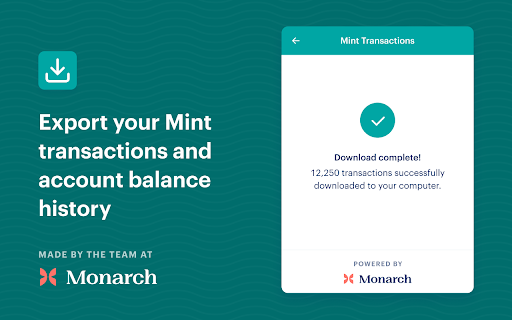
Browser extension to export your data from Mint. Built by the team at Monarch Money. Export your Mint.com transactions and account balance history before Mint shuts down. Mint is shutting down and migrating its users to Credit Karma on March 23, 2024. --- Best Mint alternative --- This tool is brought to you by Monarch Money. Monarch is the best Mint alternative. Once you finish exporting to CSV, you can import all of your Mint history files with just a few clicks into Monarch and start managing your money like a pro. --- Getting started --- Use this chrome extension while on the Mint.com website to export your transactions and your net worth history. When on the Mint website, the extension will detect your Mint account and give you options for what to download. The extension will download CSVs to your computer with all of your financial data. Your data is NEVER shared. --- Export transactions --- This extension can export all of your transactions at once into one CSV with no limits. Mint's own transaction export tool only exports 10,000 transactions at a time. --- Export account balances --- This extension can also export the balance history for all of your accounts with just one click. Mints own balance history export tool must be done once per account.

Zillow Data Exporter
Instantly export Zillow property listings into clean CSV or Excel (XLSX) files, right from your browser. Zillow Data Exporter is the ultimate tool for real estate professionals, investors, and data analysts. Capture detailed property data from Zillow in a single click, saving you hours of manual work. You can easily export four types of listings: - Properties For Sale - Properties For Rent - Sold Properties - Your Saved/Favorite Properties A free Property Data Labs account is required to use the extension. Signing up is quick, free, and no credit card is needed. Get started at https://www.propertydatalabs.com. ❓ What do I get with the Free plan? Our free plan is designed to be generous and genuinely useful. It includes: - 50 exports per month. - Up to 40 listings per export, totalling 2,000 listings monthly. - Data saved in CSV format. Note: On the free plan, you export one page of results at a time. Our paid plans unlock powerful automation and data features designed for serious professionals. Basic Plan - Supercharge Your Exports: - 300 exports per month - Multi-Page Exports: Capture up to 800 listings across many pages in a single click. - Custom Columns: Choose exactly what data you want to export. - Time Filters: Automatically avoid exporting duplicate listings you've already seen. - Rich Data: Export over 35 data points per listing and all image URLs. - Building Units: Export all sub-listings for rent (e.g., all units in an apartment building). Pro Plan - The Ultimate Data Toolkit: - Includes all Basic plan features. - Unlimited Exports: No monthly limits. - Google Sheets Integration: Automatically send your exported data directly to Google Sheets. - Cloud Features: Save your export history and use our Cloud Importer and Monitor tools. - Custom Templates: Create and save export settings for different projects. - Parquet File Exports: For advanced data analysis workflows. Yes. Your privacy is a priority. All data is processed and stored locally in your browser. We do not have access to your exported files. If you uninstall the extension, your data is automatically deleted. We'd love to hear from you! For help, bug reports, or suggestions, please email us at support@propertydatalabs.com or use the contact form on our website. If you find the extension useful, please consider leaving a five-star rating. It helps us immensely! Zillow Data Exporter is an independent tool developed by Property Data Labs and is not affiliated with, endorsed by, or in any way officially connected with Zillow, Inc. For more information, please visit our disclaimer page at https://www.propertydatalabs.com/legal/disclaimer.

1Password Beta – Password Manager
The best way to experience 1Password in your browser. Easily sign in to sites, generate passwords, and store secure information. 🐞 The 1Password beta is for adventurous folks who enjoy living on the cutting edge. Be the first to get the latest features. This extension requires a 1Password membership. If you don't have one yet, you can sign up when you install the extension and try one free. 1Password is a password manager that keeps you safe online. You want to use different passwords for every website, but it can be hard to keep track of them all. With 1Password you only ever need to memorize…one password. All your other passwords and important information are protected behind the one password only you know. 1Password manages everything for you: generating, saving, and filling your passwords. Get to know 1Password in your browser: **About your privacy** 1Password was designed with a deep respect for your privacy. The data you save is encrypted and inaccessible to us. Anything else is only ever used to provide you with service and support. We believe strongly that your data is yours, and we don't want to know anything about it. This is one of the fundamental beliefs 1Password was built upon. That's why our privacy policy is simple: your data is your data. We don't use it, we don't share it, and we don't sell it. You're our customer, not our product.

Silver: Automated FSA/HSA Claims
Silver helps you save money on health expenses by collecting receipts and submitting them to your FSA or HSA Provider. Silver helps you find past purchases that are eligible for reimbursement from your Flexible Spending Account (FSA) or Health Savings Account (HSA). The extension will automatically collect your receipts from retailers, including Costco, Amazon, Target, Walmart, and Walgreens. It will identify any eligible items and automate the claim process. Automatic Receipt Import: Silver smartly imports your eligible receipts from top retailers and is continually adding more. Secure Receipt Storage: All your receipts are safely stored in Silver. Return to review last years eligible amount to help you plan for your next FSA contribution. Eligibility Check: Silver identifies eligible purchases so you don't have to, allowing you to take full advantage of the FSA/HSA benefit. Auto-submit to FSA/HSA: After identifying eligible items, Silver will walk you through adding your account details and then submit all required paperwork on your behalf. Privacy-First Approach: Silver prioritizes your privacy. Your receipt data is securely stored and we do not share or sell your data to any third parties. User-Friendly: Just visit the site and walk through the collection process. Silver will transition you from website to extension when needed.

Offer.love - Bank Merchant Card Offer Collector
Add all your Amex BoA Chase Citi US Bank Paypal offers with a single click, and get notified when you are on offer-eligible websites Collect all your Amex / Chase / BoA (Bank of America) / Citi / Paypal Offers with a single click, and receive notifications when you visit websites that are offer eligible. You can search all your added offers and available offers at https://offer.love/ === How to Use === 1. Open your Bank or Merchant offers dashboard 2. Load the all offers page 3. Click on the extension icon, then click Start 4. Enjoy! You will also receive a pop-up banner to remind you about your saved card offers when you are on an offer-eligible merchant website. That's it! Thank you. Please see the screenshots for details. * Offer.love is not affiliated with any Banks or Stores mentioned above
