
doejnagdhdmhjjeiokjlfdfbcboiefbe
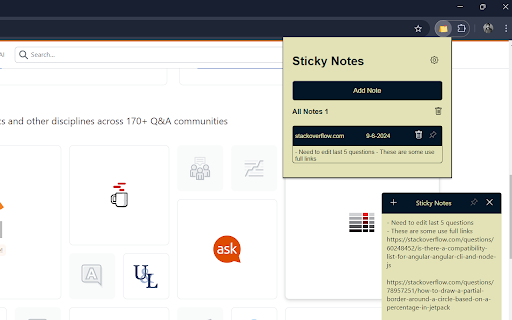


This handy Chrome extension allows you to create and save Stick it - web notes directly on the websites you visit keep your thoughts organized across the web with Stick it - web notes! This handy Chrome extension allows you to create and save sticky notes directly on the websites you visit. Whether you're researching on StackOverflow, working on a project in GitHub, or browsing any other site, Stick it - web notes helps you capture your ideas, reminders, and to-do lists right where you need them. Features: - Create and save sticky notes that are linked to specific websites. - Easily access and manage your notes whenever you return to the site. - Organize your thoughts with multiple notes per website. - Intuitive and user-friendly interface for seamless note-taking. Perfect for students, professionals, and anyone who wants to stay organized while browsing the web. Download Stick it - web notes and never lose track of your ideas again!

Loom – Screen Recorder & Screen Capture
Record your screen and camera with one click. Share that content in an instant with a link. Loom is the industry leading screen recording tool. Join more than 14 million people across 200,000 companies who use Loom to record their screen, share their thoughts visually, and provide asynchronous feedback. With Loom you can record your screen and instantly get a link to share with anyone. It’s the fastest and easiest way to screen capture and stay connected with your team. Whether you’re screen recording a product demo, giving feedback, or simply sharing your thoughts, Loom makes it simple to stay in the loop with async video. KEY FEATURES 📽️ Record your screen, camera, microphone, and internal audio 💾 Automatically save videos to the cloud and share them instantly with a link 💬 Get notified when someone views, reacts, or comments on your video 😀 Leave time-based comments and emoji reactions 📚 Manage your Loom video library on-the-go and across devices 🔒 Choose who can see your video with security and access controls ⏬ Download recordings to your camera roll 📽️ Screen Recorder 📽️ - Record your screen, camera, or both for free - iOS and Android apps to record your mobile phone - Record in 720p, 1080p, 1440p, or 4k HD - Add flair to your video with camera frames, backgrounds, and camera effects like blurring 💾 Video Hosting 💾 - Store your videos inside of Loom HQ - Upload Zoom and Google Meet recordings directly into Loom to search and find later - Create hashtags to keep track of important videos 🪄 Share With A Link 🪄 - Our recordings finish so fast that we had to file multiple patents - Anyone in the world can watch your screen recording for free - Share your videos to LinkedIn, Twitter, or publish to the Google Search index 🗣️ Drive Engagement 🗣️ - Use comments and emoji reactions to boost engagement - Respond with your own Loom in the comments to create a video message thread - Loom videos automatically display in Slack and Microsoft Teams ⏱️ Meeting Replacement ⏱️ - Send a Loom instead of having another standup meeting - Record a presentation with Loom and send it to your audience ahead of time - Screen record your next weekly update to add rich visual context and your own personal touch TRUSTED BY THE BEST Over 14 million people across 200,000 companies use Loom to record, share, and review asynchronous video. From HubSpot, to Atlassian, to Netflix, Loom is the screen recording and collaboration tool of choice for top companies. EVERYTHING YOU NEED AND MORE Using Loom, you can collaborate with your team, add time-stamped comments and reactions to those videos, and save videos you’ve recorded to your device. Now, you can spend less time crafting the perfect email between meetings, and say it with video using Loom. ABOUT LOOM Loom is the leading video communication platform for async work. Engineered for simplicity and speed, you can record, watch, and share videos to move work forward whether you're at your desk or on the move. LOOM IN THE NEWS "Why are we all trapped in enterprise chat apps if we talk 6X faster than we type, and our brain processes visual info 60,000X faster than text?...now is the time for Loom." – TechCrunch "It fills this gap between writing an email and taking the time to have a meeting or conference...it's rare to have something that's low friction and high impact, while also adding personal connection." – Forbes “Asynchronous video is catching on fast, and Loom thinks it's going to change the way we work. And maybe do everything else, too.” – Protocol

Simple Sticky Notes
Boost your productivity with simple sticky notes app. Make handy floating notes! Online sticky notes in Chrome on Mac & Windows 🚀 Quick Start 1. Install the simple sticky notes extension by clicking "Add to Chrome". 2. Right-click on any website page and select extension icon or press Alt+Shift+N (⌥⇧N on Mac). 3. Your thoughts are now saved on that page! Here are 8️⃣ reasons to choose this sticky notes app 1️⃣ Reliable — it just works. In every browser. No data lost. 2️⃣ Incredibly easy to use, with a simple and intuitive interface. 3️⃣ Your stick notes stay exactly where you leave them, even after you restart your browser. 4️⃣ Hotkey: Alt+Shift+N (⌥⇧N on Mac) — sticky in one keystroke 5️⃣ Customize your workspace by changing the color and size of your simple sticky notes. 6️⃣ No ads and we respect your privacy. Everything is stored locally in your browser. 7️⃣ The smarter, web-integrated alternative to traditional desktop post it notes. 8️⃣ Take your saved items anywhere with easy export & import — no cloud or account needed. 📝 Context is Everything ➤ Move beyond standalone simple sticky notes for desktop. As a researcher, you can pin insights next to a specific paragraph. As a shopper, leave a reminder on a product page. This sticky notes chrome extension turns the entire internet into your personal notebook, so every idea is always in context. ➤ This post it extension is perfect for anyone who needs to remember information tied to a specific source. Whether you're a student, developer, or project manager, this tool streamlines your workflow by letting you place simple sticky notes exactly where you need them. ➤ Pinning is easy: right-click or use the hotkey. You can drag, resize, or let them auto-fit their content. Need focus? Pin one on screen! This is the smart way to use a simple sticky notes web tool 📈 Boost Your Productivity ➤ Go beyond the basics. This note extension helps you organize your ideas more clearly with easy-to-use online post it reminders. Whether you're managing tasks or saving important information, your digital sticky notes stay right where you need them — always accessible and tied to the right content. ➤ Turn your google sticky notes into an effective way to stay organized. Keep your thoughts and ideas visible right on the pages where they matter most. Whether you're collecting information for research or tracking important information, this post it notes google tool helps keep everything in context — boosting focus and productivity without switching tabs. 🎨 Stay Organized, Visually ➤ With our color notes app, you can use different colors to visually categorize your ideas. ➤ The true power lies in the dashboard. This central hub for all your stickie notes lets you see everything at once. Feeling overwhelmed? Use powerful filters to sort your content by website, domain, page URL, color, or even by the words you’ve written. It’s the ultimate way to manage your sticky notes online. 🖥️ The Perfect Chromebook Companion ➤ Looking for the chromebook notes app? You found it. With a lightweight, browser-based design, this tool fits naturally into your daily flow — making it the ultimate sticky notes for chromebook solution. Students and professionals can seamlessly keep their ideas and tasks organized right where their work happens. 📌 How does it work? 💡 This is a Chrome extension that lets you pin virtual sticky notes to any webpage. Simply right-click to create a thought. Its position, color, and content are saved automatically for that specific page. You can view all your ideas in the dashboard or on-page extension popup. It’s always just a click away, right where you left it. 📌 I just want to know how to add sticky notes to desktop. How is this different? 💡 Our extension offers a smarter way! Instead of cluttering your actual computer desktop, you can pin your ideas contextually on any webpage. Your desktop becomes the website you're actively using, keeping your thoughts organized and tied directly to their source. 📌 How do I install it? 💡 To install this app, go to the Chrome Web Store and select "Add to Chrome". You can start using it immediately. 📌 Are these stickies saved online or just on my computer? 💡 By default, your data is saved securely on your local browser for maximum privacy. However, you can instantly turn them into powerful online sticky notes by enabling the optional Google Drive sync. This gives you the best of both worlds: privacy and accessibility. 📌 Can this extension work on any website? 💡 Yes, it can create floating notes on any website. They are saved per-site, so they only appear where you created them. 📌 Can I move my stickies to another device without cloud sync? 💡 Yes! Export/import your simple sticky notes and transfer them without cloud storage. 📌 Is my privacy protected? 💡 Absolutely! The extension operates locally within your browser. It doesn't collect or store any of your personal data on external servers, ensuring your stickey notes are private. 📌 Can I sync my data across devices using the cloud? 💡 Yes! This makes our app the go-to sticky notes for google users. It offers optional synchronization with Google Drive. You'll need to authorize it once to create a secure backup of all your data. After that, simply sign in on another device to see all your creations, tags, and colors exactly as you left them. 🚀 This simple sticky notes program comes packed with features designed for a modern workflow. If you have any questions, reach out to us. Embrace the power of page-specific stickies, and let your most organized, productive work begin.

Export Bookmarks Chrome
Easily manage, transfer, copy and back up your saved websites with the Export Bookmarks Chrome extension! 🥱 Are you tired of losing track of your favorite websites? Export Bookmarks Chrome is here to save the day! With our extension, you can: 📂 Easily export and import your bookmarks between different devices and browsers 🔄 Quickly transfer your favorites to another Chrome account ✨ Streamline your browsing experience and eliminate the hassle of transferring each saved link manually 1️⃣ Install the Extension: Add this extension to your Chrome browser. 2️⃣ Export and save: Click the extension icon, choose favorites you want to transfer and select "Export Bookmarks". After that save the exported file to your computer. 3️⃣ Import: Click the extension icon and select "Import Bookmarks." 4️⃣ Select Your File: Choose the saved file and follow on-screen instructions to complete the process. Voilà! Сhrome bookmarks transfer is complete. 💨 Effortless Export: Quickly export your saved websites to the format which is suitable for import in any browser. This feature allows you to manage your links more effectively and ensures that you can easily share or store your collection in a format that suits your needs. 🔄 Seamless Import: Save you time, effort and enjoy the convenience of importing bookmarks from popular web browsers such as Chrome, Firefox, Edge, Vivaldi, and many others 🛡️ Backup Your Data: Protect your valuable bookmarks with regular backups. 💫 Customize Your Exported Bookmarks: Choose which google bookmarks to export with a simple selection and keep your work, personal, or favorite links organized. Need to transfer just a few folders? No problem! This tool is designed for those who need flexibility, with options to export favorites from Chrome without exporting everything. 🧠 Simple and Intuitive: Enjoy a user-friendly interface designed for hassle-free navigation, making it easy for users of all skill levels to manage their bookmarks effortlessly. 🚀 Efficient and Reliable: Enjoy high-speed performance, efficient data management, and the security of knowing your favorites are safe from data loss and protected by robust encryption. 🤝 Multi-Browser Compatibility: With seamless compatibility across various browsers, Export Bookmarks Chrome empowers you to manage your links across multiple platforms without trouble. 📈 Enhanced Productivity: Save valuable time and boost efficiency with streamlined management features, allowing you to organize, access, and share your favorite links like never before. ❓ How to export bookmarks from chrome? 💡 It's easy! Just click the extension icon, pick the bookmarks you want to move, select "Export Bookmarks". ❓ How to transfer chrome favorites? 💡 Click the extension icon, pick the links you want to transfer, select "Export Bookmarks," and save the file, after that you can upload chrome bookmarks to any browser. ❓ How do I import my bookmarks? 💡 Сlick on the extension icon, navigate to "Import Bookmarks," and select the file containing your saved bookmarks. Just follow the on-screen instructions for a seamless experience. ❓ Is my data safe? 💡 Absolutely! Your data is secure with industry-standard encryption measures, ensuring your favorites are always protected. ❓ How to exports bookmarks from chrome to safari? 💡 Export your Safari links as an HTML file, then use our extension to import them directly into Chrome. ❓ I have some ideas and feedback for Export Bookmarks extention can I share them with the developers? 💡 Absolutely! Our team welcomes input from our users. Feel free to send us your suggestions, ideas, or feedback - we truly value your insights. 🚀 Never lose a link again! Download Export Bookmarks Chrome today and enjoy a faster, simpler way to manage and access your essential websites. From exporting to importing to syncing across devices, our extension brings together all the tools you need for quick, reliable, and secure access to your saved links. 👋 Say goodbye to manually transferring links - get started with Export Favorites Chrome and transform your browsing experience!

Sticky Notes Pro - Quick Personal Notes
Sticky notes for any webpage — create, organize & sync notes across devices # Sticky Notes Pro — Smart Notes for Every Website 🚀 Stay organized without leaving your browser. Stop losing ideas in a sea of tabs. **Sticky Notes Pro** lets you create notes directly on any website — exactly where you need them. Save reminders, research, tasks, and thoughts while you browse. With seamless cloud sync, voice-to-text, and powerful organization tools, your notes are always available across all your devices. ### 📍 Notes That Stay Where You Need Them Your notes automatically appear whenever you revisit those pages. Switch between your office computer, laptop, or tablet without losing your notes. Your notes belong to you. * No tracking * No ads * No selling your data ✅ Create notes on any webpage with one click ✅ Rich text editor (bold, italic, lists, links) ✅ 12 note colors + adjustable opacity ✅ Drag, resize, rotate, and pin notes anywhere ✅ Collapse notes to reduce clutter ✅ Keyboard shortcuts for power users ✅ Pin notes while scrolling or keep them fixed on screen ✅ Voice-to-text note creation ### 📄 Page Notes Instantly find any note from the extension popup. ☁️ Unlimited cloud sync across unlimited devices 📤 Export notes as PDF, Markdown, or TXT 🔗 Share unlimited notes via link 🗑️ Trash recovery with 30-day restore # Perfect For Save quotes, references, and thoughts directly on source pages. Organize study notes by course websites and research pages. Reduce tab overload and keep context exactly where you need it.
