
dnggkekfpekihghcpahmmmjpldlaldlf

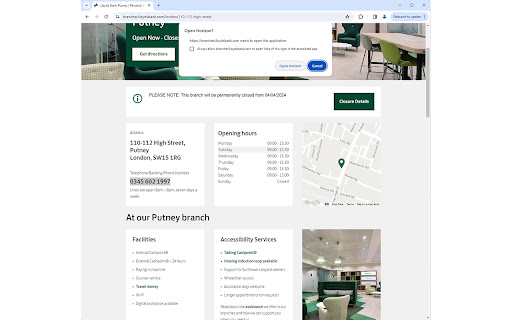
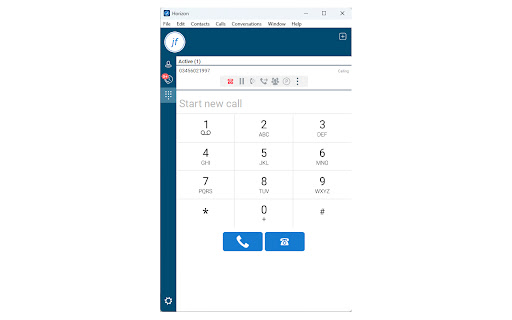
A Chrome extension to send highlighted phone numbers to the dialing program. By James Fisher Click to Dial Phone Number Google Chrome Extension. The Click to Dial Phone Number Chrome extension offers a convenient solution for effortlessly dialing phone numbers found on web pages which aren't formatted as a hyperlinks and thus are not clickable. No longer do you need to manually copy and paste phone numbers into your dialing program. With this extension, simply highlight a phone number on any web page, right-click, and select "Dial Phone Number" from the context menu to instantly initiate a call using your preferred dialing program. Seamless Integration: Easily dial phone numbers found on any web page with a simple right-click. Quick and Easy: Eliminate the hassle of manually entering phone numbers by leveraging the extension's intuitive interface. Efficient Workflow: Streamline your workflow by saving time and effort when making calls from web pages. Enhance your browsing experience and productivity with the Click to Dial Phone Number Chrome extension. Say goodbye to tedious manual dialing and hello to effortless calling right from your browser.

Moitele Click-To-Dial
Enables click-to-dial functionality for phone numbers found in pages. The MoiTele browser extension is a free click to call extension that works with MoiTele softphone. This extension works in all Chromium based browsers such as Chrome, Brave and Microsoft Edge. This free click2call browser extension is designed and developed to be used with cloud telephony services from MoiTele.com. This extension is a perfect fit for call center agents, customer service agents or sales team whose role involves making numerous phone call s as part of their job. MoiTele chrome extension identifies any phone number that has minimum 9 digits and upto 16 digits in common phone number formats. The identified phone numbers become clickable ie., a telephone call could be initiated over a softphone with a simple click (no need for copy/paste of phone numbers). Upon clicking the extension activates the softphone (desktop app or a browser app) and pastes the phone number onto the dialpad of the softphone. MoiTele extension could also be used to call phone numbers from any CRM, website that could be opened in a browser (Chrome, Brave and Microsoft Edge browsers). Thus we enable telephony for every CRM out of the box. Further, the conversations from the MoiTele softphone are enhanced with various call handling features such as - 1. Removal of special characters from various phone number formats 2. Integration blacklists to prevent calling the unwanted numbers 3. Allow calling only to the specific countries 4. Webhooks to capture call specific features for logging, automation, triggering specific events 5. Call history 6. Call recordings 7. Power keys for expert call centre employees for enhanced productivity 8. All call handling features such as mute, hold, DTMF Additionally, MoiTele softphone offers the following features - 1. Plug and Play installation and setup - it is easy and fast 2. Calls to phone numbers - video/audio mode switching over internet 3. Chat (optional) 4. High-quality voice Please note - This extension works only with the credentials available to our customers from MoiTele.com. Create your account and start using MoiTele for all your international calls.

Click to call Megacall
Megacall extension for calls from the browser. Megacall Chrome extension allows you to make calls straight from the browser. As a Megacall user, you can call any number in the browser without a hustle - just click on a number and make a call. Use Click to Call extension to make a call using your computer or tablet, instead of reaching for your phone. Using the Megacall allows you to continue browsing through the website while staying on the call. The extension finds all phone numbers on the web page. You can initiate a call by simply clicking a phone icon or highlight the number and right-clicking on it. You can also pull up a phone keypad by clicking the extension icon.

Click to Dial
Make phone numbers on any page click to dial. You can dial a number directly from a web page by selecting it and right clicking it to make either a webrtc call or a call through your desktop sip phone

Connect Click to Dial
Easily call numbers on any webpage with Connect Easily call numbers on any webpage with Connect
