
dmnjdkokolkfgefkdichidallkmpbgmk
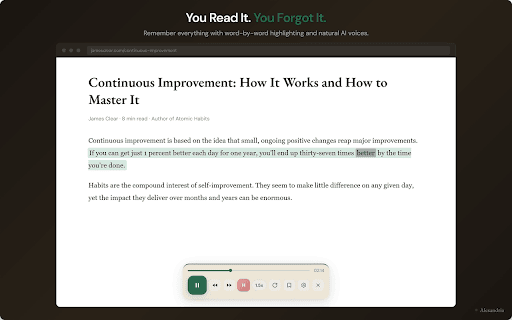


Listen to any webpage read aloud with word-by-word highlighting. Stay focused, absorb more, remember what you read. Alexandria reads any webpage aloud with natural AI voices while highlighting each word in real time. Follow along visually as you listen, so you stay focused and actually absorb what you read. Works on articles, research papers, emails, Google Docs, PDFs, and any text on the web. Features: - Word-by-word synchronised highlighting: see and hear every word together - Natural AI voices: not robotic, actually pleasant to listen to - Adjustable reading speed: from careful study to 5x quick review - Works everywhere: articles, Gmail, Google Docs, Reddit, news sites - Keyboard shortcuts: play/pause, skip forward, skip back - Save to your library: build a personal collection of everything you read - Privacy-first: your reading data stays yours Who uses Alexandria: - Students reading coursework, research papers, and study materials - Professionals getting through reports, emails, and documentation - Readers with ADHD or dyslexia who need focus support - Lifelong learners who want to remember what they read - Anyone who wants to read more without the fatigue How it works: 1. Click the Alexandria icon on any webpage 2. Press play: the page is read aloud with each word highlighted 3. Adjust speed, voice, and reading preferences to suit you Alexandria is free to start. Read aloud any webpage with text-to-speech and word highlighting in seconds.

CastReader — Free Read Aloud for Kindle, Articles, PDFs · TTS + Highlight
Listen to Kindle, PDFs, articles & WeChat books with synced paragraph highlight. 100+ free AI voices. No signup, no limits.

Smart TTS | AI Voices
Pinned floating TTS reader - reads page paragraphs with Supertonic AI voice (Dev Test) Read Any Webpage Aloud with Natural AI Voices Tired of reading long articles? Let Smart TTS do it for you. Click any paragraph and listen to it read aloud in natural, human-like voices. Perfect for multitasking, accessibility, or simply enjoying content a different way. ✨ WHAT YOU GET: 🎤 28 Realistic Voices to Choose From Male and female voices in American and British English. Pick your favorite—each voice sounds natural and clear, not robotic. 🌍 Read in 9 Languages English, Spanish, French, Hindi, Italian, Japanese, Portuguese, Mandarin Chinese, and more. Switch languages anytime. ⚡ Control Your Experience Adjust reading speed (slow it down or speed it up) Play, pause, and skip paragraphs Hover over text to preview what'll be read Watch as each sentence highlights while being read 🔒 Your Privacy Matters Everything happens on your computer. Your text never leaves your device. No tracking, no ads, no data collection. Visit any webpage Click the Smart TTS icon in your browser toolbar A reading panel appears at the bottom Pick your voice, language, and speed Click on any paragraph to hear it read aloud Click the X when you're done GREAT FOR: Reading while cooking, exercising, or commuting Students who learn better by listening Checking your work (hearing text helps catch mistakes) Accessibility (if you have vision issues or dyslexia) Non-native English speakers practicing pronunciation Just giving your eyes a break

Speak It: Text to Speech & Read Aloud
Speak selected text and read aloud instantly. Text to Speech (TTS) reader with natural voices. Speak selected text and read it aloud instantly with this fast Text-to-Speech (TTS) reader. Turn any webpage text into natural speech with a simple read aloud tool for everyday browsing. Just select text on any webpage and press Alt+S or use the right-click menu to start listening instantly. Speak It is a lightweight text-to-speech extension that lets you listen to articles, webpages, and selected text directly in your browser. It is perfect for reading long content, accessibility, language learning, proofreading text, or listening while multitasking. • Speak selected text instantly • Text-to-Speech (TTS) reader with natural voices • Read aloud any text on webpages • Right-click context menu support • Keyboard shortcut Alt+S • Adjustable speech speed • Multiple voices and languages Speak It uses the browser’s built-in Text-to-Speech engine, so it works fast and keeps your text private without sending data to external servers.

Speakoala - Text to Speech (TTS)
Use natural voices to read any website and local documents, with support for area selection playback. With just one click, it reads webpages, selected text, and common documents aloud in a natural-sounding voice. So you can keep learning and staying informed while commuting, working out, doing chores, or relaxing. - One-click read-aloud With a single click, it reads the entire page or just the selected text. - Area selection playback Select any area on the page to listen precisely to the parts you care about. - Select-to-read Highlight any text and tap the floating button to play instantly. - Local PDF and Word read-aloud Supports bringing local PDF and Word files into the same listening workflow. - Precise highlight tracking Highlights text in sync as it’s read, helping you follow along and understand better. - Ambient background sounds Add rain sounds, white noise, and more to help you stay focused. - Speed and volume controls Adjust playback speed from 0.25x to 3x, and fine-tune volume to suit your environment. - Multiple languages, multiple voices Switch between languages and voices for a more natural listening experience. 📢 Supported Languages and Voices 📢 - 70+ languages: Speakoala supports over 70 languages, including English, Mandarin Chinese, French, German, Arabic, Japanese, Korean, Hindi, Russian, Spanish, Portuguese, and more. - 300+ natural voices: Speakoala supports over 300 realistic, natural-sounding voices. 😄 Who It’s For 😄 - 👨🏫 Educators - 👨🎓 Students - 💼 Professionals - 📖 Reading enthusiasts - 👀 People with reading difficulties - 👩🦯 Accessibility users
