
dlkaoioicojknbepgojbpldjbhodpnig

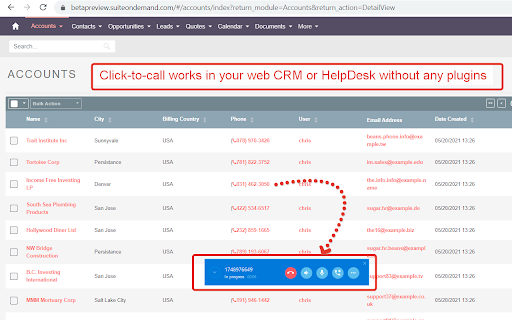
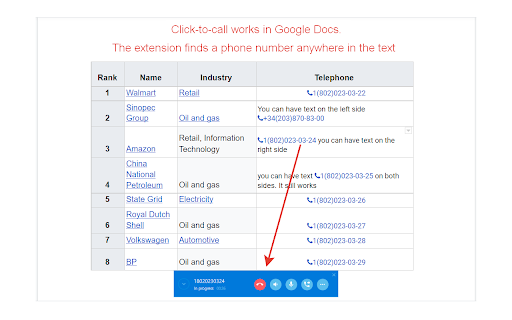
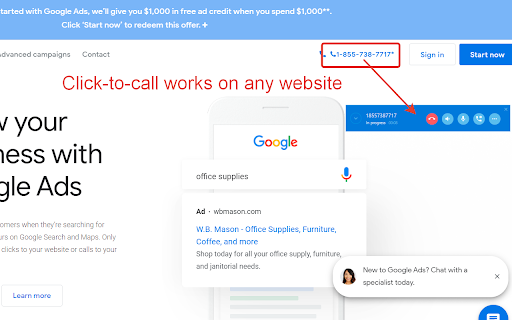
Click and call from web page! The extension is developed to integrate the Softphone.Pro with web site: - Click to Call dialing from any web pages - Click to Call dialing from any CRM or HelpDesk - Click to Call from Google Sheets - Click to Call from Google Doc Perfectly works if you need to make outbound call campaign with Google Sheets.

VoIPstudio
VoIPstudio Chrome extension This Extension allows to make and receive phone (VoIP) calls directly in Chrome web browser. It simplifies making outbound calls when browsing Internet by converting phone numbers into clickable links. Use full potential of VoIPstudio Business Phone system without installing any additional software on your PC - all within your Chrome session. VoIPstudio is an award-winning VoIP system that offers businesses of all sizes a scalable communication solution. It’s inexpensive, easy-to-use, offers a full suite of PBX features, and is fully integrated for CRM. Best of all, you can try it for free with our 30-day, no-risk trial.

Twilio VoIP Softphone for enterprises
Twilio Softphone allows you to make twilio VoIP calls. Twilio SMS is also supported. This utilizes the Twilio client sdk. This is the Enterprise version of the Twilio Auto Dialer. This Twilio Softphone allows you to make twilio VoIP calls. Twilio SMS is also supported. This utilizes the Twilio client sdk. Sample of the 50+ features: Twilio VoIP calls Global SMS Click to call and SMS Voicemail Call forwarding Auto dialing CRM Integration Call transfer

Click to call Zadarma
Zadarma WebRTC extension for calls from the browser. Zadarma Click to Call extension allows to make calls straight from the browser. Zadarma users can call any number without a hustle - simply click on a number and make a call. You can use Click to Call to make a call, instead of reaching for your phone. Using the Chrome extension allows you to continue browsing through the website without dropping a call. The extension finds phone numbers on the website. You can make a call by simply clicking a telephone icon or highlight the number and click on it using the right mouse button. You can also pull up a phone keypad by clicking the extension icon. All calls made using the extension and are included in PBX statistics and integrated CRM systems. The Click to Call extension is especially convenient when working with CRM/helpdesk and similar systems.

Simotel WebRTC Softphone
This extension is a sip phone You can make voice calls or even answer incoming calls with this extension. It also supports phonebook and call history. It's based on WebRTC and needs an internet connection and a valid sip account to work properly. You can get a valid account from Simotel.
