
dkaedoafnhghbnaakihajldghaabpcio
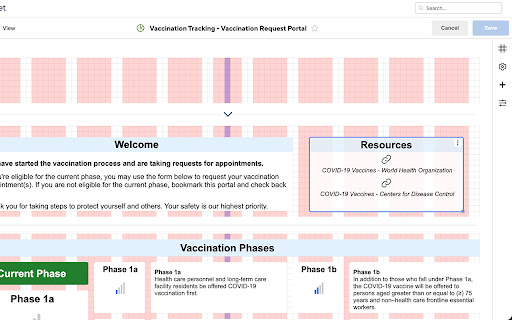
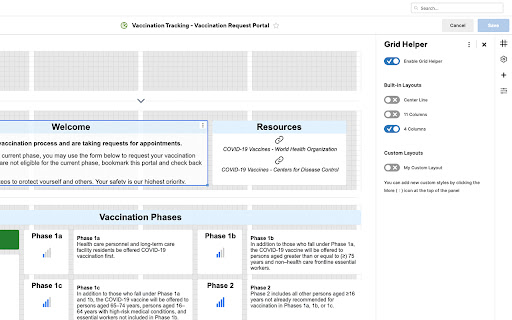
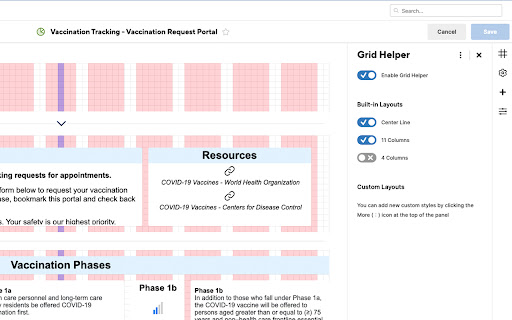
Adds the ability to overlay shapes & guide-lines on Smartsheet's dashboard editor to assist with more consistent widget placement. NOTE: You may need to restart your browser after installing this extension for the menu to appear with all the correct icons. This extension will add an icon while using Smartsheet Dashboard Editor that will allow you to overlay shapes over the dashboard's grid. This can allow you to create gridlines or outlines for common item placement, and assist you with more easily placing your dashboard widgets in a consistent way. PLEASE NOTE: This extension is not officially developed by Smartsheet or maintained by them. Usage Instructions: The extension will add a new icon to the right sidebar of Smartsheet's dashboard editor. Clicking on it will open a panel that allows you to enable or disable different overlays for the dashboard's grid. Clicking the More ( ⋮ ) button at the top of the panel will open the extension's settings page, where you can add custom layouts - instructions for this are included on this page. Alternatively, you can click the extension icon in Chrome to immediately add the grid layout to the dashboard editor. This is included in case future changes to Smartsheet's dashboard editor break the functionality of the side panel.

Smartsheet DarkMode by Archer
Apply dark mode and custom themes to Smartsheet - CSS only, no data access. By Archer Consulting Team. This app brings dark mode to Smartsheet. Never processes any data - simply modifies the css coloring as the pages render. Brought to you by Archer Consulting Team - www.archerconsultingteam.com. Contact hello@archerct.com with any questions or suggestions! v1.4 - Includes some new themes. Feel free to send over any themes you'd like to see to hello@archerct.com!

Smartsheet
Desktop App Redirect extension. Smartsheet Desktop App deep linking redirector (The Smartsheet Desktop App is required for this to work, please do not try to use it if you do not have the Smartsheet Desktop App installed).

Seismic for Gmail
With the NEW Seismic for Gmail, users can send Seismic content swiftly and seamlessly from Gmail, and receive a treasure trove of… With the NEW Seismic for Gmail, users can send Seismic content swiftly and seamlessly from Gmail, and receive a treasure trove of engagement information to accelerate sales. A Seismic button on the Gmail toolbar gives users fast inline access to the Seismic folder directory. Users simply select the content to send then choose LiveSend options for intelligent delivery via Gmail. Integrated LiveSend capabilities enable the sender to restrict downloads, add a security password, define an expiration date, and set preferences for receiving delivery notification and engagement summaries. Sellers can see when their emails are opened, how much time was spent on each page or slide, and whether anything was downloaded. These engagement details help sellers determine the best approach to move conversations forward and provide Marketing with insights to continuously improve content usage and effectiveness. Seismic for Gmail * One-click access in Gmail to Seismic content * Intelligent content delivery from Gmail * Engagement insights and sales acceleration

DarkSheet
A dark mode extension for the popular program SmartSheet. Tired of burning your eyes while navigating and modifying sheets? Well now you can avoid the pain with DarkSheet, a dark mode extension for SmartSheet. Its come to my attention that this app is receiving a lot of attention, and some of you would like some improvements. I created this app as a very small one off project, and unfortunately front end web development no longer aligns with my personal interests or career trajectory. Considering this, and the fact that I do not actually have a SmartSheet license, please consider making a small donation at the link below if you would like improvements made to this project. Thank you!
