
djifnhpemlaklmopklmapmljdgnemjmc
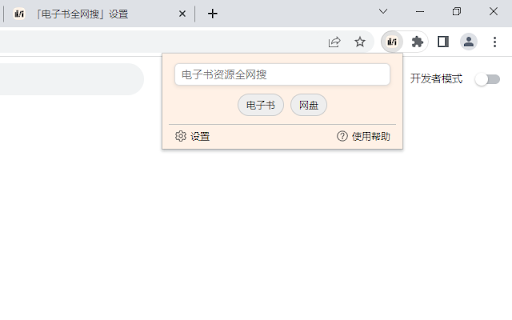
最强搜索工具。全网搜索电子书,用户也可根据自身需要添加待搜索的网站。选项丰富,细节满满,期待你的好评。 最强搜索工具。全网搜索电子书,除集成的ZLibrary (Z-Library),LibGen ,Anna’s Archive (安娜的档案) ,鸠摩搜书 ,苦瓜书盘等国内外10多个常用电子书引擎外,用户也可根据自身需要添加待搜索引擎,高效高质,自由度满满。 同时集成网盘资源引擎,可搜索阿里云盘,百度网盘等网盘资源。插件支持快捷键一键查询,选项丰富,细节第一。 --------------------------- 当前插件内置引擎需要长期维护与更新,这是一个长期而艰巨的任务。你在应用商店的好评是我们持续维护的动力,更期待你能将它介绍给更多人:) --------------------------- 当前功能已经趋于成熟,待整理好相关代码库后执行开源计划,敬请期待

BewlyBewly
Just make a few small changes to your Bilibili homepage. Improve your Bilibili homepage by redesigning it, adding more features, and personalizing it to match your preferences.

Kimi Copilot - 网页总结助手
用Kimi AI一键总结网页内容 安装后,在浏览网络文章时点击插件图标,或使用快捷键 Ctrl/Cmd+Shift+K,即可一键召唤Kimi.ai总结网页内容 特点: 1. 免费,登录Kimi账号即可无限使用 2. 得益于Kimi的长文本大模型,总结更全面 3. 极简,除了一键总结没有其它花里胡哨的功能 4. Kimi无法访问的网站也能总结 5. 支持总结YouTube和B站视频 6. 支持总结PDF页面(试试arXiv论文吧!) 7. 支持暗黑模式 8. 支持自定义总结时使用的prompt 注意: 1. 本插件为第三方爱好者开发,不是Kimi.ai或月之暗面官方产品 2. 由于技术限制,本插件无法在Arc等非原生Chrome浏览器使用

Search Anything, Search Anywhere
The ultimate searchTool. Aggregate most searchEngine and AI LLM, the strongest information and resource inquiry tool This content is automatically generated by AI. Please kindly excuse any inaccuracies in the expression. The plugin aims to become the Ultimate-Search-Tool for users, topping the charts as the strongest information and resource search-plugin. The plugin aggregates over a hundred search-engines, supports super drag, text-selection-search, shortcut-key-search, right-click-search, and an incredibly powerful aggregated-search. It searches everything from web pages, translations, shopping comparisons, movies, videos, music and more, leaving no internet resource uncovered. The plugin is equipped with over 20 well-known AI models from around the world, supports AI commands, and can call upon multiple AIs to answer questions simultaneously, greatly reducing the era of AI's nonsensical responses, allowing users to quickly select the best results for an explosive experience. The plugin also supports preset advanced-search-syntax, custom-search-engines, and meticulous option controls. The current plugin is free to use, but the built-in hundreds of search-engines and AI models require long-term maintenance and updates, which is a long and arduous task. Your positive reviews in the app store are the driving force behind our continued maintenance, and we look forward to you introducing it to more people :) Main Features of the Plugin: 1. Built-in with over a hundred commonly used searchEngines from the internet, covering all aspects of life. It includes over 20 commonly used AI models, and the number is still growing. All engines are regularly updated and maintained to ensure availability. 2. Supports aggregated-search. Enter a keyword once to retrieve information from multiple search-engines or AI models, improving efficiency. The system has already pre-installed various commonly used searchGroups, and users can set which engines to call each time and support free sorting. 3. Supports text selection copy, and text-selection-search. Users can freely set which searchEngines to invoke. 4. Supports super drag-and-drop-search. Similarly, users can freely set which searchEngines to invoke and can precisely control the follow-up actions after dragging text, links, and images. 5. Built-in support for AI commands, which can be called up by selecting text on a page (AI dialogue menu), or directly from the plugin's main interface. Users can freely set the command content and support various invocation scenarios, such as calling during drag and drop, shortcut key invocation, text selection menu invocation, etc. 6. Supports shortcut-key-search, maximizing query efficiency in high-frequency scenarios, such as scenarios with a large amount of repetitive operations at work. 7. Supports mouse right-click-search, with an integrated engine library that can be called anytime and anywhere, big and comprehensive. 8. Supports similar-image-search. Users can right-click on an image to search it with a single click and can freely set which similar image-engines to invoke, and can even search by group, querying and getting results from multiple-engines at once. 9. Supports custom-search-engines. not limited to public engines, or even enterprise internal ERP, OA searches, etc. 10. Meticulous option settings to meet everyone's habits as much as possible. Hurry up and install the trial :) 11. The open source code repository is under preparation and it is hoped that more people will participate in the project. PS: This plugin calls some third-party engines, which may become unstable due to various reasons. If an engine fails, users can find the corresponding searchGroup in the plugin settings and remove that engine. To avoid the impact of engine failures on users, we have added the function of custom engines. If you have a favorite engine that works well, you can manually add it in the custom engine settings. The current plugin is free to use, but the built-in hundreds of searchEngines and AI models require long-term maintenance and updates, which is a long and arduous task. Your positive reviews in the app store are the driving force behind our continued maintenance, and we look forward to you introducing it to more people :)

Flash Copilot - Powered by DeepSeek
【注意!!!】 - 支持Windows & MacOS,Windows 上的 Alt == Mac 上的 Option ; - 不要死记所有快捷键,都是语义化、功能对应单词的首字母,且只需识记最常用的功能即可; - 安装后需要【刷新!!!】当前已经打开的页面才能在指定页面生效,并使用快捷键可以唤醒指定功能; - 若部分快捷键无效,可能与系统软件或其他插件的【快捷键冲突】,请Alt + , (英文逗号)或点击插件图标打开设置页面(chrome-extension://klokphhomfboclhpijjcgbpdjoccaagc/popup.html#/)自定义指定功能的快捷键,然后【刷新!!!】打开的工作页面即可; - 增加 Alt + S, S for Setting 快速打开设置页面; - 未启用功能不占用快捷键和冲突检测; - 标记图片避免无效放大等效果; 【3.0.7】 - 增加 Alt + Shift + U, U for Undo -- 撤销当前页面的所有标注; - 支持翻译进度提示; - 使用 Alt + Shift + 1(1-5数字)取代 Ctrl + 1(1-5数字)切换颜色,因为windows平台下 Ctrl + 1(1-5数字)是切换浏览器标签页的快捷键、有冲突; - 🔥Alt + T,T for Translate -- 当前网页(任何语言)翻译为中文 - 🔥Alt + Shift + T,T for Translate -- 当前网页(任何语言)翻译为英文 - 右键菜单 -> 【双语沉浸式翻译】,如果按键冲突,这将起作用 - 🔥Alt + H,H for Highlight -- 查找并高亮显示多个关键词 【v1.8.0】 重大更新:支持 ChatGPT 历史消息 ==> https://www.youtube.com/watch?v=qZFhieUhUvQ - Alt + C:C for Chatgpt -- 索引 Chatgpt 历史记录并搜索关键信息; - Alt + Shift + C:C for Chatgpt -- 查看当前聊天记录并搜索关键信息; - Alt + W:W for workspace --快速切换大容量标签页 【v1.5.8】 - Alt + Shift + L(L for Location):此键用于打开当前标签页所属的所有父书签目录,以便进行更多编辑。 【v1.4.7】 - Alt + O, O for Outline:智能网页大纲,智能导航、聚焦重点、暗黑主题 - Esc - 隐藏所有 Flash 切换器弹出窗口 - 全局闪电搜索(Alt+Z,Z for Flash) - 添加书签(Alt+A,A for Add) - 搜索书签(Alt+B,B for Bookmark) - 快速查找关联的其他书签(Alt+L,L for Location) - 同时支持标题和网址搜索 ------------------------------ - 自动将 "书签 "标签修改为当前类别名称,而不是默认的无法识别的[书签],以便更好地支持书签管理的多次打开; - 双击任意类别📂 标识,即可打开当前类别的书签管理,非常方便跳转到指定类别。 标签管理 - 嵌入式全屏面板(双击 shift 可模拟系统级开关面板) - 弹出式面板 - 自由布局 支持 4 种布局,适合不同的屏幕尺寸和近视习惯 - 多关键词快速搜索 - 标签分组 - 跨窗口拖放、排序 ------------------------------ - 支持修改标签页名称,使其更具语义性和可搜索性(Alt+M,M for Modify)
