
djbfjielidgfckjjbmbjaihfjmafejfd


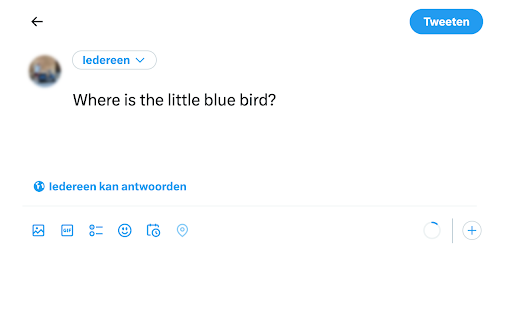
Add the little blue bird to Twitter or X and change the page title, favicon and buttons accordingly. Embedded posts included! Bring back the little blue bird from the good old days of Twitter. The most complete browser extension for X reversal out there! - Fixes all the "X" scalable vector graphics it can find on any page on X.com or Twitter.com - Covers the Twitter/X welcome screen as well as the main feed - Replace "Post" button by "Tweet" (*) — ɴᴇᴡ - It replace the favicon - It replace the page title - It also works for embedded posts — ɴᴇᴡ - Tested on Firefox, Chrome, Kiwi Mobile and Firefox Mobile * currently works for English, Spanish, French, Italian, German and Dutch

Twitter Logo Fixer
Changes the Twitter back to being a bird. This plugin restores the Twitter Logo in the tab icon and on the dashboard. If you prefer how Twitter looked before it turned to X, please consider installing it. The Twitter logo has not been restored in other places than the two mentioned above, but future updates may fix that as well.

TwitterBird
This extension restores the original twitter logo (The blue bird) This extension restores the original twitter logo (The blue bird).

Get back Twitter icon
Let's get back the blue bird. Elon Musk changed the icon of Twitter to "X". This extension reverts the change. Change Log: Ver 1.1.0: Add feature to control favicon and in-page icon separately. Add "No Change" item to icon setting. Add setting option about replacing page title. Fix some bugs. Ver 1.0.2: Fix size of one of icon. Fix problem about modifing the icon on the page. Ver. 1.0.1: Make it possible to select the icon of tabs. Add feature to modify the icon on the page.

NoDogeTweeter
Revert the Doge logo and restore the original Twitter logo. NoDogeTweeter is a Chrome extension that reverts the 𝕏 logo back to the original Twitter logo and changes the favicon back to its original design. This extension is useful if you prefer the original Twitter aesthetics over the changes made by Elon Musk. + Automatically detects the 𝕏 logo on Twitter and replaces it with the original Twitter logo. + Reverts the favicon back to its original design. + Preserves the original HTML structure. Instructions for use: + Install the NoDogeTweeter extension from the Chrome Web Store. + Visit twitter.com or refresh any open Twitter pages (press F5) to see the original Twitter logo in the top left corner. + The extension icon will appear blue on Twitter and gray on other websites, showing that it only affects Twitter pages. Please note: This extension is not affiliated with or endorsed by Twitter, Inc.
