
dikbgigfodidgccagmljdaamjcnnjbeb
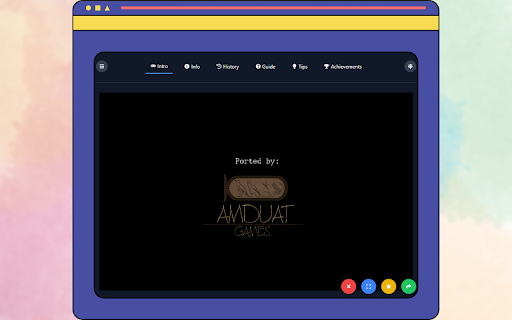


Play Five Nights at Freddy's Game right in your Chrome Experience the spine-chilling thrills of Five Nights at Freddy's right from your browser with this exciting game extension! Dive into the iconic horror game where you must survive the night shift at Freddy Fazbear's Pizza, using your wits and security cameras to avoid terrifying animatronics. Why install this extension? Engaging Gameplay: Test your survival skills in a tense and atmospheric environment. Instant Access: Play Five Nights at Freddy's directly from your browser—no need to download additional software. Addictive Fun: With each night bringing new challenges, this game will keep you on the edge of your seat. Perfect for Horror Fans: Immerse yourself in the iconic world of FNAF, complete with jump scares and eerie suspense. Enhance Your Gaming Experience Explore other games via the menu at the top-left. Use the rate us and share icons at the bottom-right to connect with other fans. Play in fullscreen mode for the ultimate FNaF experience. Think you can survive the night? Let’s find out! 👻

FNaF 2! - Unblocked Game
No doors, just a mask. Wind the music box and survive the new Toy animatronics in this terrifying night shift! Welcome back to the new and improved Freddy Fazbear's Pizza! In Five Nights at Freddy's 2, the old animatronics are joined by a new cast of characters. They are kid-friendly, updated with the latest in facial recognition technology, tied into local criminal databases, and promise to put on a safe and entertaining show for kids and grown-ups alike! As the new security guard working nights, your job is to monitor cameras and ensure nothing goes wrong after-hours. The previous guard has complained about the characters trying to get into the office (he has since been moved to the day shift). So to make your job easier, you’ve been provided with your very own empty Freddy Fazbear head, which should fool the animatronics into leaving you alone if they accidentally enter your office. No Doors: Unlike the first location, you have no security doors to close. You are completely exposed. The Mask Mechanic: Reflexes are key. When an animatronic enters the room, you must equip the Freddy head immediately to trick their facial recognition scanners. New Threats: Face off against the "Toy" animatronics, as well as withered versions of the original cast. The Music Box: Keep the Music Box wound up remotely via the camera system. If the music stops, something worse than a bear will come for you. The Flashlight: Use your limited battery power to check the pitch-black hallway and side vents. -HOW TO PLAY- space - flashlight w - mask s - cameras a - left light d - right light if you are on 6th night you will have to load your game again. -HOW TO INSTALL- Click download this Extension using the "Add to Chrome" button. Once the game has finished loading, simply select the "Extensions Icon" button. After clicking this, you'll be directed to the playground area, where the game "FNaF 2! - Unblocked Game" will launch automatically. All that's left is to press the play button and start enjoying the game.

Five Nights at Freddy's Unblocked Game
Play Five Nights at Freddy's unblocked game on chrome. FNaF 1 online game. Created for FNaF unblocked fans. Five Nights at Freddy's (FNAF) is a survival horror video game series created by Scott Cawthon. The games take place in a fictional pizza restaurant called Freddy Fazbear's Pizza, where a team of anthropomorphic animals, Freddy Fazbear, Bonnie, Chica, and Foxy, entertain children during the day. However, at night, the animatronics become active and attempt to kill anyone in the building. The player takes on the role of a security guard working the night shift at the restaurant, and must use security cameras and limited power to survive the animatronics' attacks. The series has spawned several sequels and spin-offs, as well as merchandise and adaptations in other media. If you have any questions about our Five Nights at Freddy's game extension or just want to give us some feedback, feel free to send us a message or write a review! We'd love to hear from you. You can mouse over to Support tab on the extension, then click on "visit the developer's support site" to contact us. If you wish to remove this extension, follow this steps: 1. Click the 3-dot icon at the top-right corner of your screen. 2. Hover your mouse on More tools then click Extensions. 3. Find the FNaF game extension. 4. Press "Remove"

FNaF 3 Unblocked Game
Survive haunted animatronics in an eerie attraction, uncover secrets, and escape the nightmare in this tense FNaF 3 horror game. Get ready for a heart-pounding, spine-tingling experience like no other in "Five Nights at Freddy's 3"! The third installment of this iconic horror game series takes you back to Freddy Fazbear's Pizza, but this time, the terror is more intense, and the mysteries are even darker. You play as a brave night security guard tasked with surviving five horrifying nights in this abandoned and decaying establishment. Your only tools are a monitor system, limited power supply, and your wits. Can you survive the onslaught of vengeful animatronic monsters that lurk in the shadows? Phantom Animatronics: Beware of the eerie and ghostly appearances of the Phantom animatronics, who will jump-scare you when you least expect it. Keep your nerves steady as you try to fend them off while conserving your precious power. Springtrap: The nightmarish animatronic, Springtrap, is on the loose, and he's out for revenge. He's a cunning adversary, and you must use your skills to avoid his deadly traps while keeping an eye on him through the cameras. The Horror Attraction: Experience a brand new setting in the form of "Fazbear's Fright: The Horror Attraction." Traverse its eerie corridors and terrifying rooms, each harboring its own secrets and dangers. Minigames: Dive deeper into the lore of the Fazbear franchise by uncovering hidden mini-games that shed light on the dark history of Freddy Fazbear's Pizza. "Five Nights at Freddy's 3" pushes the boundaries of fear, immersing you in a nightmarish world filled with tension, anxiety, and terror. The game's chilling atmosphere, haunting soundtrack, and jump-scare moments will keep you on the edge of your seat. Can You Survive? As the story unravels and the horrors intensify, can you endure the relentless onslaught of the animatronics and survive until the morning light? "Five Nights at Freddy's 3" will test your nerves, your strategy, and your will to live. Can you conquer your fears and make it through the five nights? Get ready for a gaming experience that will haunt your dreams and challenge your courage. Face your fears and dive into the madness of "Five Nights at Freddy's 3." Can you survive the night? HOW TO PLAY You can play with mouse. HOW TO INSTALL Click download this Extension using the "Add to Chrome" button. Once the game has finished loading, simply select the "Extensions Icon" button. After clicking this, you'll be directed to the playground area, where the game "Five Nights at Freddy's 3 - FNAF 3" will launch automatically. All that's left is to press the play button and start enjoying the game.

Five Nights at Freddy's 2 Unblocked Game
This extension let you play FNaF 2 game unblocked on chrome browser. Created for Five Nights at Freddy's 2 game fans. The gameplay of FNAF 2 is similar to that of the first game, with the player being required to survive five in-game nights while being stalked by animatronic characters. However, there are several new animatronics added to the game, including Toy Bonnie, Toy Chica, Toy Freddy, and the new and improved versions of the original animatronics from the first game. One of the key features of FNAF 2 is the use of a security office equipped with various tools to help the player survive the night. These tools include a flashlight, doors that can be locked and opened, and a ventilation system that allows the player to move around the building. However, using these tools also comes with a cost, as they consume power that must be managed carefully in order to make it through the night. If you have any questions about our Five Nights at Freddy's 2 game extension or just want to give us some feedback, feel free to send us a message or write a review! We'd love to hear from you. You can mouse over to Support tab on the extension, then click on "visit the developer's support site" to contact us. If you wish to remove this extension, follow this steps: 1. Click the 3-dot icon at the top-right corner of your screen. 2. Hover your mouse on More tools then click Extensions. 3. Find the Five Nights at Freddy's 2 game extension. 4. Press "Remove"
