
diiaealnihhapbcgmkcbkapbbmfggemc


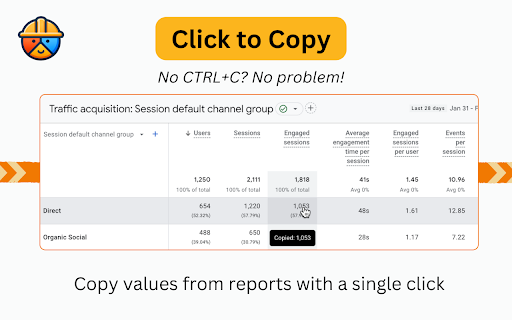


Patch holes in GA4 for better reporting. Adds '% of Total' in reports, 'Click to Copy' values, one-click report building and more. Pain, anguish and uncertainty lurk around every corner in GA4 land and there is only one vigilante who can stop it…GA4 Fixer! Bringing back features like '% of total and copy/paste (yes copy/paste is nostalgic now) and a one-click custom dimension builder for GTM. GA4 Fixer will save your day, or at least make you a little less frustrated which is all that we can ask for in this marketing.

Data Studio Companion
Boosting Data Studio (formerly Looker Studio) user interface & features to improve your productivity & reports performance Data Studio companion is a free extension for Google Chrome browser. It is created to help users building reports and dashboards inside what is formerly known as Looker Studio. This plugin boosts Data Studio user interface and features to improve your productivity & reports performance. For this first version, LS companion includes the following features. * Resources The first tab proposes resources links we frequently need when we work on Data Studio: - Functions reference to build calculated fields - Regex checker to test regular expressions for our chart filters or formula functions - Date formats reference - Unicode characters - Icon library - …but also, as secondary resources… - Data Studio help - Measure Slack channel dedicated to Data Studio - LS bug trackers - Data Studio release notes - Google Cloud Services Status * Data sources : Fields management A good Data Studio data source is a data source listing only relevant fields for your report or because of your measurement scope. The second tab allows to load your data source fields, filter them, disable/enable/rename through bulk actions: - Dropdown menu to select one of your report data sources - Button to show the related fields - Form field to filter the list by field name (with or without regular expression) - Bulk actions to disable or enable selected or all fields - A form to update names and descriptions by import - Fields list for selection or unitary activation/deactivation - Footer with a count summary of dimensions and metrics * Settings 4 options are available in this tab: - Widen the chart formula field with you need more space to write your calculated field - Display field names in style tab for table charts - (new v.0.8) Expandable sections in style tab - Obfuscations options - Obfuscate text content of all Data Studio interface - Mix text values of your charts - Mix numeric values of your charts

UET Tag Helper (by Microsoft Advertising)
This extension helps to identify issues in Microsoft Advertising UET tags • Navigate to any page of your website and the tag helper will tell you which UET tags are on the page and if they are working correctly. • Find out if your conversion goals or Dynamic Remarketing lists have been set up correctly on your website. • Learn about the issues that are encountered and how to fix them.

Stape GTM Helper
Enhance your Google Tag Manager debugging. Stape GTM Helper is a free Google Tag Manager Chrome extension designed to speed up and simplify GTM debugging. This GTM tool helps you bring order to containers packed with tags and improves your workflow in Google Tag Manager preview mode. ➤ Google Tag Manager tools and features for a cleaner GTM preview - Tag Type Coloring – add color and platform logos for Meta, GA4, Google Ads, Microsoft, and more for easier navigation in preview mode. - Entities Filter – focus only on the tags or variables you’re testing for cleaner, faster debugging. - JSON Formatter – make incoming and outgoing JSON requests easy to read. - Consent Status in sGTM – view consent states (granted or denied) directly in your server GTM preview. ➤ Clarity through a tag assistant extension that organizes the GTM preview mode - Debug Google Tag Manager for both web and server containers - Get a structured, color-coded view of all your GTM tags - Improve your Google Tag Manager debugging and testing experience ➤ Perfect For - Developers and analysts working with GTM tools - Anyone who uses Google Tag Manager preview and debug mode daily

EC Assist
Enhanced Conversions validation and troubleshooting assistant. EC Assist helps you implement, validate and troubleshoot Google Ads Enhanced Conversions for Web, Enhanced Conversions for Leads, GA4 User-Provided data setup and SA360 Enhanced Conversions on your website. Once you navigate to your website and complete a test user-journey, EC Assist will conduct a diagnosis of your Google Ads & Floodlight conversions, lead forms and GA4 events. It will detect any issues with the first party data measurement setup and provide implementation or troubleshooting steps relevant to your website's tagging setup. Enhanced Conversions is a feature that can improve the accuracy of your conversion measurement and unlock more powerful bidding. It supplements your existing conversion tags by sending hashed first-party conversion data from your website to Google in a privacy-safe way. EC Assist is meant to be used by advertisers who want to validate or troubleshoot their existing first-party data measurement or require assistance in setting up first-party data measurement through Google Tag Manager or gTag. It is not meant for advertisers setting up Enhanced Conversions via server-side Tag Manager or via the API method.
