
dhdlnldaaeochhponebahbecamjdnkai
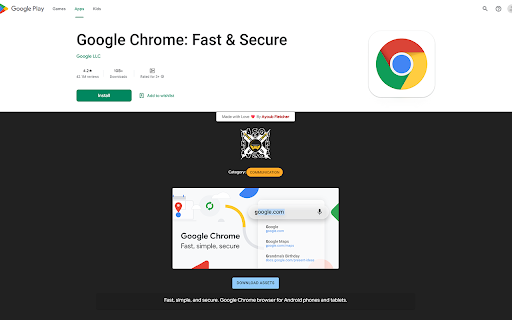
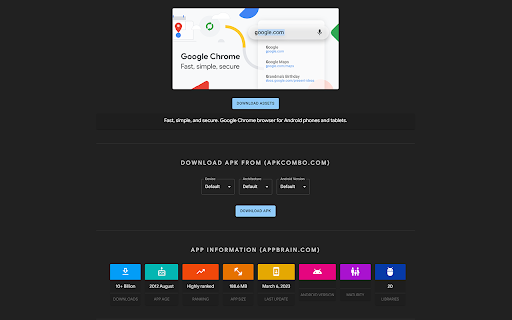
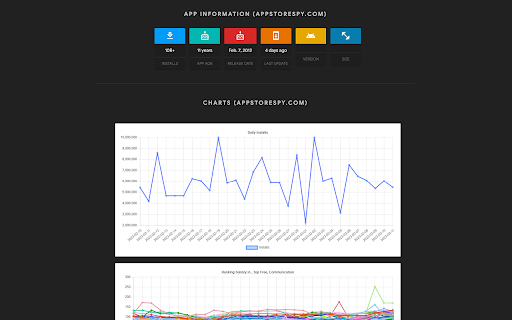
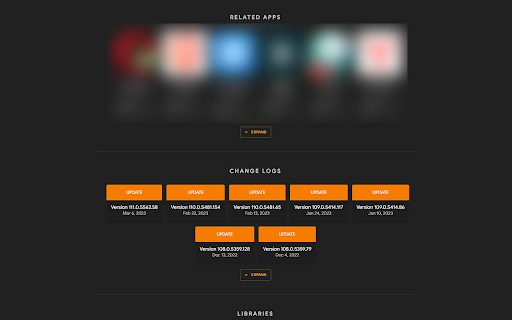
Ninja ASO scrapes multiple sources, streamlining workflow and enabling quick, data-driven decisions on a single page. Ninja ASO is a powerful extension scrapes data from multiple sources and displays it on a single page. With easy access to important information, you can streamline your workflow and make data-driven decisions quickly and efficiently. If you're tired of bouncing between different sources to gather information on your app's performance, Ninja ASO is here to help. Our powerful Chrome extension scrapes data from multiple sources and compiles it all in one place, giving you the comprehensive picture you need to optimize your app's Google Play listing. With Ninja ASO, you can easily download assets like icons, screenshots, and feature graphics in high quality, and access our feature image option to showcase your app's best features. And when it comes to data, we've got you covered. Our app information from both AppBrain and AppStoreSpy provides you with detailed metrics on total installs, app age, app ranking, app size, app last update, Android version, maturity, and libraries - all in one place. But that's not all. With our daily installs and ranking history charts, you can easily track your app's progress over time and compare it to your competitors. Our related apps feature makes it simple to discover other apps in your niche, and our change logs feature keeps your users informed about updates and bug fixes. Our app keywords feature helps you optimize your app's listing with the most relevant keywords, and our libraries feature ensures that you're always up-to-date with the latest technology and programming languages. And with easy access to ASO tools and site links, you can quickly get the information you need to stay ahead of the curve. In short, if you're looking for a one-stop-shop for app optimization on Google Play, look no further than Ninja ASO. Try our extension today and discover the power of consolidated data!

AsoSpy for Google Play Store ASO
Enhance Play Store with app analytics. View app data instantly. Get insights on installs, release date, updates, and more. Elevate your Play Store experience with the integration of mobile app analytics from AsoSpy. Say goodbye to tedious clicks and endless scrolling while investigating apps. Our extension seamlessly embeds app data directly into the Play Store website, providing you with instant access to valuable insights. With this extension, you can effortlessly search for apps, navigate through pages, and have comprehensive app data conveniently displayed within each app card. No more bouncing between multiple tabs or external tools to gather crucial information. The app data made available through AsoSpy includes essential details such as the number of installs, release date, last update date, app category, and approximate installs per day. Having these insights at your fingertips empowers you to make informed decisions about which apps to explore further. By eliminating the need for manual research and reducing the time spent on app investigations, our extension streamlines the app discovery process. Whether you're a developer, marketer, or app enthusiast, AsoSpy enhances your efficiency and helps you make data-driven decisions. Experience the convenience and efficiency of integrated app analytics. Install the AsoSpy extension now and unlock a whole new level of Play Store browsing. Gain valuable insights, save time, and make more informed choices with ease.

Play Store ASO Tweak by TaoufikGFX
An extension to display ASO app details on Google Play Store pages. Unlock the full potential of your ASO research with Play Store ASO Tweak by TaoufikGFX! This powerful Chrome extension is designed for app developers, marketers, and ASO enthusiasts who want to optimize their apps on the Google Play Store. Seamlessly integrated into Play Store app pages, it provides in-depth insights to boost your app's visibility and performance. Detailed App Insights: Extract critical data like release dates, update history, install counts, category details, and more, directly from Google Play Store pages. Developer Information: Access developer details, including account type, country, contact info, and live app counts, to understand your competition better. ASO Keyword Analysis: Analyze keyword density in titles, short descriptions, and long descriptions to refine your app’s discoverability. Export Capabilities: Easily export app data, download google play assets (icons, screenshots, videos), and ASO keyword reports for further analysis. External Tool Integration: Get quick links to ASO tools like ASOSpy, AppStoreSpy, AppBrain, and SensorTower, as well as APK websites for deeper research. Language & Region Support: Switch between languages to preview how your app appears globally, enhancing localization efforts. Why Install It? Save Time: Automate the extraction of ASO data, eliminating manual research. Optimize Strategically: Use keyword analysis and competitor insights to improve your app’s ranking and downloads. Stay Ahead: Access real-time data and trends to make informed decisions for your app’s growth. User-Friendly: A clean, intuitive interface makes ASO research effortless, even for beginners. Whether you're an indie developer or part of a large team, Play Store ASO Tweak by TaoufikGFX is your go-to tool for mastering App Store Optimization. Install now and take your app to the next level!

Rich Editor for Google Play Console
Use tags to format your store listing Enhance Your Google Play Store Description With Rich Formatting & Emojis The Google Play Store lets you be pretty creative when it comes to the text assets you provide for your Play Store Listing. You can use rich formatting (HTML) and emojis to make your Google Play app description stand out of the crowd in searches and in your page view. You can use rich formatting to bring out the structure in your play store description, for example by creating chapter headings. But you can also use rich text and emoji’s to stand out of the crowd. Even in your Google Play Title and developer name you can use emojis to increase conversion, although you won’t be able to run A/B tests on these two assets.

Country Switcher for Google Play
Easily switch country and language in Google Play All countries and languages supported by Developer Console
