
dgnfbgjnjjchcfehlejpjgbaejbenaec
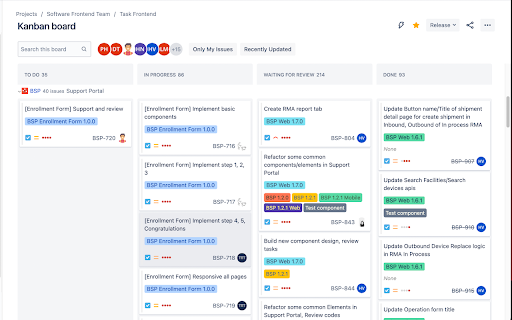
This extensions change color for Jira component This extensions change color for Jira component

Jira Ticket Link Generator - Cloud Edition
Generates a nice looking link for Jira tickets containing ticket ID, description and link Now here comes the cloud edition of our Jira Ticket Link Generator, works if the Jira instance is on Atlassian Cloud. (If Jira is hosted on-premise instead, try searching for "Jira Ticket Link Generator") This plugin is used for generating a hyperlink for a selected Jira ticket including ticket ID and ticket description, the generated link is copied to clipboard for using. Link can be generated from a selected ticket on sprint board, a ticket detail page, or a selected ticket on search result board. Also we provide another option to generate a list of links for all tickets shown up in search result board. No configuration needed, just plug and play, and enjoy!

Miro Tab Closer
Automatically close the Miro Shared Link tab when you open it in Miro Desktop. Shared links contain the "share_link_id" key in the URL. Left click on the icon to disable the extension, right click to go to the timer options.

Swashbuckle Swagger UI Autofill Helper
Adds name attributes to parameter inputs for Swashbuckle's generated Swagger UI so they work with Chrome's autofill. At some point, Swashbuckle's generated Swagger UI changed to have a new look. When it did, the parameter inputs also lost their name attributes, which is what autofill is keyed off of in Google Chrome, so autofill stopped working in the Swagger UI. This extension dynamically adds that attribute back to those parameter inputs, so Chrome's autofill can work once again. Using this extension is simple; just click the extension's button once you're on the generated Swagger page. As long as that tab stays on the Swagger page, it will continue to work. If you refresh the page or navigate away and back again, you'll have to click the button again to turn it back on for that page. You can tell if it's working for a tab when there's a checkmark in the icon. No checkmark, no autofill.

Mesha Recorder
Mesha Record is an extension to tracking user actions like clicking buttons, inputting text, selecting dropdowns, etc, and… Mesha Record is an extension to tracking user actions like clicking buttons, inputting text, selecting dropdowns, etc, and generating the automation test step on the Mesha portal by on user actions. Mesha Recorder helps test engineers create automation test cases more quickly, saving the effort to build automation scenarios and easy-to-build test steps.
