
dglfomdgahnjfpkapfgcafpgekceglil
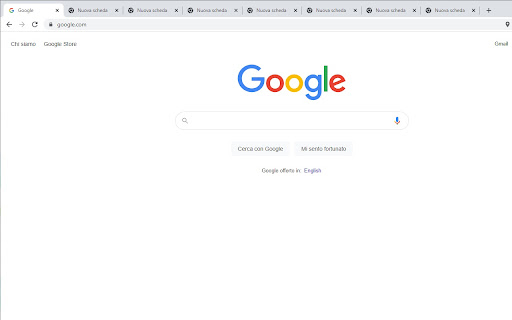
Moves all tabs into the active window. This extension group all tabs in only one window. You can do this by pressing CTRL + SHIFT + L, or by clicking on the extension icon.

Open tabs in order
This is an extension that updates tabs in order when multiple tabs are opened. “Open tabs in order” is an extension that reduces browser load by loading tabs sequentially when multiple tabs are opened simultaneously. This extension is designed to solve the problem where opening many tabs at once causes all tabs to load simultaneously, slowing down your PC. Normally, in Chrome, opening multiple tabs at once causes each to start loading simultaneously, placing a heavy load on memory and CPU. Using “Open tabs in order” allows tabs to load sequentially, reducing consumption of system resources. This extension adjusts loading timing by pausing tabs, providing a comfortable browsing experience. It is especially useful for users who frequently open large numbers of pages at once, such as from bookmark folders.

Suspend tabs
Free up your device's memory and speed up your browsing on Google Chrome by suspend open tabs 🚀 'Suspend tabs' you're not using to save memory and make your computer run faster! By reducing the load on your device, you’ll also help extend your battery life. 🔋 🕒 Automatically suspend inactive tabs, allowing your computer to work faster and smoother. Reducing CPU usage this way makes everything run better, and you can restore tabs whenever you need them in just a click! 💻✨ ⚡ The built-in tabs manager, accessible through hotkeys, provides a dashboard for quick navigation, and the in-house search makes everything even easier. 🔧 New Update v1.1 🔄 - Rebuild the code again and speed up the tool - The ability to choose the wallpaper for suspand tabs - Additional possibility of custom background

Open pop-up as tab
This simple extension forces Chrome to open new tabs instead of new windows. If the extension stops working randomly, try disabling "Energy Saver" under Chrome Settings > Performance > Power.

TabLIST - Limits and Block
Limits the number of tabs and block any website in the browser. By ListSach TabLIST - Limit the maximum number of tabs and block unwanted websites. An extension designed to help you improve your productivity and concentration while you work and study. By limiting the number of open tabs and blocking unwanted websites, TabLIST helps you stay focused on your tasks and make the most of your time. A simple, intuitive, user-friendly, secure, and safe interface that anyone can use with ease.
