
dgbcohbjchndmjocioegkgdniaffcaia

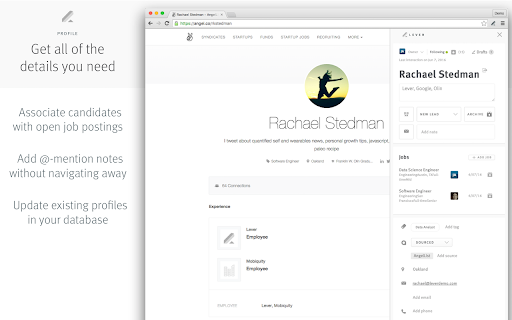

▻ Source candidates with one click. ● Full resume ● Job titles ● Job descriptions ● Time spent in current and previous jobs ▻ Spend less time entering data, and free up more time for the true work of hiring. ────────────────────────────── ⚠ You need a Lever account to use the Lever Import Extension. Request access here: https://lever.co/

Calendly: Meeting Scheduling Software
Schedule meetings without the hassle. Never get double booked. Calendly works with your calendar to automate appointment scheduling. With any Calendly account (free or paid plans), you can use Calendly’s extension for Chrome to: - Access Calendly in one click from anywhere on the web - Find and share your scheduling links - View and manage your meetings - Keep track of your contacts and meeting history - Book meetings in real time, including follow-ups and handoffs - Add available time slots directly into your emails - Create one-off meetings, single-use links, and group meeting polls - Integrate with Gmail, LinkedIn, Google Calendar, and more ABOUT CALENDLY Calendly simplifies personal and professional scheduling for more than 20 million users worldwide. Calendly delivers a robust and intuitive scheduling platform that helps our customers close deals, land candidates, build relationships, and grow their business—faster.

Clockwise (deprecated)
This extension is no longer supported. Please uninstall it. Clockwise is an AI-powered calendar assistant that builds better and more productive schedules – designed to alleviate the stress of calendar management for busy professionals. Powered by automation and AI, Clockwise rapidly calculates the best time for meetings, tasks, and deep work – all based on your preferences. Clockwise works across individuals, teams, and entire companies, and it gets smarter and more powerful as more people use it.

BOOL: Boolean Search Assistant
Build Boolean Strings And Launch Targeted Searches Faster How to build a Boolean string in 3 simple steps with BOOL: 1. Click “AND” to create a column for each search criteria. 2. Click “OR” to create a row for each keyword in the search criteria. 3. Add related keywords to the same column. Your Boolean string is built instantly. Target audiences: 1. Recruiters, researchers and other search professionals looking for a faster way to use Boolean logic for targeted searches. 2. General internet users interested in using advanced search techniques. Contact the Developer: For bug reports, consultations, collaboration, or general inquiry, please send all emails to info@scoperac.com.

SeekOut Sourcing Assistant
The free way to source, organize, enrich and export candidate profiles! The SeekOut Chrome Extension is an optimized way for SeekOut users to enhance, enrich, and organize candidates. The Chrome Extension complements your SeekOut subscription by bringing some of the power of SeekOut to the web. ➤ Enhance candidate searches on Google Source more efficient by automatically adding candidate details, including education, background information, and top skills to the Google results page. ➤ Enrich profile information See additional information for candidates instantly. ➤ Organize candidates in SeekOut projects Easily add candidates to projects as you browse the web. ➤ Find contact info in one click Get verified email addresses and social profiles instantaneously for candidate engagement as part of a SeekOut subscription. ➤ Receive AI-powered recommendations As you save candidates, SeekOut Chrome Extension automatically finds similar candidates for you to review and add to projects. Compare the contact information from SeekOut Chrome Extension with ContactOut, HireEZ, Lusha, Connectifier, Prophet, Entelo, or other email hunters. SeekOut has the best contact info quality. * Note: The SeekOut Chrome Extension is only available to customers with active SeekOut platform subscriptions. To find out more, please visit www.seekout.com/contact-us. ---------------------------------------------------- By installing the extension, you agree to SeekOut's Terms of Service (https://seekout.io/tos) and Privacy Policy (https://seekout.io/privacy).
