
dffigjadicocpbkckiaolkkjglnmllgf
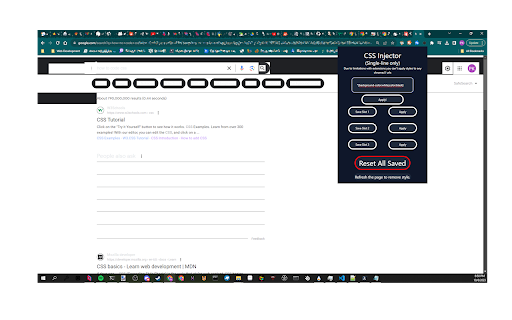
A Chrome extension designed to let you change the CSS of a website, without sending any CSS to the webserver!

Pesticide - Advanced CSS Debugger
Not only inserts outlines (without background color) on all elements, but also inspects size and layout. CSS is awesome! Pesticide 3.2 is an advanced CSS debugger for Chrome that helps you inspect layout, spacing, typography, and computed styles directly on the page. Turn it on and hover any element to open a floating inspector with the details you actually need: - Element tag, id, and classes - DOM path - Client / offset / scroll dimensions - Full box model: margin, border, padding, radius, and content size - Font inspection - Computed CSS properties - Copy CSS output in Tailwind, inline, or block format - Outline-based debugging without shifting layout - Click to pin the current element while comparing spacing and styles - Resizable, draggable inspector overlay - Per-site saved panel position and size - Options page to show or hide inspector sections - Quick keyboard control with Ctrl + Shift + P Pesticide is built for front-end developers, designers, and anyone debugging tricky CSS. It gives you a fast visual way to understand how a page is built without opening heavyweight tools for every small layout check. - Better floating inspector workflow - Copy CSS panel with Tailwind, inline, and block output - Font and computed-style inspection - Configurable inspector sections from the options page If you want a lightweight Chrome extension for faster CSS debugging, Pesticide is built for that job.

CSS inject
Very simple chrome extension to inject CSS into websites

CSS Scanly - Copy CSS | Tailwind & Bootstrap
Copy CSS properties from any web element with CSS Scanly. Supports Tailwind & Bootstrap, Helpful for developers and designers CSS Scanly: Inspect, Analyze, and Edit CSS in Real-Time Discover the power of advanced CSS inspection and editing with CSS Scanly, the must-have tool for web developers, designers, and CSS enthusiasts. This Chrome extension transforms how you interact with web page styles, providing an intuitive and feature-rich environment for exploring and manipulating CSS on any website. Hover over any element to instantly view its applied styles See computed styles, including those from stylesheets and inline CSS Explore pseudo-class styles etc. without leaving the page Edit CSS properties on-the-fly and see changes immediately Experiment with styles without affecting the original page Perfect for prototyping and troubleshooting design issues Automatically detects and highlights Bootstrap and Tailwind CSS classes Gain insights into how popular frameworks are used on different websites Pin multiple CSS information boxes for easy comparison Ideal for analyzing styles across different elements simultaneously 5. Copy-to-Clipboard Functionality Quickly copy any CSS styles with a single click Streamline your workflow by easily transferring styles to your projects View applied media queries for responsive design analysis Understand how styles change across different screen sizes Intuitive control bar for easy navigation and tool management Keyboard shortcuts for enhanced productivity Pause and resume the scanner as needed Move the control bar to your preferred location on the screen Perfect For: Web Developers seeking to debug CSS issues Designers looking to analyze and draw inspiration from other websites Students learning web design and CSS QA testers verifying style implementations Anyone curious about the styles behind their favorite websites Elevate your web development and design process with CSS Scanly. Download now and start scanning the world of CSS like never before!

CLS Visualizer
Visualizer the CLS of any webpage This plugin will highlight and visualize the Cumulative Layout Shift. Cumulative Layout Shift (CLS) is an important, user-centric metric for measuring visual stability because it helps quantify how often users experience unexpected layout shifts—a low CLS helps ensure that the page is delightful. Unfortunately the CLS is a pain to debug without visualisation
