
deoggandjjckhajfpopaimacbfpkocen
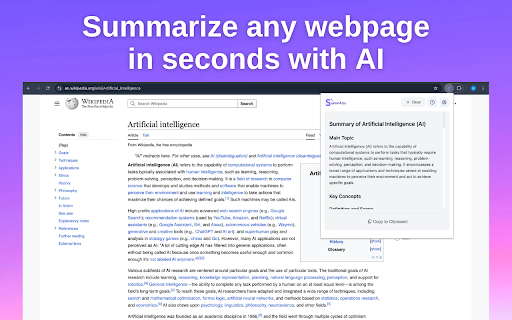


Instantly summarize web pages, extract YouTube transcripts, and get AI-generated summaries. SummAIze - your intelligent companion for quick web content comprehension! 🚀 Key Features: • Instant generation of concise and meaningful summaries of any webpage • Custom prompts - ask any questions about the webpage content • Floating button for quick one-click summarization • History tracking - access your previous prompts and summaries • Multi-language support - get summaries in your preferred language • YouTube transcript & summary - automatically extract and summarize video captions • Dark/Light theme support - choose your preferred interface style • Copy feature - easily copy transcripts and summaries • User-friendly interface - just click the extension icon • Works with news articles, blog posts, documentation, and more 💡 Why SummAIze: • Save time - quickly grasp the essence of content • Powered by advanced AI technology for quality summaries • Preserves important context and key points • Works directly in your browser - no need to copy text elsewhere • Free for basic usage • Seamless YouTube integration for video content 🌍 Supported Languages: English, Español, Français, Deutsch, Italiano, Português, Русский, Ukrainian, 日本語, 한국어, 中文, and more 🎯 Use Cases: • Quick research and information gathering • Staying updated with news and articles • Understanding technical documentation • Efficient content consumption • YouTube video comprehension • Language learning and practice • Academic research and study • Professional development ⚡️ Benefits: • Reduce reading time by up to 80% • Make better-informed decisions faster • Never miss important information • Improve productivity and learning efficiency • Access video content without watching • Customize your experience with themes • Keep track of your content history • Share insights with copy functionality Try SummAIze today and discover a new level of efficient web content consumption!

Gistify – AI Web Summarizer
Instantly generate summaries of any webpage. Get the key points without the scroll struggle. Save time, stay smart. Tired of reading long articles just to find the main point? Gistify helps you cut through the noise and get straight to the gist – in one click. Gistify is a powerful Chrome extension that summarizes long-form content like articles, blogs, news reports, and web pages into short, easy-to-read summaries. Whether you're a student, professional, or just a curious mind, Gistify saves you time and boosts productivity. 🔍 Features: One-Click Summaries: Instantly generate summaries of web content. Clutter-Free Interface: Clean, minimal UI for focused reading. Supports Most Websites: Works on news sites, blogs, research pages, and more. Boost Productivity: Learn faster, work smarter, read only what matters. 🚀 Perfect For: Students & researchers Busy professionals Productivity enthusiasts News readers & bloggers Get Gistify today and transform the way you consume content. Read less, understand more.

YouTube Video Summary & AI Chat - Summd
AI-powered YouTube video summarizer with timestamps. Chat with any video - ask questions and get instant answers SUMMD sits right next to your YouTube video and gives you the key points in seconds. No more scrubbing through timelines, no more watching at 2x speed hoping you don't miss the good part. How it works: Open a YouTube video. That's it. SUMMD automatically summarizes it with clickable timestamps so you can jump straight to what matters. Want to go deeper? Ask questions about the video - like having a conversation with someone who already watched the whole thing for you. What people use it for: → Students pulling key points from lecture recordings → Devs skimming through hour-long conference talks → Curious people who watch way too much YouTube (no judgment) → Anyone tired of "this video could've been 5 minutes" Features: • Auto-summary with smart timestamps — appears the moment you open a video • Chat with the video — ask specific questions, get precise answers • Frame analysis — pause and ask about what's on screen • Works in 17 languages Works with any YouTube video: tutorials, lectures, podcasts, reviews, documentaries, conference talks, interviews, music breakdowns, cooking videos, tech reviews, and more.

AI Article Summarizer - Lemonify
Summarize sites in one click - structured, translated with citations! Choose size, language, theme. Summarize any webpage in one click. Lemonify AI generates concise summaries for articles, news, Gmail emails, science papers and blogs - in any language! Powered by the latest AI models. Lemonify AI Article Summarizer delivers clear, structured summaries: from news and blogs to research papers and articles. The free version includes multilingual summaries with built-in translation into 50+ languages: English, Français, Español, Deutsch, Italiano, Русский, 中文 (Chinese), العربية (Arabic), 日本語 (Japanese) and many more. See the full list in the FAQ below. 🚀 How to Get Started: 1. Add the extension to Chrome 2. Open any article or blog post and click the 🍋 button to get an instant summary 3. Sign in to boost your daily limit and get x5 more summaries for free Key Features 🖱 One-click summaries Summarize any webpage instantly. No copy-paste or switching tabs. Works even for Gmail, Yahoo, and other mail web UIs. 🌍 Multilingual summaries and translations* Summarize and translate content into English, French, Spanish, German, Italian, Russian, Chinese, Arabic, Japanese and many others. 💬 AI Chat about the article Ask questions based on the page you are reading and get clarifications, explanations, deeper insights, or simplified versions of complex text. Chat understands the content of the article and helps you explore it in any direction. 📐 Adjustable length Choose your preferred summary length: short, medium, or full. 🤖 Choose your AI Switch between OpenAI and Gemini for the summarization model you prefer. 🎨 Clean, customizable UI Toggle between light or dark mode. Resize the panel to your preference. 🔗 Smart citations Each point links back to the source paragraph. 🍋 Floating action button A subtle button appears on every page for one-click access to summaries. 📊 Token tracker See how much of your free quota you have used. 🔒 Privacy-first No tracking. Only the content you choose is processed. Who Uses Lemonify AI Article Summarizer? • Students reading academic texts • Professionals scanning news, reports, and research • Developers reading documentation • Anyone who wants to save time when reading online Need help or want to share feedback? Reach us at contact@preditrix.ai. Your ideas help shape our roadmap. Frequently Asked Questions ❓ What types of content can I summarize? 💬 You can summarize any text-based content from websites, including articles, blog posts, research papers, documentation, and more. ❓ Which languages are supported for translated summarization? 💬 The basic version includes multilingual summaries with built-in translation into more than 50 languages: 🇺🇸 English 🇪🇸 Spanish (Español) 🇲🇽 Spanish Latin America (español Latinoamérica) 🇫🇷 French (Français) 🇩🇪 German (Deutsch) 🇵🇱 Polish (polski) 🇩🇰 Danish (dansk) 🇮🇹 Italian (Italiano) 🇫🇮 Finnish (suomi) 🇸🇪 Swedish (svenska) 🇳🇱 Dutch (Nederlands) 🇳🇴 Norwegian (Norsk) 🇱🇻 Latvian (latviešu) 🇱🇹 Lithuanian (lietuvių) 🇭🇺 Hungarian (magyar) 🇨🇿 Czech (čeština) 🇬🇷 Greek (Ελληνικά) 🇷🇺 Russian (Русский) 🇮🇩 Indonesian (Bahasa Indonesia) 🇺🇦 Ukrainian (українська) 🇲🇾 Malay (Bahasa Melayu) 🇵🇭 Filipino 🇰🇪 Swahili (Kiswahili) 🇪🇹 Amharic (አማርኛ) 🇸🇦 Arabic (العربية) 🇨🇳 Chinese Simplified (中文 简体) 🇹🇼 Chinese Traditional (中文 繁體) 🇻🇳 Vietnamese (Tiếng Việt) 🇹🇷 Turkish (Türkçe) 🇪🇸 Catalan (català) 🇪🇪 Estonian (eesti) 🇬🇪 Georgian (ქართული) 🇭🇷 Croatian (hrvatski) 🇧🇷 Portuguese Brazil (português Brasil) 🇵🇹 Portuguese Portugal (português Portugal) 🇷🇴 Romanian (română) 🇸🇰 Slovak (slovenský) 🇸🇮 Slovenian (slovenščina) 🇷🇸 Serbian (Српски) 🇧🇬 Bulgarian (български) 🇮🇱 Hebrew (עברית) 🇮🇷 Persian (فارسی) 🇮🇳 Marathi (मराठी) 🇮🇳 Hindi (हिन्दी) 🇧🇩 Bengali (বাংলা) 🇮🇳 Gujarati (ગુજરાતી) 🇮🇳 Tamil (தமிழ்) 🇮🇳 Telugu (తెలుగు) 🇮🇳 Kannada (ಕನ್ನಡ) 🇮🇳 Malayalam (മലയാളം) 🇹🇭 Thai (ไทย) 🇯🇵 Japanese (日本語) 🇰🇷 Korean (한국어) ❓ Is Lemonify AI Article Summarizer free to use? 💬 Yes. You can start summarizing immediately without signing in. If you want higher daily limits, simply sign in to unlock x5 more summaries for free. ❓ Is the chat feature available? 💬 Yes. The AI Chat is available in the December update. You can ask questions about the article and get instant insights. 2.1.2 [01.05.2026] + Bugfixes for fast UX 2.1 [12.12.2025] • Fully redesigned interface! • New: built-in AI Chat — ask questions about the article you're reading! • New: choose text size for more comfortable reading 1.2...1.3 [07.11.2025] • Drag'n'Drop of Content Panel • Saving Content Panel position for each site separately 1.1.3 [27.08.2025] • Bugfixes for Auth 1.1 [12.08.2025] • Added 45+ languages for summarization 1.0 [25.07.2025] • Supported basic summarization with adjustable detail level • Support for two LLMs (OpenAI and Gemini) • Google account sign-up and login supported

keyNote - web, PDF & youtube AI summary
Summarize webpage, youtube and PDF with 8 AI bots e.g ChatGPT, Copilot, Gemini,Claude. Create mindmap & highlights. Export to notion 🪄 Summarize webpage, Youtube and PDF using 8 AI Bots e.g ChatGPT, Claude, Gemini. 📢 Top Features ✪ Summarize webpage, Youtube and PDF by using 8 AI bots ✪ Webpage Summary, Mindmap & Highlight ✪ Free and unlimited usage. (no feature behind Paywall) ✪ No Signup required ✪ Don't ask permission: "Read and change all your data on all websites" ✪ Summarized content is editable. Edit content in markdown format before export. ✪ Live preview markdown editor with syntax highlight ✪ Copy or download summarized content ✪ Export summarized content to notion, Obsidian ✪ Lightweight 100KB only ✪ No tracking & no Ads. ✅ Summary, mindMap and highlight with 8 AI Bots keyNote is a free Chrome Extension that lets you quickly access the summary of the YouTube videos you are watching or any articles with 8 AI Bots. Use this extension to save time and learn quickly. 8 AI Bots: The ultimate tool for easy and efficient web page summarization! With just a few clicks, you can now summarize any web page, Youtube video or PDF document . ✅ Auto Organize notes keyNote auto-organizes your saved summarized content in 3 different ways: 1. Domain-wise 2. Date-wise 3. Folder-wise -> Unlimited sub-folders Right-click on extension's icon then click on "noteboard" icon to open noteboard ℹ️ Support For contact, Please mail us on 📧 noterailhelp@gmail.com Join keyNote on Google Groups: https://groups.google.com/g/keynote You can change side panel position from settings -> appearance ⚠️ This extension is still in beta
