
ddpoebcdikcngamholdofomimeandlfc
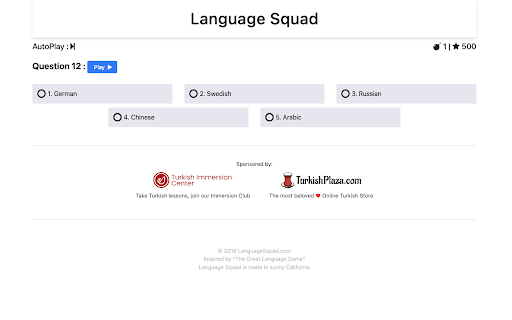
Allows to play on Language Squad with only a keyboard. Choices gets bound to numbers (1-10 [0=10]) on your keyboard, then qwerty layout (q=11, w=12, etc.). Also allow to press enter to Start or Go to next level. License notes for single Chrome Web Store resource :

Keyboard Language Corrector
Manually convert mistyped text between Hebrew and English based on keyboard layout. To use this feature, simply mark the text you want to convert, right-click, and select "Convert to English/Hebrew." This tool will convert mistyped text between Hebrew and English based on your keyboard layout. This means that if you accidentally type a Hebrew letter when you meant to type an English letter, or vice versa, the tool will correct it for you.

Arabic and English Keyboard
Arabic and English on screen Keyboard . You can type on any input on a website you visit using Arabic or English from your screen. Easy to install and easy to use.

Keyboard Converter
Fix keyboard layout mismatches between languages. Automatically detects and corrects text typed in the wrong keyboard layout. Never Type in the Wrong Layout Again! Tired of typing in the wrong keyboard layout? Meet Keyboard Layout Converter, the smart extension that automatically detects and corrects your text when you forget to switch keyboard layouts. Whether you're writing emails, chatting, or working on documents, this tool saves time and frustration. How It Works: 1️⃣ Type your text as usual – even if it's in the wrong layout. 2️⃣ Use the quick-fix shortcut CMD/CTRL + Shift + 0 to instantly correct it. 3️⃣ Your text is automatically converted to the correct layout, hassle-free! Key Features: ✅ Instant Auto-Correction – No more manually retyping text! ✅ Smart Language Detection – Supports multiple languages like Hebrew, Spanish, Russian, and more. ✅ Quick-Fix Shortcut – Just press CMD/CTRL + Shift + 0 for an instant fix. ✅ Seamless Integration – Works across Google Docs, Gmail, WhatsApp Web, and more. 🔗 Download now and type with confidence!

Alternative greek keyboard layouts
Adds monotonic Dvorak, polytonic and polytonic Dvorak keyboard layouts for ChromeOS. Adds 3 alternative keyboard layouts for the Greek language. NOTE: This extension works only in ChromeOS. After installation follow the steps below, or watch instructions on https://www.youtube.com/watch?v=zo0EMBqWI8o 1) Open Chrome OS Settings from the system tray in the bottom right corner. 2) Click on "Advanced" on the left to expand the advanced settings. 3) Click on "Languages and inputs" If you have not added "Greek" as a language already, follow steps 4-7, otherwise skip straight to step 8 4) Click the "Languages row 5) Click the "+ Add Languages" button 6) In the dialog that comes up, type "greek". Check the checkbox and click "Add" 7) Click the left arrow button next to the "Languages" header 8) Click the "Inputs" row 9) Click the "+ Add input methods" button 10) In the dialog that comes up, type "greek". You should see the following options - Greek Dvorak Monotonic - Greek Dvorak Polytonic - Greek Polytonic 11) Check the checkbox next to the desired layout(s) and click the "Add" button. You are done! If you have more than one keyboard layouts, press Ctrl+Shift+Space to switch between them, or use the button in the system tray. Changelog: v3.1.0: Updated to Manifest V3, the extension should work again on latest ChromeOS versions! v3.0.0: - Fixed bug not showing breathing marks on rho - Fixed bug with upper case omega
