
ddojnmkongaimkdddgmcccldlfhokcfb
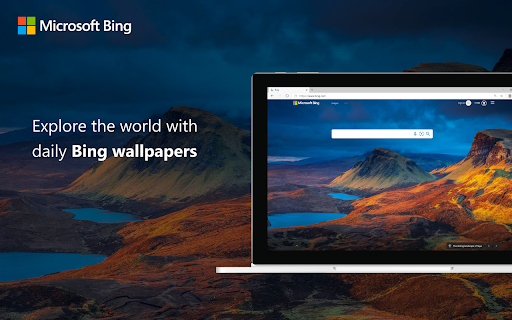
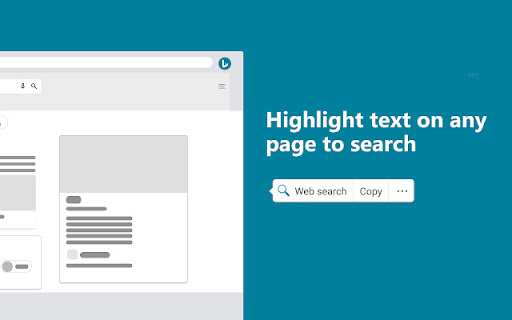
Set Microsoft Bing as your default homepage and default search engine Set your homepage to Bing.com to check out the latest news, entertainment and sports each day and turn your searching into doing with Microsoft Bing. Search the web faster with the quick search feature. It’s easy—Go to any website and highlight the text you want to look up. With just one click, you’ll see your search results on Microsoft Bing.

Microsoft Bing Search with Rewards
Use the Microsoft Rewards extension to find new ways to earn every day, easily track your points and set your default search to Bing • See your point balance and status any time • Get easy access to your rewards and redemption pages • Quickly complete daily offers to earn points • Track how many points you earn each day • See how many points you need to redeem your goal reward • See how many points you need to maintain Level 2 status this month (Level 2 members only) It’s the easiest way to get rewarded for doing what you already do. Just search with Bing, browse with Microsoft Edge, and shop at the Microsoft and Windows stores to earn free rewards. Just sign in to Microsoft Rewards or join today (https://www.bing.com/explore/rewards). Here’s what you get Movies, music, games, apps, and more. Just redeem the points for the content you want, or use points towards the purchase of an Xbox One and other great devices. No other program gives you benefits for doing the stuff you love with Microsoft products and devices.

MSN + Bing for Chrome
Set MSN as your homepage and Bing as your search engine Enrich your browsing experience with the MSN + Bing extension for Chrome. Stay up-to-date with the latest headline news, sports, local weather, entertainment and more from thousands of the world’s most popular and trusted news brands. Keep up with trending topic through popular searches and take advantage of faster search results with Bing. Add the MSN + Bing extension for Chrome now. Features include: - Trending news from thousands of the world’s most popular and trusted news sources - Stay connected through integrated Outlook.com and Skype accounts - Get localized weather forecasts and sports scores from your favorite teams - Access your Office Online account directly and stay productive - Fast and comprehensive web search with Bing Search - Get instant answers to your questions from Bing’s rich knowledge graph - Customize your search setting and preferences - Earn rewards for your searches with Microsoft Rewards

Microsoft Bing InPrivate
Microsoft Bing InPrivate — private and anonymous search in Chrome. Install the Microsoft Bing InPrivate extension to ensure your web searches are private and protected. With this extension you'll get: • Private search by default - your default search engine will be set to Bing with Bing InPrivate search toggled on • Anonymous browsing on Bing - Microsoft sign in is automatically disabled and your search history will not be saved on Bing.com • Advanced privacy settings for Chrome - you will get one-click access to privacy preferences for Chrome, including history, passwords, cookies, and more Add the Microsoft Bing InPrivate extension today to search anonymously, control your privacy preferences for Chrome, and browse the web with peace of mind.

Bing Search Automator | BiClick
Simple Search for Bing. You can click button then random search key. It replaces the default search page with Bing, so you can earn Microsoft rewards from normal searches.
