
ddjnfplagacilcnjpindbdcopccndihj
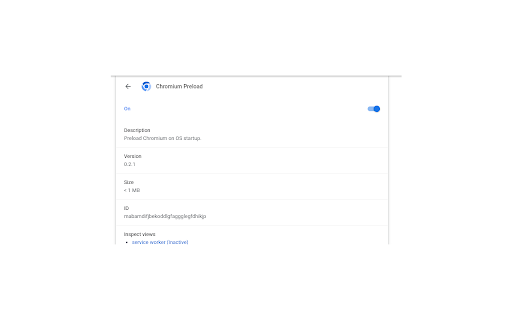
A simple Chrome extension making use of the "background" permission and JS sleep function to preload Chromium-based browsers on OS startup and keep it running in the background.

PageSpeed Pro - Website Performance Analyzer
Improve your website speed and user experience. Analyze web page performance, fix slow loading files, and optimize site load times. PageSpeed Pro helps you improve your website speed and user experience. With just one click, you can analyze your web page performance, identify issues, and get actionable insights to fix slow loading files and optimize site load times. Key Features ✓ Analyze Web Page Performance: Get detailed insights into your website’s speed and performance metrics. ✓ Fix Slow Loading Files: Identify and resolve issues that slow down your site. ✓ Optimize Site Load Times: Detect large files, blocking scripts, and other performance bottlenecks. ✓ User-Friendly Interface: Simple, one-click analysis with clear, actionable results. How to Use PageSpeed Pro • After installing the extension, navigate to the website you want to analyze. • Click the PageSpeed Pro icon in your browser toolbar. • Click the Analyze Page button. • Wait for the page to reload and collect performance data. After the page loads, click on the PageSpeed Pro icon in your browser toolbar. • Review the detailed results, including: ✓ Performance Metrics: Load time, file sizes, and more. ✓ Optimization Suggestions: Tips to fix slow-loading files and improve performance. Is any information from the analyzed website or results sent anywhere? • All data is stored locally, and only used to identify load times and slow loading elements. That data is expired and not used again (so you'll need to re-analyze the page again to see fresh results). Why does the page reload when I click on Analyze? • To collect meaningful results, the page is reloaded without any caching to correctly identify slow loading elements (if any).

SpeedBoost Pro - Ultimate Performance Accelerator
Advanced speed optimization with 25+ techniques - Developed by BaryoFrzn Enhance your browsing experience with advanced web optimization. SpeedBoost Pro automatically applies 22+ proven performance techniques to accelerate page load time and resource efficiency. Early Hints: HTTP 103 support for faster loading Image Optimization: Lazy loading and async decoding Critical CSS Extraction: Prioritize above-the-fold styles Font Optimization: "font-display: swap" for instant text CDN Detection: Optimize for content delivery networks Above-the-fold Optimization: Prioritize visible content Estimated time and data saved Fine-tune network and resource features Adjust caching and advanced settings How It Works SpeedBoost Pro runs silently and automatically optimizes each webpage you visit; no configuration required. 👨💻 Developed by BaryoFrzn Designed for users who value fast, efficient browsing.

PageOptimus - website speed optimizer
Website speed and performance optimization tool PageOptimus allows you to analyze and performance of any web page. A number of tools will help you to fix the problems with performance within a couple of seconds.

Speed-Up Browsing OG
Speeds up browsing over the time, by adding missing Cache-Control response headers. This extension enhances the re-use of already downloaded images/scripts etc. thus speeds up loading of pages significantly. Just install this extension and enjoy speedier and faster (fastest) surfing.
