
dcmdiknbnpjcbecpfpipeadobeldbijh
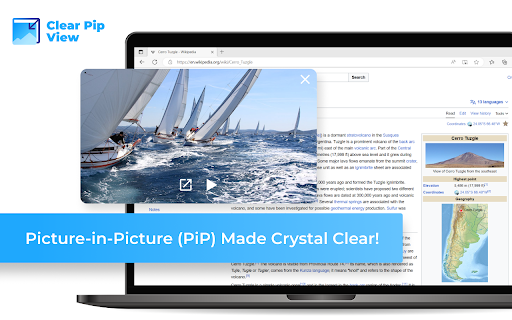
Enhance Your Viewing Experience with Clear Pip View: Picture-in-Picture (PiP) Made Crystal Clear! Are you tired of constantly switching between tabs to watch videos while browsing? Clear Pip View is here to revolutionize your online video experience. With our browser extension, you can seamlessly activate Picture-in-Picture (PiP) mode and enjoy your favorite videos without sacrificing screen space or efficiency. Activate PiP mode via toolbar icon: Smart Pip View offers a user-friendly toolbar icon that allows you to instantly activate PiP mode with a single click. Say goodbye to manual resizing and struggling to fit videos on your screen. Icons in video player on major platforms: We understand that you have your preferred video platforms. That's why Clear Pip View ensures compatibility with major platforms such as YouTube and more. Our extension seamlessly integrates with their video players, making it incredibly convenient to activate PiP mode. Note: Please ensure that the tab containing the video remains open for PiP to function properly. Say goodbye to the days of minimizing or losing sight of your videos while multitasking. Clear Pip View empowers you to multitask efficiently, allowing you to enjoy your videos in a compact, resizable PiP window while continuing to browse the web or work on other tasks. Don't miss out on this opportunity to optimize your screen space and enhance your productivity. Experience the future of online video with Clear Pip View. Install our browser extension today and embrace a smarter way to enjoy Picture-in-Picture technology!

YouTube PiP Extension
1. *Picture-in-Picture Mode*: Watch YouTube videos in Picture-in-Picture (PiP) mode while browsing other tabs or using other applications. 2. *Playback Control and Customization*: - Control video playback with options to play, pause, skip videos forward and backward. You can also customize the playback speed to your preference. - Customize your shortcut keys for easy access to the extension's features. This includes setting up keys for playback controls like play, pause, and skip. - Go to the 'Manage Chrome Extension' option to set up your shortcut keys. You can find the extension in the 'Keyboard Shortcut' option where you can add your preferred shortcut keys. - Select the 'Global' option instead of 'Chrome' to access the extension's features from anywhere. This extension enhances your YouTube viewing experience by providing a seamless way to watch videos while multitasking. Enjoy your favorite content without any interruptions!

PiP (Picture in picture)
Watch videos in a floating window Picture in Picture (PIP) outside the browser window or on top of any other application. Enhance your video viewing experience with Picture in Picture Have you ever wanted to keep watching your favorite videos while doing something else? With Picture in Picture for Chrome, you can. This simple extension lets you keep your video in a small floating window that stays on top of other tabs and apps. You can move it anywhere on your screen and resize it the way you like. No more pausing to check emails or switching between tabs. Just click the Picture in Picture icon, and your video will pop out so you can continue watching while you work, browse, or chat. It only takes a few seconds to install. Go to the Chrome Web Store, search for Picture in Picture, and click Add to Chrome. Once installed, you will see the icon in your toolbar for quick access. Picture in Picture makes multitasking simple. Watch your videos without interruptions and stay productive at the same time.

Enable PiP Mode
Adds a right-click context menu on the extension icon to toggle Picture-in-Picture on any site where PiP is allowed. Enable PiP Mode is a lightweight extension designed to restore Picture-in-Picture (PiP) functionality on websites that have forcefully disabled it. This extension modifies the underlying code to re-enable PiP, allowing you to use PiP on sites where it's been blocked. Version 2.0 update: updated code to include a Right-click menu on extension to enable Pop-out video. Some of the major streaming sites have disabled the PiP button on their interfaces. MAX, Amazon Prime (native button works), Disney+, Hulu will all require the new menu option. Important Note: This extension does not include a built-in pop-out player. To watch videos in PiP mode on browsers like Google Chrome, you'll need to install a separate extension that provides this feature. Restores PiP Functionality: Bypass the disablepictureinpicture attribute on websites, giving you back control of your viewing experience. Simple and Focused: This extension does one thing—re-enabling PiP mode in the JavaScript code—and does it efficiently. Complementary Tool: Pair this extension with a dedicated PiP player extension for full functionality on browsers like Google Chrome. Download Enable PiP Mode today and take back the PiP capability on your favorite sites. Tested in Chrome and Opera

Picture in Picture | PiP | Floating Player for Youtube
Watch video in a floating PiP window. Picture in Picture for YouTube, Netflix & all sites. Always on top. Watch any video in a floating video player — always on top, always visible. Picture in Picture (PiP) pops out video from any website into a resizable floating window that stays above all tabs and apps while you browse, work, or multitask. How it works Click the extension icon while a video is playing. The video pops out into a floating PiP window. Move it anywhere, resize it, and keep watching while you switch tabs or work in other apps. Features ✅ Floating video window — always on top of other windows ✅ Works on every website with an HTML5 video player ✅ One-click activation from the Chrome toolbar ✅ Reposition and resize the floating player freely ✅ PiP mode stays active across all tabs ✅ Keyboard shortcut: Alt+P (⌥+P on Mac) Does Picture in Picture work on YouTube? Yes. Click the icon on any YouTube video to open it in a floating PiP window instantly. Does PiP work on Netflix? Yes. Works on Netflix, Disney+, Prime Video, and all major streaming platforms. How do I enable Picture in Picture mode? Install the extension, go to any page with a video, click the PiP icon in your Chrome toolbar. Done. Can I resize and move the floating window? Yes. Drag to reposition, pull edges to resize. Does the floating player stay visible when I switch tabs? Yes. The PiP window stays on top of all other windows across every tab and app. What is the keyboard shortcut for Picture in Picture? Alt+P on Windows/Linux, ⌥+P on macOS.
