
dcfpdlciimkekjcagolgkokogjkjfolc
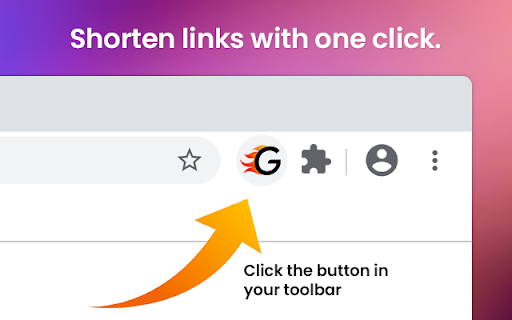
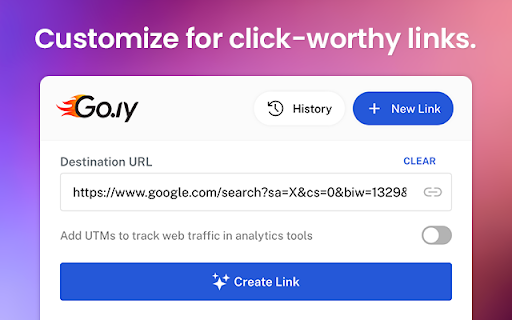
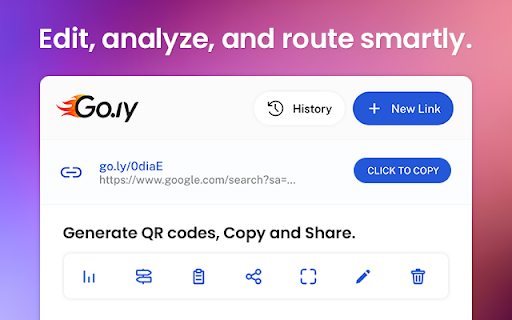
Description: The Go.ly URL Shortener Chrome extension is a powerful tool that allows you to quickly and easily shorten URLs right from your browser. With just a few clicks, you can transform long, cumbersome links into short and memorable Go.ly URLs. This extension provides a seamless experience, enabling you to share and manage your shortened links effortlessly. Features: - One-Click Shortening: Shorten any URL with just a single click, directly from the extension toolbar. - Customizable Short URLs: Personalize your shortened URLs by specifying custom aliases or let Go.ly generate a unique one for you. - Analytics Tracking: Gain insights into the performance of your shortened links with detailed analytics, including click statistics and geographic data. - Copy to Clipboard: Copy the shortened URL to your clipboard with a single click, making it easy to share and paste wherever you need. - QR Code Generation: Generate QR codes for your shortened URLs, allowing easy scanning and sharing with mobile devices. - History Management: Access a history of your previously shortened URLs, making it simple to revisit and manage your links. - Sync Across Devices: Sign in to your Go.ly account and enjoy seamless synchronization of your shortened URLs across multiple devices. - Keyboard Shortcuts: Utilize handy keyboard shortcuts for quick access and efficient workflow. How to Use: 1. Install the Go.ly URL Shortener Chrome extension from the Chrome Web Store. 2. Click on the Go.ly icon in your Chrome toolbar to open the extension. 3. Paste the URL you want to shorten into the input field. Optionally, customize the URL alias or let Go.ly generate a unique one for you. 4. Click the "Shorten" button, and your shortened URL will be generated and displayed. 5. Copy the shortened URL to your clipboard or access additional features like analytics and QR code generation. Compatibility: The Go.ly URL Shortener Chrome extension is compatible with Chrome browser versions 60 and above on Windows, Mac, and Linux operating systems. Privacy and Security: Go.ly takes privacy and security seriously. We do not collect any personally identifiable information through this Chrome extension. The URLs you shorten are only stored in your personal Go.ly account, which is password protected and encrypted. About Go.ly: Go.ly is a leading URL shortening service that aims to simplify link management and sharing. With a user-friendly interface and powerful features, Go.ly provides a seamless experience for shortening, tracking, and managing URLs. Visit our website at www.go.ly to learn more. Feel free to customize the listing to include specific details or features of your Go.ly URL shortener extension.

URL Shortener - TinyURL Extension
Shorten URLs with ease. The only URL Shortener Extension that doesn't open a popup. Clicking the Extension Icon is all you need to do to shorten and copy the current URL, with no extra clutter to distract you from your browsing. The same functionality is added to Chrome's Context menu for links, right-clicking a link gives you the option to shorten and copy the clicked link with just one click. An 'OK' or 'ERR' badge is displayed on the Extension Icon to notify the user about a successful shortening and that the shortened URL is now copied to the user's clipboard, or to notify the user of an error. This extension uses TinyURL's URL Shortener Service to shorten the URLs. This extension does not store user data at any point. The current URL (or the URL from the clicked link) is the only thing that gets sent to the TinyURL API. The original URL or the shortened URL is not stored by this extension.

Free link shortener goo.su
Create a free short analytics URL with one click of Goo.su. Install the link reduction plugin in your browser The free GOO.SU long link shortening service allows you to shorten a long URL with one click, saving it in your personal account, where you can view statistics on clicks and visits to your page. Just install the extension in your browser and click on the icon on the desired page. Done, link shortened.

URL Shortener by Rebrandly
Free and easy URL shortener to create short links in one click! Create short links easily with our convenient and user-friendly URL shortener! With the Rebrandly Chrome extension, you can shorten URLs just seconds, all for free. The process is simple, as you can shorten URLs directly from the page you’re on. If you want to create custom branded links, sign up for a paid plan. - Feature Highlights: - Shorten any link in one click - Generate QR codes - Manage UTM parameters - Track link clicks - Customize short URLs with your domain name - Customize short URLs with keywords - Share directly to social media platforms Visit Rebrandly.com for more details about our URL shortener.

clkd.in - Supercharged Links & Pages
A supert fast extension to shorten URLs, create link-in-bio pages, generate QR codes, and track clicks — directly from your browser. This is an official extension for clkd.in. clkd.in is an all-in-one link shortener extension designed for creators, marketers, businesses, and anyone who shares links online. Instantly turn long URLs into clean, branded short links and build professional link-in-bio pages — without leaving Chrome. It let's you to: • Create & manage short links - Shorten any page you’re on instantly - with just one click. • Design beautiful link-in-bio pages - Build professional bio pages to showcase all your important links in one place. Ideal for Instagram, Twitter/X, and LinkedIn. • Choose between 6 different domains for your links & pages (clkd.in, clkd.me, clk.gg, pgx.es, cd.lk, xx.lk). • View detailed analytics for your links & pages - Also get account level analytics to determine overall performance. • Create branded QR codes for print, packaging, events, and offline marketing. • Get quick support without leaving the extension - There is a dedicated section for you to create a support ticket without any additional effort. Perfect for creators, marketers, founders, and anyone who shares links daily. 🔒 Privacy & Permissions No unnecessary data collection. Your privacy comes first.
