
dccfgkejoobijclmdfefmigflabbjcbg
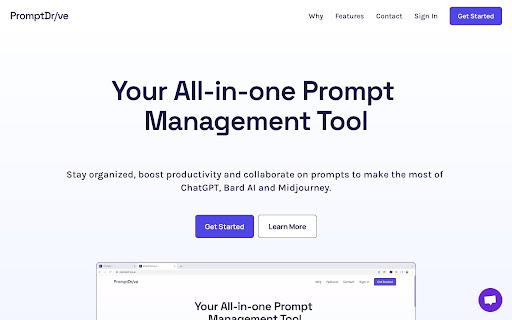
Save, share and organize prompts to streamline workflow for ChatGPT, Gemini AI, Mid-journey and other prompt driven AI tools. We built this because the current way of saving, organizing and sharing prompts is messy. It's often hacked together with Google Sheets, Google Docs, Notion, Notes, Slack messages and other similar apps. Now, you can quickly save, share and organize prompts for ChatGPT, Bard AI, Midjourney and other prompt driven AI tools with PromptDrive.ai. Features: 💾 Create or capture prompts 📝 Add notes for context 🔍 Quickly search your library of prompts to find the prompt you need when you need it 📋 Copy and paste prompts with a few clicks 🗂 Organize prompts with folders #️⃣ Add tags to segment further 🔗 Share prompts with anyone with a unique URL 📄 Use custom variables to turn your most used prompts into templates Thanks to our chrome extension, you’ll never need to leave your AI app to prompt ever again. Just click the PromptDrive.ai extension icon and find the prompt you need. Note: This extension is not officially associated with or developed by the Bard AI, ChatGPT or Midjourney.

Prompt Library Manager
A simple extension to manage a library of text prompts Introducing the Prompt Library Manager – the ultimate tool for anyone who needs to manage a library of text prompts! Whether you're a writer, a blogger, or just someone who frequently uses templates and standard responses, this simple Chrome extension will make your life a whole lot easier. With the Prompt Library Manager, you can easily store, organize, and access all of your favorite text prompts in one convenient location. No more digging through old emails or searching through countless files – now you can have all of your go-to responses right at your fingertips. The extension is incredibly easy to use. Simply add your prompts to the library, categorize them however you like, and then access them whenever you need them. You can even customize the interface to fit your personal style and preferences. Plus, the Prompt Library Manager works seamlessly with Midjourney AI tool, allowing you to easily generate content based on your saved prompts. The integration is designed to streamline your workflow and boost your productivity, making it easier than ever to create high-quality content in less time. And, of course, the Prompt Library Manager is also designed to work seamlessly with all of your favorite productivity tools, including Google Docs, Gmail, and more. So no matter where you're working, you'll always have your favorite prompts right there with you. Say goodbye to disorganized files and endless searching – try the Prompt Library Manager today and take control of your text prompts!

BookmarkGPT - Bookmark Your ChatGPT Prompts
An extension for bookmarking ChatGPT prompts. Enhance your ChatGPT experience with BookmarkGPT chrome extension, the ultimate Chrome extension designed to streamline and organize your prompts effortlessly. Bookmark Your Favorite Prompts: Easily save and access your favorite prompts with a single click. Whether it's a clever conversation starter, a helpful coding snippet, or a creative writing prompt, BookmarkGPT ensures you never lose a valuable idea. Create Custom Prompt Groups: Take organization to the next level by creating custom groups for your prompts. Categorize them based on projects, themes, or any criteria you choose. Stay organized and find the right prompt for the right moment. Effortless Management: Intuitive and user-friendly, BookmarkGPT seamlessly integrates into chat.openai.com's sidebar. Manage your saved prompts directly from the extension, making it a breeze to add, edit, or delete entries. Install the BookmarkGPT extension. Chat with ChatGPT as usual on any webpage. Find a prompt you love? Click the bookmark icon to save it. Create custom groups for better organization. Manage your prompts from window that opens when you clicked the BookmarkGPT button in the left corner of chat.openai.com. Enjoy a clutter-free, personalized ChatGPT experience. Why BookmarkGPT ? BookmarkGPT is designed for users who value creativity, productivity, and organization. Never miss a brilliant idea again – empower your ChatGPT conversations with BookmarkGPT today! Note: BookmarkGPT Pro respects your privacy and only saves prompts locally.

ChatGPT Prompt Generator for Business
Your instant gateway to expert business advice from ChatGPT, without the hassle. Are you an entrepreneur or small business owner that wants to get the best business advice from ChatGPT? But, you don't want to spend hours doing research or writing long, complex prompts? Well now you can with just One Click: Introducing One Click GPT for Business! "It's like a Business Browser for Chat GPT!" Here's Why One Click GPT for Business is a Game-Changer: Say goodbye to the headache of creating complex prompts. With just one click, you can now generate high-quality prompts tailored to your specific business needs. 🔥 High-Level and Advanced Business Strategies: Get access to targeted advice in areas like marketing, sales, finance, operations, and more. Our extension is designed to understand the intricacies of your business, and providing solutions that lead to 10X returns with 10X less effort. 🕒 Time-Saving and Efficient: No more hours wasted on tedious research. Get the advice you need, right when you need it, anytime and anywhere. 🔒 Your Privacy is Our Priority: We respect your data privacy. One Click GPT for Business operates without recording or collecting any private information. 📈 Customized Advice for Growth: Leverage the full potential of ChatGPT but without the hard work. Get immediate strategies that deliver real results, transforming generic advice into personalized action plans that will 10X your business results. How One Click GPT for Business Elevates Your Business In the fast-paced world of business, time is money. Our extension cuts down your effort, delivering the insights you need at lightning speed. Harness the power of AI to make informed, strategic decisions that propel your business forward. Designed with simplicity in mind, our extension integrates seamlessly with your Chrome browser and ChatGPT, making high-level business strategy more accessible than ever. Ready to Revolutionize Your Business? Embrace the future of business strategy with One-Click GPT for Business. This Chrome Extension is more than a tool; it’s your AI partner in giving you an edge in the complex world of entrepreneurship. Download Now and 10X Your Business Today! Click 'Add to Chrome' to begin your journey towards streamlined, efficient, and impactful business growth. With One Click GPT for Business, you’re not just keeping up with the competition; you’ll blow past them all.

Right-Click Prompt (RCP): AI Prompt Manager
Save your best AI prompts and access them in two clicks. Sync across devices. Distribute prompt libraries to your whole team. Right-Click Prompt: Your Best Prompts, One Click Away You've written the perfect prompt. Used it once. Now it's buried in a doc, lost in your clipboard history, or gone forever. RCP fixes that. Save your best prompts, organize them into folders, and access them instantly. Right-click any text field, pick your prompt, done. No tab switching. No digging through notes. Just two clicks from idea to AI. Stop Retyping, Start Reusing That prompt you spent 20 minutes perfecting? Save it once, use it forever. Build a personal library of prompts that actually work. Access From Anywhere You Type Right-click any text field on any website. Your prompts follow you across every tab, every tool. Sync Across All Your Devices Edit prompts on the web dashboard, use them from the extension. Everything stays in sync automatically. FOR TEAMS: DISTRIBUTE PROMPTS, NOT CHAOS When everyone prompts AI differently, you get wildly different results. Same question, ten answers, zero consistency. RCP lets you distribute prompt libraries to your entire team: - Create a shared folder with your best prompts - Generate a share code and send it to your team - Everyone subscribes and gets the same prompts instantly - Update a prompt once, everyone gets the change automatically No training docs. No "check the wiki." Just prompts that work, deployed to everyone who needs them. - Quick Access Menu: Your top prompts in the right-click menu - Folders and Organization: Group prompts by project, client, or workflow - Version History: Restore previous versions of any prompt - Full-Text Search: Find any prompt instantly - Web Dashboard: Manage everything at rightclickprompt.com - Usage Analytics: Track time saved and see which prompts you use most - Import and Export: Migrate from other tools or back up your library - Auto-Paste: Insert prompts directly into text fields (optional) - Trash and Recovery: Accidentally deleted? Restore it Your prompts live in your browser. Cloud sync is optional and secure. No tracking, no ads, no selling your data.
