
dbpaociiilnmobllfmfmgjnjlbamaikk
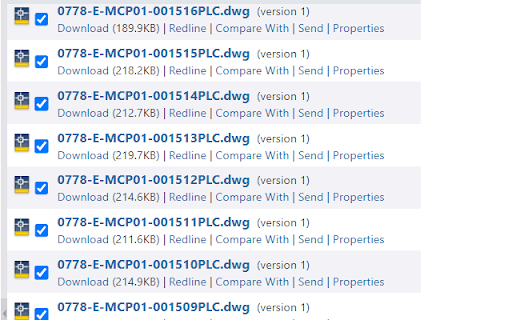
Taking too much effort to check and uncheck multiple checkboxes in a long list? Multiselect will help you get the job done quicker. Hold down Alt key and hover mouse cursor over the checkboxes to check them. To uncheck, press the Shift key and hover over those checkboxes.

Tab Multiselect
This extension adds shortcuts to multiselect tabs. This extension can multiselect tabs.

Checkbox Selector
The Checkbox Selector is a versatile Chrome extension designed to streamline your workflow by automating the selection of checkboxes on webpages. Whether you're managing large datasets, processing orders, conducting surveys, or navigating extensive lists, this extension simplifies repetitive tasks by intelligently matching your input values or specified ranges to checkbox labels on the page. Specifically optimized and tested for NetSuite ERP, it seamlessly integrates into your enterprise resource planning activities, enhancing efficiency and accuracy. Features Automatic Checkbox Selection Intelligent Matching: Input your desired values, and the extension scans the active webpage to find and select corresponding checkboxes automatically. Case-Insensitive Matching: Ensures that matches are found regardless of letter casing. Range Selection Select Ranges of Values: Easily specify a range of values, and the extension will select all checkboxes within that range. Flexible Range Formats: Support for different range input formats (e.g., 1001-1005, A1-A5). Customizable Prefix Management Select Prefixes: Choose from predefined prefixes or add your own to enhance search accuracy. Add, Edit, and Delete Prefixes: Manage your list of prefixes directly within the extension. Persistent Storage Data Retention: Your selected prefixes and input values are saved, so you don't have to re-enter them each time. "Item Not Found" Notifications Instant Feedback: Receive real-time notifications for any input values or ranges that don't match existing checkbox labels on the webpage. Additional Controls Unselect All: Quickly uncheck all checkboxes that were previously selected by the extension. Clear Inputs: Easily clear all input fields and notifications to start fresh. User-Friendly Interface Intuitive Design: Simple and clean layout that requires no technical expertise. Responsive Tabs: Navigate between the main functionality and settings effortlessly.

Checkbox checker
Press Alt/Option then click the first and last checkboxes to check all checkboxes in between Press Alt/Option then click the first and last checkboxes to check all checkboxes in between

Checkbox Automator
Automatically select checkboxes, accept, and confirm Automate checkbox selection and submission with a simple hotkey for enhanced productivity.
