
dbnjpielondlkmdjbembloegkaabfakc

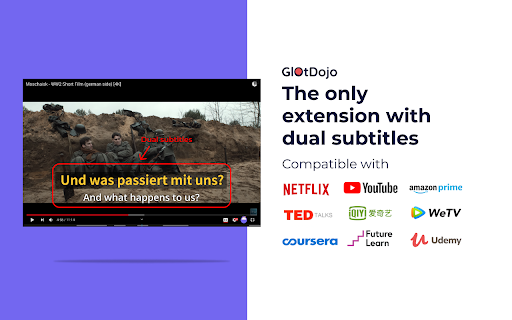
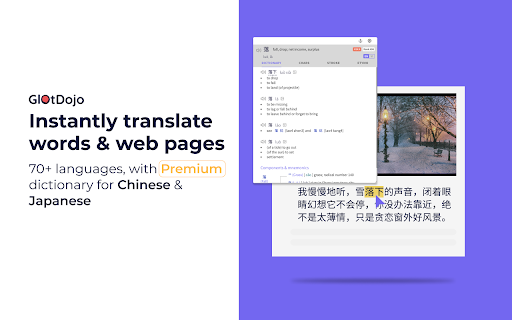

Super extension for learning languages Tired of switching between tabs for Google Translate while browsing multiple websites? Wish you can translate movie subtitles without leaving the scene? Want to learn a language while doing your daily tasks? Meet GlotDojo. GlotDojo is the best extension to translate and learn 28+ languages with the content of your choice, be it videos, movies, news, a cake recipe, or your client’s email. Just click to look up words, done! >> With GlotDojo, you can: • Translate to 70+ language as you browse the web • Learn a language with auto-pause, dual subtitles, playback speed, printable sub, shortcut keys and more on your favorite video streaming websites • Look up Chinese in the advanced dictionary, check compound word, mouse over for Pinyin Glot Dojo makes watching movies useful by supporting translation on YouTube, Netflix, WeTV, Coursera, Amazon prime and more. Stop switching between windows. Use GlotDojo today to make learning language part of your daily routine. ★ TRANSLATE EVERYTHING • Translate Japanese, English, Chinese, Spanish, and other popular languages • Support 70+ languages • Compatible with videos subtitles & texts • Double-click for correct pronunciation • Quickly search word on your favorite search engines ★ FULL SUPPORT FOR VIDEOS • Bilingual subtitles & smart phonetics • Automatic & printable subtitle translation • Auto-pause • Blur subtitle mode • Instant definition view • Scene bookmark • Control shortcut keys • Custom playback speed • Full support on some of the biggest movie streaming platforms ★ EASY KEYBOARD CONTROL • 30+ shortcuts for auto-pause, rewind, repeat, subtitle blur, speed up, and more • Scan text for quick meaning or access advanced dictionary with just 1 key • Avoid going back and forth between tabs for translation ★ ADVANCED DICTIONARY FOR LEARNING CHINESE (Japanese coming soon) • Pinyin • Component breakdown (Heisig) & similar character • Top popular words containing referred characters • Stroke animation & guide • Memorization tips (Mnemonic) • Etymology • Example sentences • Grammar • HSK level, Work rank ★ GET SUPPORT FROM OUR DEVOTED TEAM If you love the product, leave us a compliment. If you don’t, let us know why. Drop a question. Your feedback is valuable to our growth, and we are always available to listen and help. >> ABOUT US GlotDojo is a product of eJOY Learning, a group of techies & language enthusiasts dedicated to making language learning fun & effortlessly. Since 2017, we have been funded by our user community who uses GlotDojo & eJOY English to improve their language skills and learn something new every day. Our team is never satisfied, as we are committed to making our products better every day. Do you have a question? Drop it at glotdojo@ejoylearning.com

Mochi Dictionary Extension
Tra từ siêu tốc, lưu 70.000+ từ vựng để ôn tập cùng MochiMochi Extension Mochi Dictionary Extension

Udemy translate & speech
A Chrome extension that translates subtitles of Udemy content and reads them out with a synthetic voice. - Automatic translation of Udemy video subtitles to the user's preferred language - Caption display of translated subtitles with adjustable font size - Playback of the translated subtitles using synthesized speech - Customizable settings for language preferences, voice options, and playback speed - Support for Udemy Business domains - Double-click translation toggle functionality - NEW: Independent subtitle display control - show/hide subtitles while keeping audio playback - NEW: Optimized UI with single-line layout for better space efficiency

HanViet: Từ điển Hán Việt
*Fork of the popular Zhongwen chrome extension by Christian Schiller, adapted for Vietnamese by Lien Hoang. ●────Nguồn từ điển: Nguồn Hán-Việt: Tổng hợp từ nhiều nguồn uy tín. Extension developer có biên tập lại để hiển thị các nghĩa của Hán tự đa âm tiết rõ ràng hơn. ──Hán Việt tự điển, Thiều Chửu, Hà Nội, 1942. ──Hán Việt Từ Điển Trích Dẫn Edition Paris © DTK 2006-2020 (được sự cho phép của chú Đặng Thế Kiệt). ──Từ điển Hán Việt, Trần Văn Chánh, NXB Trẻ, TP Hồ Chí Minh, 1999. Nguồn Hán-Anh: CEDICT Chinese English dictionary. Ngoài ra tiện ích cũng hộ trợ tra chéo trên nhiều từ điển trực tuyến uy tín: ──zdic.net Hán điển (https://www.zdic.net/). ──MOEdict của Bộ Giáo dục Đài Loan (https://www.moedict.tw/). ──hvdic của Thi Viện (https://hvdic.thivien.net/whv). ──Baidu (https://baike.baidu.com) -- thích hợp tra tên riêng, ngôn ngữ mạng. Trong quá trình xây dựng khó tránh khỏi sai sót. Các bạn vui lòng gửi góp ý đến lienhoangdev@gmail.com nhé. (Ứng dụng hoàn toàn phi lợi nhuận, làm vì nhu cầu sử dụng cá nhân nên phản hồi chậm trễ, mong mọi người thông cảm!) Chúc các bạn học tiếng Trung vui vẻ 😄😄 ●────Hướng dẫn cài đặt: 1. Cài extension từ Chrome Web Store https://chrome.google.com/webstore/detail/gilnapfdconbpkkigjdedkcilaalfnjb/. 2. Sau khi cài, bạn sẽ thấy biểu tưởng Hanviet (HV) trên thanh công cụ. Nhấn vào để bật (Sẽ thấy nút đỏ 'ON'). 3. Ứng dụng sẽ tự động chạy trên những trang mới mở. Trang đã mở sẵn thì cần load lại. (Nếu bạn không thấy ô định nghĩa hiện ra thì thử tắt trình duyệt rồi bật lại nhé.) ●────Links: Source code: https://github.com/alienngator/zhongwen The code for the Hanviet Chrome extension was forked almost verbatim from the popular Zhongwen extension by Christian Schiller https://chrome.google.com/webstore/detail//kkmlkkjojmombglmlpbpapmhcaljjkde. UI adapted for Vietnamese and Han Viet dictionary data compiled by Lien Hoang. Full credits: https://github.com/alienngator/zhongwen/blob/master/CREDITS.md.

EasySubs – Learn languages by watching films and series
Customizable subtitles and a popup dictionary to master your vocabulary while watching YouTube or Netflix. Open-source and free. Improve your language skills by watching TV shows and movies with subtitles. Enjoy seamless experience – point over a word to get it translated, the video playback will be automatically paused. You can even translate the whole phrase by clicking on it. Do you have a subtitle file in your native language? Upload it and easily sync it with the video if needed. – TRANSLATION: Hover over or click on subtitles for single-word or full-sentence translations. – WORD PRONUNCIATION: Improve your listening and speaking skills with correct pronunciations. – VOCABULARY EXPORT: Export words to language learning services like Anki, LinguaLeo, and Puzzle English. – UPLOAD YOUR OWN SUBTITLES: Supports .SRT and .VTT formats. – SMART AUTO-PAUSE: Hover over a word, and the video will pause automatically. – SUBTITLE PROGRESS BAR: Navigate subtitles easily. Click to rewind the video to the desired point. – MANUAL SUBTITLE SYNC: Adjust subtitles if they’re out of sync with the video. – REWIND AND FAST-FORWARD BY SUBTITLES: Use the right arrow key to replay the last sentence. – SHOW ALL AVAILABLE SUBTITLES: Access all subtitles and audio tracks on Netflix, regardless of region. – YouTube (videos and originals) – Netflix – Coursera – KinoPub …and more coming soon. Please note that some services may not be available in your region or may require a subscription (e.g., Netflix). We are not affiliated with these services. ❤️ QUESTIONS AND FEEDBACK EasySubs is a completely free, open-source Chrome extension with no ads or hidden costs. If you like it, please leave a positive review – it helps a lot. – Send your feedback to support@easysubs.cc – Ask your question in our Telegram group: @easysubs_ext – Contribute to the project – find more details on our GitHub page: https://github.com/Nitrino/easysubs
