
dbmdglbpkackbphfbhikkadbmelgcjhf


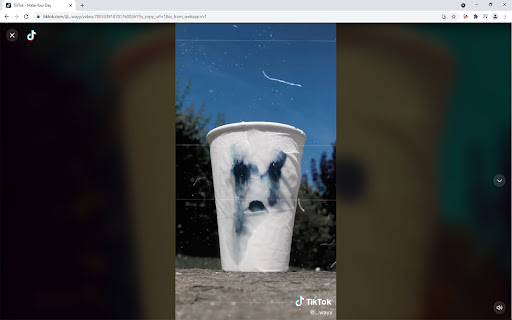

Auto scrolling videos in TikTok with full screen option This Chrome Extension allows you to view TikTok videos from your PC (Chrome Browser) in an endless loop, without need to select the next video with your mouse or keyboard. When the "Auto-Play" view mode is enabled, the video is expanded to fit the browser. In full screen view (F11 key), the video is shown in full screen. When the playlist ends, the application automatically restarts the tab and loads fresh videos and a new playlist. When the full screen view mode is enabled (F11 key), the video is also expanded to full screen. Changelog: version 3.2.3 (19/09/2021 22:00) Added new functions - keyboard shortcuts for play-pause (Space) and for show/disable comments (Ctrl). Also added keyboard shortcuts to scroll through the video (previous - arrows: left; up, next - arrows: right; down). If you have any suggestions or usage issues please post this on the GitHub page: https://github.com/access/TikTok-Player-Auto-Scroll/issues

Autoskip for Youtube™ Ads
In 2025, enjoy YouTube™ the way it was meant to be, ad-free and uninterrupted!! Autoskip for YouTube™ is the ultimate YouTube™ ad blocker that helps you skip YouTube™ ads automatically, ensuring uninterrupted video streaming. Used by thousands globally, this Chrome ad blocker extension eliminates the need to manually click "Skip Ad," making it the perfect tool to block YouTube™ ads and enhance your viewing experience. Automatic Ad Skipping: This extension allows you to auto skip ads YouTube™ videos effortlessly, saving you time and delivering seamless playback. Block YouTube™ Ads: Removes pre-roll ads, banners, pop-ups, and sidebar ads, functioning as a reliable YouTube™ video ad blocker. Faster Video Loading: By preventing pre-roll ads, it speeds up video loading, making your streaming smoother. YouTube™ Live Stream Ad Blocker: Blocks ads during live streams, enhancing your real-time viewing experience. Block Video Ads Everywhere: Whether on YouTube™, Vimeo, or embedded videos, this extension ensures ad-free streaming across platforms How to Use Autoskip for YouTube™ Ads? Install the Extension: Click "Add to Chrome" to install this Chrome ad blocker extension. Skip YouTube™ Ads Automatically: The extension will automatically block ads, including banners and pop-ups, without requiring any extra effort. Enhanced Viewing: Enjoy a distraction-free experience with the best YouTube™ ad blocker and block video ads efficiently Why Choose Autoskip for YouTube™? Autoskip for YouTube™ is the ultimate solution to block YouTube™ ads and enhance your video streaming. This YouTube™ video ad blocker skips ads automatically and blocks various types of interruptions across platforms, including live streams and embedded videos. Whether you're looking for a tool to skip YouTube™ ads automatically, auto skip ads YouTube™, or need a reliable YouTube™ live stream ad blocker, Autoskip for YouTube™ is the perfect choice. Focus on what you love without delays or distractions, and enjoy faster, smoother streaming today. 1. Will Autoskip for YouTube™ work on all video platforms? Yes, this extension supports YouTube™, Vimeo, and several other popular video platforms. It also blocks ads on YouTube™ videos embedded in external sites. No, in fact, Autoskip for YouTube™ helps speed up video loading by blocking pre-roll ads. Yes, Autoskip effectively blocks ads even during live streams, allowing for uninterrupted viewing. Yes, Autoskip for YouTube™ Ads is free to use, providing ad-blocking benefits without additional cost.

TikTok Video Downloader – Bulk Save
Download TikTok videos without watermark. Bulk save multiple videos with one click. Works directly on TikTok 🎬 Download TikTok Videos and Photos Without Watermark – One Click, Bulk Save Easily save videos and photos from TikTok directly to your device. This powerful extension adds a download button to every TikTok video or image, letting you download content instantly — without watermarks, external websites, or complicated steps. 🚀 Key Features • Download TikTok videos without watermark • Save video and photo content directly from TikTok • One-click download functionality • Bulk download: save multiple videos from user profiles • No redirects or third-party services 📦 Two Download Modes 1. Single Download Mode Click the download button next to any TikTok video or photo. The file will be saved instantly. 2. Bulk Download Mode Download multiple TikTok videos from a user’s profile: - Choose how many recent videos to download (e.g. last 5, 10, 20+) - Filter by date range to save only the content you need - Download as separate files or in a ZIP archive 🔧 Watermark Options By default, videos are saved without watermark. You can choose whether to download videos with or without watermark using a simple toggle in the extension settings. 📚 How to Use TikTok Bulk Downloader 1. Install the extension from Chrome Web Store 2. Open TikTok in your browser 3. Hover over any video or image to see the download button 4. Click to save — instantly 5. For bulk downloads, go to a user profile and click "Download All" 💡 Who Uses This Extension? This tool is ideal for: - TikTok creators backing up their own content - Social media managers collecting TikTok videos - Anyone who wants to save and reuse TikTok content offline 🔐 Simple, Secure, Reliable TikTok Bulk Downloader works inside your browser — no external apps, no logins, and no unnecessary steps. Install it once and start saving TikTok content the easy way. ✅ Start downloading TikTok videos today — with full control and zero hassle.

TikTok Pro Tools
Background play, auto-pause, speed control, EQ, shop unlocker, product viewer & video download for TikTok Elevate Your TikTok Experience with TikTok Pro Tools Enhance your TikTok web experience with a privacy-focused toolkit designed for cleaner viewing, better audio control, and convenient productivity features. Whether you want to tune audio, reduce on-screen clutter, download videos, or monitor watch time, TikTok Pro Tools helps you personalize TikTok directly in your browser. 8-band equalizer with presets (Bass Boost, Vocal, Pop, Rock, and more) Volume normalizer for more consistent playback 360 spatial audio effect (8D) Playback speed control from 0.25x to 4x Cleaner, Smoother Viewing Clean Mode to reduce overlays and interface distractions Auto Picture-in-Picture (PiP) support Smart auto-pause behavior Background play support Content Filtering Inline download button on supported TikTok pages Save MP4/MP3 files through Chrome’s native download flow TikTok Shop video compatibility enhancements Watch-time statistics dashboard (daily videos and time watched) Privacy TikTok Pro Tools does not include analytics trackers or background telemetry. Settings, blocked keywords, and watch statistics are stored locally in your browser. When you explicitly use the download feature, the extension sends the target TikTok video URL to a third-party endpoint (tikwm.com) only to retrieve downloadable media links.

Auto Scroller for Reels, Shorts & TikTok
Auto scroll through Instagram Reels, YouTube Shorts, TikTok & Facebook. Hands-free scrolling for a seamless video experience. Auto Scroller for Reels, Shorts, & TikTok Auto Scroller provides hands-free scrolling for short-form video platforms with a clean, customizable experience. Key Features: - Keyboard Shortcuts - Custom shortcuts for toggle, pause/resume, speed up/down, and reset speed. - On-Page Status Indicator - Real-time status, playback speed, optional timestamp, and seekable progress bar. - Per-site position presets and drag-to-place custom positioning. - Opacity and accent color customization. - Smart Behavior - Optional auto-enable on supported pages. - Optional pause when comments are open. - Light, dark, and system theme options. - Data Management - Export/import settings. - Usage statistics with reset support. What's New in Version 2.0.4: - Performance optimization for long scrolling sessions. What's New in Version 2.0.2: - Improved reliability of auto-enable on supported pages. - Improved video targeting and stale-state recovery for SPA route changes. - Performance and stability updates. - Enhanced Light Theme for improved visual clarity. - Extended platform support to include Firefox. Install Auto Scroller for a more consistent and convenient viewing experience.
