
dbekachcabpmjpifpfhheieddafaoaij
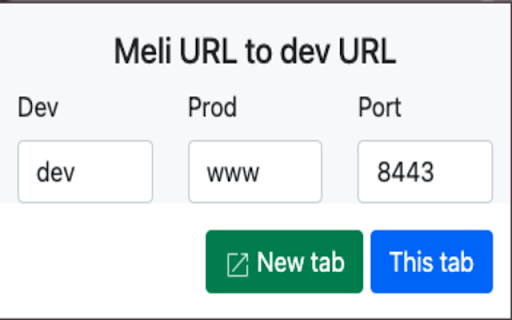
Extension to switch from development environment to production environment for Mercado Libre developers

Redense Clip
A companion to RedenseAI that lets you save links from around the web to your RedenseAI account. Create engaging newsletters in minutes with AI. Simply enter the links you want to include in your newsletter and our AI will generate a headline, description, and build a newsletter for you. Redense AI is currently in an open beta. Chrome extension requires a Redense AI account. Create one here: app.redenseai.com

Auto Bookmark
Keeps a pinned bookmarks page open to prevent the browser window from closing when the last tab is closed. [Overview] A simple extension designed to prevent browser windows from accidentally closing when you close your tabs. ・Automatic Pinning: Automatically opens and pins the bookmarks page (or favorites page) at the far left of every normal window. ・Prevent Window Closure: Even if you close the last active tab, the pinned bookmarks page remains open, preventing the entire window from closing. ・Duplicate Cleanup: If multiple bookmarks pages accidentally open, it automatically cleans them up and keeps just one. The extension monitors tab states in the background to ensure that at least one pinned bookmarks page is always safely maintained.

StarterCSS
Rapidly implement CSS layouts, effects, and designs without parsing through online docs StarterCSS is a beginner-friendly version of devtools that cuts out time spent Googling for CSS docs and tutorials. StarterCSS provides a dashboard to implement, experiment with, and visualize CSS features at just a few clicks. The dashboard is directly embedded as a devtool panel (alongside the "Styles" and "Computed" panels) for quick access. Simply inspect an element and quickly make changes to it in the StarterCSS panel. With StarterCSS, you can: ✅ Add and customize layouts like flexboxes and grids, in addition to various visual attributes, in seconds ✅ Visualize and test CSS code in isolated environments ✅ Encounter fewer context switches from needing to look up CSS docs ✅ Export created designs/layouts into CSS for copying into your local code editor To access the extension, go to the "Elements" Tab in Chrome Devtools (Right Click > "Inspect" or Command+Shift+C). You should see a separate row with tabs like "Styles", "Computed", and "Layout". StarterCSS will be another panel here; if you've just downloaded the extension, you may have to click the ">>" (see more) icon to see all panels. If you'd like to leave feedback, visit bit.ly/startercss-feedback.

Atfos
Atfos stands for Automated Tool For Sculping. Main purpose is to help traders to perform daily sculping on the Libertex platform. Atfos uses our own developed AI (artificial intelligence) algorithms. Key features: 1. Automated trading - buy/sell 2. Trading based on signals 3. Trading session never expires 4. Deal rescue: it will not let your deal "drown" reducing loses. 5. A set of automated deals in row based on specified take profit. 6. Fine tuning of each and every aspect of trading. Atfoms comes absolutely free* with new Libertex account registration. * In order to get fully functional extension you are required: 1) Open libertex account using our referral link: 2) Register your copy of extension (simply by providing your email and proof of account registration using our referral link) You can register extension here: https://getatfos.com/es/register-extension
