
cpgflmmbkginbhocndlgjagffkbndkfi
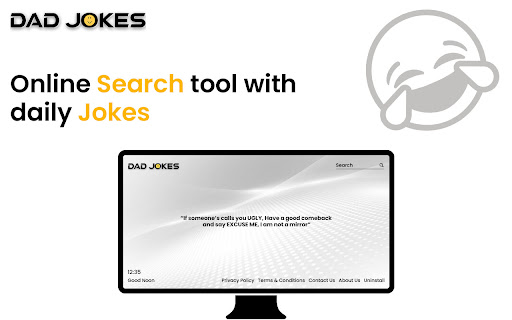
Dad Jokes tells a new joke each time you open a new tab Have a laugh and enjoy a modern online search experience simply by opening up a new tab in your browser. Once you install this desktop extension, your browsers new tab will be replaced and show Microsoft Bing search results. By clicking "Add to Chrome", I accept and agree to installing the Dad Jokes Chrome extension and setting Chrome™️ New Tab search to that provided by the service with results by Microsoft Bing, and the Terms of Use and Privacy Policy. What are ‘Dad Jokes’ you might be asking? They’re those corny and often predictable type of wholesome joke told by many Fathers which are sometimes so silly and unfunny that they’re funny. Even hilarious. If that makes sense!! Laugh, Search & be Happy!! Privacy Policy: https://greywest.com.au/privacy-policy/ Terms of use: https://greywest.com.au/terms-conditions/

TestFiltering+
TestFiltering+ automatically monitors your internet connection to ensure your filter is correctly blocking illegal/harmful content We work with specific partners to host test URL's on various lists and have test pages hosted where they will be blocked. This service was setup in response to the introduction of statutory guidance for schools in the UK about appropriate levels of filtering and monitoring of school internet connections. The UK Safer Internet Centre first published its filtering and monitoring definitions in 2016 to help both schools and providers understand what should be considered as ‘appropriate’.

Dad Jokes
This is a fun chrome extension which will give users a random joke whenever they click on Dad Jokes Chrome extension icon This is a fun chrome extension which will give users a random joke whenever they click on Dad Jokes Chrome extension icon

Qwik Jokes
Qwik Jokes will show a new joke and put a smile on your face every time you open a new tab to search the web. If you install the Qwik Jokes desktop extension, your browsers new tab will be replaced and show Bing search results. By clicking ‘Add to Chrome’ you are accepting and agreeing to install the Qwik Jokes chrome extension as your browser new tab, with search results by Bing, and the Privacy Policy and Terms of Use. Let Qwik Jokes bring some laughter to your day. Because a day without laughter is a day wasted. Privacy Policy: https://qwikjokes.com/privacy-policy/ Terms of use: https://qwikjokes.com/terms-conditions/

bexio Time Tracking Templates
This extension allows saving and loading of form data within the bexio time tracking page. This extension improves handling of time tracking in bexio. How? It enables the user to save the form data as templates. The templates are placed as buttons directly on the time tracking page. So with one click the form will fill out all the values you saved earlier. Sidebar These templates are also available in the panel within the browsers sidebar. In the sidebar panel you can manage the templates (edit/delete) as well as reach out to further features: ManicTime (https://www.manictime.com) You can also import entries from ManicTime and use features like, Time, Date, Billable, Notes etc. to directly apply Time entries, including selecting a template for all the other values. Data is yours only All the data is saved in your browsers storage, they are not accessible from outside nor are they sent outside of your browser. FULL FEATURE OVERVIEW & FEATURE REQUESTS & ISSUE REPORT: https://github.com/SoulcodeAgency/bexio-chrome-extension CHANGELOG: https://github.com/SoulcodeAgency/bexio-chrome-extension/blob/main/CHANGELOG.md
