
collajgagkjodmfjmndmjdpjmdfidocg


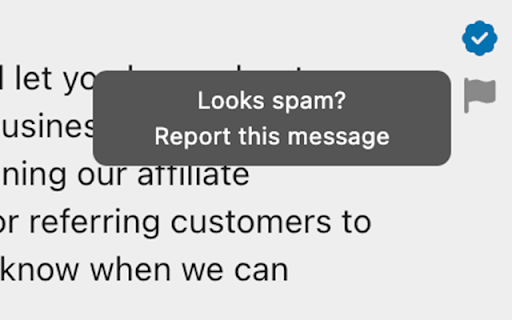
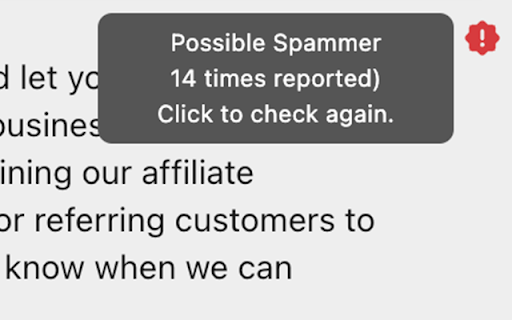
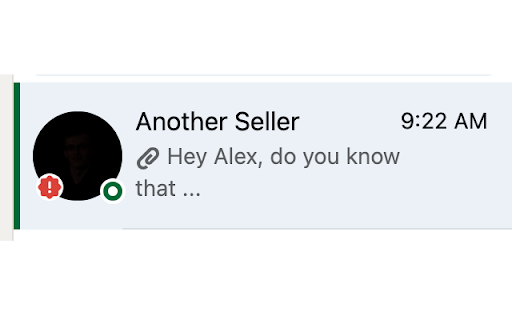
Mark those "spammers" easily so they don't spread all over the network. It's very easy to use. If you think the message you receive is spam, just report it. If several people have reported it, it will appear as reported, so you will know that this message has been sent to hundreds of people. The icons are only available on those people who wrote to you first, and only on their first messages. Claim a clean network, where, if they want to sell you something, they don't treat you like a flyer in a mailbox. It works even with similar messages, even if you change the name, or the company name, or some phrase (which is what mass mailing bots allow you to do), Wham detects similar messages when someone reports them.

TestFiltering+
TestFiltering+ automatically monitors your internet connection to ensure your filter is correctly blocking illegal/harmful content We work with specific partners to host test URL's on various lists and have test pages hosted where they will be blocked. This service was setup in response to the introduction of statutory guidance for schools in the UK about appropriate levels of filtering and monitoring of school internet connections. The UK Safer Internet Centre first published its filtering and monitoring definitions in 2016 to help both schools and providers understand what should be considered as ‘appropriate’.

FastInterviews Extension
FastInterviews Extension connects you with the best people at companies to secure a first interview We find the best people for you to connect with and help you generate messages you can use to reach out to them via Linkedin connect notes

Asana Multi Filter
Allows multiple filters to be used on an Asana List page Asana task lists are wonderful, but only allow one filter at a time. This plugin reads data from an Asana list and allows you to keep only tasks that fulfill the filter criteria. Run it multiple times to filter all the way down. How it works: Reads Asana Spreadsheet data columns and deletes HTML rows on the front end. This does not change Asana data in any way. Refreshing the page brings everything back. Known Issues: Version 0.2.0 - Shift clicking remaining tasks will select hidden tasks. Ctrl + Click works fine. - Only works on List view. I will eventually get it working on Board view, but my current needs are satisfied. - Sometimes "Column" dropdown doesn't populate. Click "Refresh Lists" to have plugin pull data from Asana. - Custom columns are fully supported. Assignee, Due Date, and other Asana native column names operate differently than custom columns and I don't necessarily need them to work at the moment.

Delightful
A little delight goes a long way. Too much delight ruins the fun. Are you bored? Just not feeling it at work? Try Delightful, a browser extension that will brighten your day with delights when you complete a task in your project management software. ★★★ Pro tip ★★★ Watch the room light up with joy when you use this in a meeting. ★★★ Pro tip ★★★ You'll never know what to expect, but you will get a warm fuzzy dopamine hit when you deserve it the most. Delights ★ All of the things ★ Baby Yoda ★ Badger Badger Badger ★ Confetti ★ Fallout Vault Boy ★ Nyan Cat ★ Party Parrot ★ Smug Thug Pew Pew ★ Success Kid
