
cokhhlcdmplnjnjgfcibjeijgmpefekk
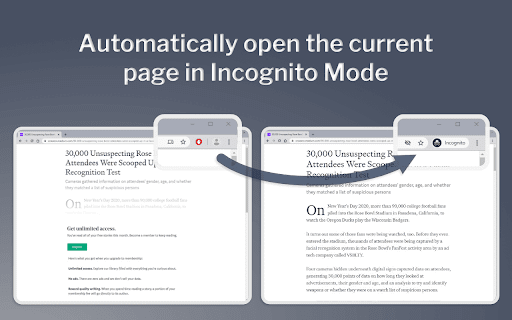
Open the current page in Incognito mode Some websites (ex. news articles and blog posts) won't allow you to view the content unless you: a) Pay for a subscription b) Wait for your allocated number of "free page views" to reset (ex. each new month) Going Incognito will often allow you to view the webpage. This extension saves the time it takes to copy the existing URL, open a new Incognito window, and then visit the page. Note - be sure to "pin" this icon next to the URL bar such that it is always visible. This allows for the single-click visiting of the page in Incognito mode.

Incognito Button
A very simple Incognito toolbar button, with the option to configure the initial home page.

Right Click Search Incognito
This extension will add a new option in the right-click menu for you to search that specific text in Incognito mode.

New incognito window
Provides a quick access to the secure incognito mode. Opens a new incognito window with just one click. Adds a button "New incognito window" on the panel and in the context menu (optional) for quick access to the new incognito window. Also this extension is based on the new Manifest V3 (MV3) and provides a special option for adding button "Open in incognito window" in all web pages, for using this option you need move mouse cursor to the upper right corner of any web page (look at screenshot image). # What is Incognito Mode? Incognito mode is a web browser privacy feature that allows you to surf the web without the browser recording your history, cached pages, cookies, or other activity data on your local device. You can switch between an incognito window and any regular Chrome browsing windows you have open. You'll only be in incognito mode when you're using the incognito window. The extension "New incognito window" is a convenient tool for quick and simple access to the incognito mode of your browser.

auto-incognito
Manage the blacklist on the popup page, where sites in the blacklist will be handled based on the 'private' option: 1. Private Mode Enabled: If the 'private' option is enabled, the site will open in an incognito page, and the history will be immediately deleted. 2. Private Mode Disabled: If the 'private' option is disabled, the site will open in a normal page, and the history will be deleted when the tab is closed.
