
cofkilmeophfjkaehjccigfnnnednglj
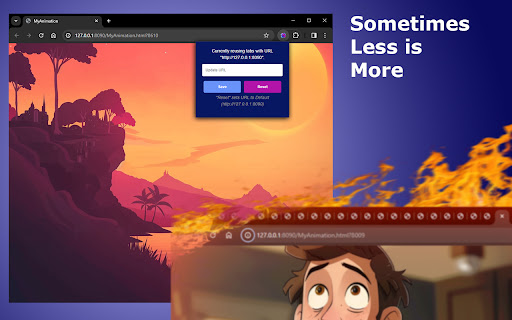
Reuse the same tab for Adobe Animate previews Streamline Your Adobe Animate Workflow with Animate Preview Reuser Maximize your productivity and reduce clutter in your browser. Designed specifically for Adobe Animate professionals and enthusiasts, this tool ensures you spend more time creating and less time managing tabs. By intelligently reusing a single tab for all your Adobe Animate preview actions, Animate Preview Reuser makes your animation process smoother and your browser cleaner. Why You'll Love Animate Preview Reuser: Simplified Workflow: Automatically reuses an existing tab for Adobe Animate previews, eliminating the need to close old tabs or navigate through multiple open tabs. Customizable URL Patterns: Easily set and adjust the URL pattern for your Adobe Animate previews, providing flexibility across different projects and versions. Effortless Setup: With a user-friendly interface, changing your preferred URL pattern for previews is quick and simple, even if the default URL pattern differs from your project’s URLs. Cleaner Browser Experience: Reduces tab clutter, helping you maintain focus on your creative process without the distraction of excessive browser tabs. Instant Updates: Changes to your URL pattern preferences are applied immediately, ensuring your workflow is always optimized for efficiency. Whether you're a seasoned animator or just starting out, Animate Preview Reuser enhances your animation workflow by keeping your browser organized and focused on your creative output. Try it today and experience a more streamlined and productive animation process.

Animated Clock - New Tab
A simple new tab extension with a slide clock that does not require any permissions. A beautiful New Tab page with Slide Clock. A simple design that is not crowded is intended. The background changes according to the time of day. Nothing unnecessary has been added. It works completely offline. It is prepared for low power consumption. Recommended for those who use the default bookmarks bar and want simplicity in their browser.

Visual Animation Generator
Add animations to your website visually, no coding needed! Visual Animation Generator is an advanced animation editor designed to help web developers and designers create stunning animations without writing any code. Simply select the element you want to animate and add the desired animation properties, no technical knowledge required. Whether you're using WordPress, Webflow, or any other platform, Visual Animation Generator works seamlessly across all websites. Key Features: - Add animations to any website visually - Fully visual interface - Live animation preview - Automatic CSS selectors - CSS keyframes - 21+ animation properties - 10+ easing options - Export animation code with GSAP-like syntax Animation Triggers: - Page Load: Instantly engage your visitors. - Scroll: Create advanced scroll animations like GSAP ScrollTrigger. - Click: Boost interactivity with click-triggered animations. - Hover: Draw attention with dynamic hover effects. Who is it Ideal For? - Frontend Developers - Web Designers - UX/UI Designers - Anyone who wants to add motions to their website With custom-coded javascript similar to GSAP and AnimeJS, but only 5KB in size, Visual Animation Generator delivers powerful JS animations in a lightweight, user-friendly package. It’s the perfect tool for adding interactive web design elements to any project. Visual Animation Generator is free and easy to use. Just activate the extension on your site and start creating animations right away. It's a quick way to boost your workflow and let your creativity shine.

Live Link
Find out if your favorite YouTube creators are live on Twitch! Adds a button to YouTube that tells you if the creator you're watching is live on Twitch! Click the button to go to their stream!

Taby
Quickly move between tabs, bookmarks and history Taby is a navigation extension designed to optimize your browsing experience. Taby provides quick access to all your open tabs, bookmarks, and browsing history through an easy-to-use, mouse-free command palette. You can quickly search and filter through your tabs, bookmarks, and history. Plus, you can customize it with different themes, resize the command palette. We’d love to hear your suggestions! Please feel free to leave comments, rate the extension, and share your feedback to help us make Taby even better for you. Your privacy is important to us. We ask for permissions to access storage, history, and bookmarks to ensure Taby works properly, and we never store any personal data. Taby is also open-source! You can explore and do not hesitate to leave star, it would support me a lot the code here: https://github.com/ByHelyo/taby Try Taby today for a faster, easier browsing experience! - Display all opened tabs, bookmarks and history in current window via a convenient command palette or popup. - Navigation with filtering options - Search by title, URL, or index - Powered by a fuzzy search filtering - Navigate between tabs using arrow keys - Switch to a tab with 'Enter' or a simple click - Move the position of the command palette - Shortcut for duplicate tab. - Choose from 5 different themes - Adjust the command palette size - Reverse scrolling - `Alt+Q` to open/close the popup. - `Alt+W` to open/close the command palette. - `Escape` to close the menu. - `Enter` to switch to the selected tab. - `↑` `↓` arrows to navigate and select tabs above and below the currently selected tab. - Optional shortcut to duplicate current tab.
