
coeijioaoodeangkmdaekhohdpflnekm
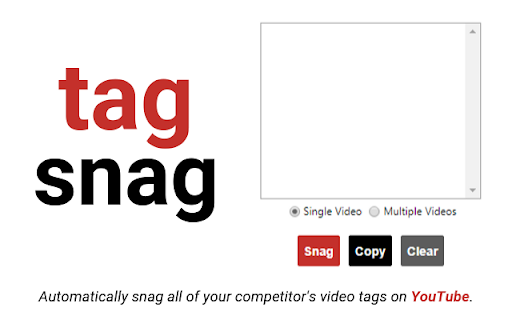
Automatically snag all of your competitor's video tags on YouTube. This extension is great for SEO, and will help you find popular relevant tags for your YouTube videos. ★ Single Mode - Navigate to a single YouTube video and grab all of the video tags. ★ Multiple Mode - Search a keyword on YouTube and grab all of the video tags for the top 10 videos. ★ Easily copy all of the tags to your clipboard and start implementing them into your own videos

Search All
The easiest way to access different search engines. Search All makes it super-easy to switch among the most widely used search options, so that searching the same terms on different search engines is just one-click away. Search All is a perfect complement to Chrome's Omnibox, and can really speed up your search process. 1) Fast switch between different search engines. 2) Support search engine customization. Add your favoriate search engine now! 3) Add bookmark search. Now when you do a google search, the extension will also search your bookmarks and display the search results on the google search result page. 4) Multiple search in the right click menu. 5) Record search keyword history, so you can use it in different search engines. [Updated privacy policy] There is no any data collection in this extension, so no privacy policy for it now.

Lingocloud - AI Translate Web, PDF & Subtitles
Web bilingual, PDF link, YouTube ; Lingocloud V4 + multi-model with glossary for fluent, accurate translation 1. Personalization: Customize translation styles to better match your linguistic habits. 2. Floating Ball Upgrade: Redesigned floating interactions and menu for a lighter, more intuitive experience. 3. Seamless Experience: Switch models, glossaries, or styles without refreshing the page—translations update dynamically. 4. Glossary Enhancement: No need to set translation directions; multi-language entries can now be used together. 5. Performance Improvements and Bug Fixes. More than just a translator—it's your all-in-one AI reading assistant. Lingocloud integrates a matrix of world-class AI models to provide an intelligent bilingual experience for web pages, documents, videos, and social media. V4 Model: Our proprietary model optimized for nuanced context, delivering natural and fluent translations. AI Aggregation: One-click toggle between DeepSeek V3, GPT, Qwen, GLM4, and more for multi-perspective references. 🧠 AI Bilingual Web Translation: Automatically recognizes web content for side-by-side reading. Supports AI bilingual subtitles on YouTube, Netflix, and more. 📂 AI Document Parsing: Smartly translate PDF, Word, PPT, and arXiv papers while perfectly preserving the original layout. ⚡ Real-time AI Lookup: Select text on Reddit, Discord, or X (Twitter) for instant AI-powered explanations and translations. 🌟 Core Features 1. Bilingual Webpage Translation 🌐 Click the “Lingocloud icon,” and the webpage instantly displays in bilingual parallel view! Source and translation are aligned top-to-bottom for easy comparison. The innovative layout makes reading smoother and more natural. 2. Text Selection Translation 🖱️ Highlight any text to get accurate translations instantly—no page switching needed. Stay immersed in your reading while exploring foreign content effortlessly. 3. Professional Terminology Library 📚 Built-in database of 100,000+ professional terms across multiple fields, with support for custom glossaries. Ensures precise domain-specific translations while meeting personalized expression needs. 4. PDF Translation 📄 Translate PDF documents with one click while perfectly preserving formatting and layout. Supports recognition of complex formulas—ideal for research papers and technical documents. 5. Video Subtitle Translation 🎬 Supports bilingual subtitle translation on YouTube and other major platforms. Learn while watching, enhance your language skills, and easily understand foreign-language videos. 6.Image and Manga Translation Supports one-click translation of images or comics on web pages. 👥 Who It’s For • 🔬 Researchers: Accurate translations of journals and reports • 📖 Novel Lovers: Immersive reading of AO3 and foreign fiction • 📚 Students Abroad: Easily access textbooks, papers, and academic resources • 💻 Programmers: Quick access to technical documentation and developer communities • 🌐 Trade Professionals: Accurate translation of contracts, emails, and business files • 🎓 Language Learners: Improve comprehension with bilingual parallel texts • 🧳 Global Travelers: Real-time multilingual communication and information access ℹ️ Usage Notes • 🔒 Permissions: To enable text selection, auto-translation, and video subtitle features, please allow the extension to read and modify webpage data. Video translation requires access to the current tab’s audio. • 🎁 Free vs. Paid: Register to enjoy free daily usage with a quota limit. The quota refreshes automatically each day. Upgrade to membership for unlimited access. • 💌 Feedback: For questions or suggestions, visit our website at https://fanyi.caiyunapp.com and click “Feedback” to share your thoughts! 🌈 Break down language barriers with Lingocloud and explore a bigger world! 🚀🌟

Adapt - Find Emails On Websites
Find Emails On Social Networks and Websites Find work emails and phone numbers by clicking on the Adapt icon in Chrome’s address bar on any LinkedIn profile or website. - Get contacts from LinkedIn - Get company information across websites To enrich contacts in Salesforce, visit any contact / lead page and perform a right click ---> Get Email. # Features Get contact and company information of the person(s) behind a website: 1. Name 2. Job Title 3. Phone Number 4. Business Emails 5. Industry 6. Location 7. Revenue 8. Employee Count Add the contact and company data to your lead list and manage leads at our online Lead Builder. # Who is this for? - Sales professionals and lead generation teams - Recruiters, Human Resource Professionals - Business executives, Analysts, Consultants How to get started? * Create a free account at https://adapt.io * Add the free Adapt extension to your browser. * Visit any profile in LinkedIn. * Click on the Adapt icon from the address bar. * Get the contact and company information on your prospect. # Is it free? Yes, Adapt is absolutely free to use. You get 100 free business emails views/month and 10 free downloads/month. You can upgrade your account for more. You are just one click away from finding the right leads for your business for FREE! # Learn more about this extension https://www.adapt.io/blog/adapt-prospector-extension-2-0-is-here-get-contact-and-company-information-from-websites-and-social-networks/ # About Adapt Adapt provides the most accurate business emails for your sales and marketing efforts. Feel free to try our prospector. Already trusted users from leading companies like Amazon, Adobe, Intuit, Hubspot and Salesforce. For more information, please visit https://adapt.io Questions? Drop us a line at support@adapt.io

Keyword Surfer
Keyword Surfer allows you to generate keyword ideas and see search volumes directly in Google search results. Keyword Surfer generates fresh keyword ideas and search volumes, right from your Google search results. Each time you search in Google, you'll uncover valuable insights on search volume, CPC, keyword suggestions, related terms, visibility metrics, and on-page data. Download the extension and add it to any Chromium-based search engine. Once added, make sure to grant the extension any required access and you’re good to go. Then, start by Googling a term—Keyword Surfer will appear on the side panel of your Google results page, however, you may be required to scroll down the page to see it. With Keyword Surfer, you can also store keywords for quick access, without having to google them separately every time. Plus, you can conveniently export collections as a .csv file whenever you need to. Streamline your whole content creation research process without ever leaving Google results page. NEW! Keyword Surfer can now be used in ChatGPT to humanize the written content. It also shows you how likely your content is to be detected as human-like. Check more in our [Keyword Surfer in ChatGPT article](https://docs.surferseo.com/en/articles/9956100-keyword-surfer-in-chatgpt). Looking for our Google Docs extension for effortless writing with SEO optimization in mind? [You can find it here!](https://chromewebstore.google.com/detail/surfer-for-google-docs/faapilcgnafanfcdhlkjijhoimmlhmjn) ______________________________ Data for the extension are provided by Surfer: surferseo.com. Surfer transforms SEO into a clear, predictable path for business growth by offering smart solutions that boost organic traffic. We pave the way for simpler, smarter SEO for agencies, teams, and marketers. Our toolkit empowers these groups to automate content management tasks and increase traffic without breaking the bank. Crafted by a dedicated team of engineers, marketers, and SEO specialists, our platform is designed to simplify the SEO content creation process, making it efficient and user-friendly. Thanks to our reliance on reverse-engineering algorithms, users have come to trust our advice. Our Content Score sets the industry standard, removing uncertainty from on-page SEO. Count on our tool for relevant, data-supported recommendations. We make SEO straightforward.
