
cnnjheeaajobcigngnbandpahhogemif

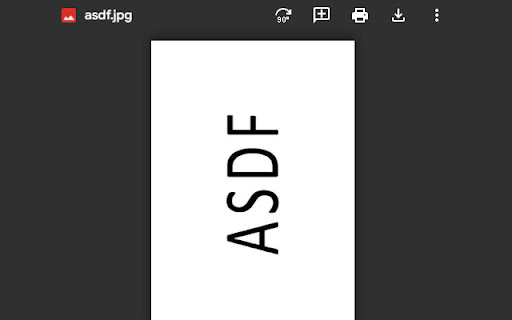

Adds a button to rotate photos/pdf files of student activities in Google Classroom. It doesn't modify the files. It does not modify the file, it just rotates the view to facilitate the correction of tasks by the teacher.

GradeTable for Classroom
GradeTable for Classroom is a free browser extension for easy viewing and copying of grades in Google Classroom. Key features: - Change the order of the First and Last Name columns by dragging and dropping. - Sort rows alphabetically by last name or by first name. - Change the order of rows by dragging and dropping by row number. - Preserve the order of rows and columns after reloading the page. - Select a column and a group of columns by clicking on the column headers. - Select a group of cells by dragging and dropping or using the Shift key. - Copy grades. - Copy with automatic calculation of the sum of grades by rows. - Copy with automatic calculation of the average of grades by rows.

Google classroom Grade Changer
Makes your grade in Google classroom extremely high. Makes your grade in Google classroom extremely high.

RotateX – Image & Page Rotation
Rotate webpages, images & PDFs 90°, 180° or 270° with one click or keyboard shortcut. Instant, free, works on any Chrome tab. A lightweight, elegant tool for seamless image rotation with precision control. ## Overview Image-Rotater is a streamlined web utility designed to help users manipulate image orientation with ease. Built with modern web technologies and featuring a sleek, glassmorphic dark-mode interface, this tool offers quick and precise image rotation capabilities without compromising on performance or user experience. ## Key Features - **Precise Rotation Controls**: Rotate images at exact 90°, 180°, and 270° angles - **One-Click Reset**: Instantly revert to original orientation - **Dark Mode Interface**: Eye-friendly design with modern glassmorphic UI - **Responsive Design**: Seamless functionality across all device sizes - **Zero Configuration**: Start rotating images immediately with no setup required - **Lightweight Performance**: Minimal resource usage for swift operation ## Technical Specifications - Pure HTML/CSS implementation - No external dependencies required - Cross-browser compatible - Mobile-responsive interface - Modern glassmorphic UI elements - Optimized for dark mode environments ## Getting Started 1. Load your image 2. Select desired rotation angle (90°, 180°, or 270°) 3. Click to apply rotation 4. Use Reset button to return to original orientation if needed Developed with ❤️ by [CodeSec](http://codesec.me) For bugs and feature requests, visit our GitHub repository.

Enhancer for Classroom™
UI improvements for Google Classroom This browser extension adds some quality of life features to Google Classroom™. > Cosmetic > Reduced padding and margins across the whole website > Increased border radius of all elements > Use a lighter shade of white for background color in light mode This add-on does not collect data and respects users' privacy. Updates to the Classroom site may break this extension in the future, please open an issue if you encounter any bugs, or have any new feature suggestions.
