
clpoilnjjdbfjinifhmcfddhjgneajle


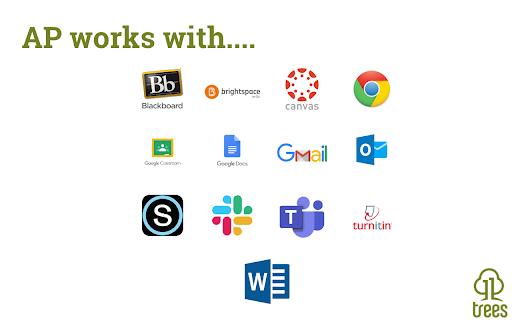
Create, share, and USE reusable comments to edit and grade faster! Use with Canvas, Google Docs/Classroom, Microsoft Teams, Bb... AP is the platform for feedback excellence. Share comment banks, syllabus content, school policiies, and rubrics for use across the EDU platforms you know and love: Canvas, Google Docs, Microsoft Word, D2L, Moodle, and more. You can: - Create and manage content centrally, assuring every teacher has the right rubric, comment bank, policy info, syllabus snippet, or LibGuide URL. - Use dynamic rubrics and comment banks to handcraft feedback in less time. With AP you write it once, to perfection, then re-use to your heart's content! See https://www.11trees.com/solutions/annotate-pro/annotate-pro-works-with/ for a complete list of supported platforms. See https://www.11trees.com/solutions/annotate-pro/features/ for a complete list of features. For Individuals: Use the forever-free version of AP to create an unlimited number of comment banks for yourself, then use them with popular education platforms. Sign up and you'll get a 14-day trial of AP+ (no credit card required). AP+ adds Feedback Forms, Dynamic Rubrics, additional sidebar options, comment history, subgroups, analytics, and Google Translate integration. You can also license content libraries like our College Edition, Presentation Skills Edition, or Legal Writing Edition that provide 100s of stock comments that can be quickly personalized. For Institutions: License AP to easily share content libraries across 5, 50, or 500+ faculty. Schools use AP to scale writing across the curriculum initiatives, writing center operations, tutoring, foreign language instruction, project-based learning, presentation skills coaching, science labs grading, and even to centralize and share school resources and policy info through AP's Knowledge Base mode. AP analytics help measure the impact of feedback and help schools document regular and substantive interaction with students. With AP+ or Institutional Licenses you can: - Create and share (institutions only) large or small content libraries to serve as comment banks, rubric sets, or knowledge bases. Quickly add pre-written feedback to documents, respond to discussion posts, create emails, or answer chats. - Turbocharge specific, personalized feedback with AP Feedback Forms including nested checkboxes. - Create simple or complex rubrics that escape the traditional grid to create rich, narrative responses for students. - Search across multiple content libraries, and hundreds of Comments, with full-text search or right-click menu to find just the right comment. - Leverage Google Translate to flip comments into another language or even provide dual language responses. - Write free form comments to effortlessly store them in your AP library for reuse. - Turn on the History feature to store ALL the comments you create in Google Docs or Canvas SpeedGrader so you can easily build out your content libraries and engage students with previous feedback. - License our College Edition, Presentation Skills Edition, or other content libraries to access hundreds of expertly written comments that you can extend and personalized. - Review usage data, see where you have invested your engagement energy by comment group, sub-group and individual comment. Release Notes: 7.21.4 | April 20, 2026 * Minor update - bugz and tweaks. 7.21.3 | March 10, 2026 * Minor update - bugz and tweaks. 7.21.2 | January 3, 2026 * Happy New Year! * Word Count on Feedback Forms and Dynamic Rubrics to help modulate feedback volume. * Feedback Forms and Dynamic Rubrics stay open by default. * Bugz!. 7.21.1 | December 3, 2025 * Persist preferred word for "Grade" in rubrics. * Disable form check if a checkbox preceeds a text entry form. * Pin text formatting toolbar when editing. * Improved rubric printing. * Improved Startup Guide (AP menu > Gear > Startup Guide). * Bugz!. 7.21.0 | October 23, 2025 * RUBRICS! * Improved Feedback Forms: nested checkboxes and bulleted lists. * Improved support for Canvas SpeedGrader. * Bugz / improvements. 7.20.3 | September 13, 2025 * Improvements to support Canvas SpeedGrader changes * Improvements to Google Docs/Classroom experience * Support longer Feedback Form editing from the AP Chrome Extension * Minor tweaks, bug fixes, and improvements 7.20.2 | July 17, 2025 * Fixes duplicate comment insert when using the green Library dropdown option in the AP toolbar. * Canvas learnings. * Improved Edit and Knowledge Base behavior. 7.20 | June 30, 2025 * Right-click a AP content to edit it - from the Extension * Introducing Feedback Forms and Knowledge Base mode * Improved Canvas Gradebook support (sidebar, student history) * Numerous improvements to support D2L's Brightspace, Schoology, Google Classroom * Bugz and performance improvements 7.16 | March 31, 2025 * Improved Forms and Checklist behavior (keep a checklist open and use across multiple windows) * Improved support for Feedback Fruits * Polish & BUGZ! 7.15 | January 31, 2025 * New toolbar options (show all comments, sort by groups). AP+ feature. * Support for GoReact (video commenting) and Perusall (social learning) * Improved support for Moodle and BrightSpace * Polish & BUGZ! For previous release notes please visit https://www.11trees.com/support/release-notes-annotate-pro-for-google-chrome/.

Canvas LMS Mods (Basic)
This provides modifications to the Canvas LMS to improve the user experience visually and functionally. GitHub Repository: https://github.com/Code-with-Ski/Canvas-LMS-Mods Website with Feature Overviews: https://code-with-ski.github.io/Canvas-LMS_Mods-Website/ ------------------------------------------------------------------------------------------------------ HOST PERMISSIONS CHANGE To allow all Canvas LMS users on a custom domain to use this without needing to request and wait for the next update, the host permissions have been changed to allow all domains optionally. By default, the Instructure hosted Canvas LMS domains should work upon installation. To ensure these features aren't accidentally applied to a website that isn't the Canvas LMS, all other domains are permitted as optional. To use this extension with a custom domain, you will need to update the settings on the extension to list it as a specific approved site or when clicked. ------------------------------------------------------------------------------------------------------ This Chrome extension modifies and adds to the Canvas LMS GUI to improve productivity and functionality for users. Most features are targeted to support admins and/or teachers, but some features are useful to all users. It adds additional information that may be useful to users by adding new elements with details that are in the source code, but not currently visible and/or from Canvas LMS API calls. It also adds additional features like search functionalities on pages without a native search/filter. Users are able to control which features they want to use through the options. This allows them to disable features they don't want and/or that may conflict with other settings/customizations they have on their instance of Canvas LMS. Updates with version 7.5.1: - Updated column sort on People page of course to work with new UI. - Updated column sort on People page of course to use the Canvas API to get the last activity time of users (if applicable) for easier handling of comparisons for sorting that aren't language dependent. - Updated sorting of total activity time to be based on expected format of cells rather than requiring a specific column name - Removed specific column name requirements so it should be able to work with other languages (*May need additional testing) Updates with version 7.5.0: - Updated rubric import feature to work with UI changes in classic rubric design Updates with version 7.4.1: - Updated icon file paths in manifest - Updated better handling of when no student courses are found for the course grades feature on the Dashboard Updates with version 7.4.0: - Updated the Export Grades button on the Assignment page to be based on the SpeedGrader link rather than the graded ratio - Updated the Sub-Account features to work with the new re-design - Added a browser option to auto-expand the Sub-Accounts on page load (enabled by default) Updates with version 7.3.2: - Added console error messages for failed paginated requests - Added error handling when account IDs are not found when loading the Admin Quick Access account select menu - Fixed placement of checkbox for showing inactive enrollments - Grouped add people and export button together for better handling on smaller screens - Grouped the role select and section select menus together for better Updates with version 7.3.1: - Fixed bug with terms select menu for user's course enrollment filter (admin) Updates with version 7.3.0: - Added ability to load SIS course ID under each of the courses in the user's course enrollments (admin) - Added ability to filter user's course enrollments (admin) by SIS course ID - Grouped user's course enrollments filters by type (search inputs grouped together, and select menus grouped together) - Added "rejected" enrollment state as option for the course enrollments report Updates with version 7.2.0: - Added ability to clear and/or download loading messages on custom reports - Added new filters to course enrollments when admin view a user's profile from account People search: roles filter, course name search, and course code search - Added support for Simple Search on course enrollments of a user's profile from account People search - Updated design and style of dialog for Simple Search to include a header, body, and footer to more closely resemble dialogs in Canvas Updates with version 7.1.0: - Updated loading message area on custom reports to scroll - Updated reports to append loading messages rather than replace to be able to review loading messages - Improved error messages and handling of failed requests in custom reports to assist with debugging and making it clear to the user when a part of the report generation fails. Report will still try to complete even if part of the process fails - Updated Simple Search to require at least 3 characters in the search query when including file names to search Updates with version 7.0.0: - Simple Search on All Courses will search unique course IDs now rather than potentially duplicating a search if you have multiple enrollments in the same course - Added expand/collapse assignment groups button - Added expand/collapse buttons to the group sets - Added search and expand all to the sub-accounts list in the Admin area - Updated the sub-account IDs feature to apply to nested sub-accounts when they are revealed - Added error handling to Submission Results course report in case the request to get submissions fails Updates with version 6.1.0: - Added browser extension option control for the All Courses Simple Search - Updated the SkiReportCourseSimpleSearch to work for both a single course and the All Courses page - Updated the Simple Search results to have the content and HTML content cells appear collapsed initially. These can then be expanded as needed to view the full content if desired. This helps to reduce the total height required to display the results since each result could be long. - Refactored SkiReportCourseSimpleSearch to reduce some of the redundancy Updates with version 6.0.0: - Updated download data functionality for tables to look at direct table rows rather than table rows that may be within the table data. - Updated default size of simple search modal to be larger - Updated simple search in course to add search options to only search certain types of content - Updated simple search in course to also be able to search course syllabus, files, and module items - Added new simple search feature to the All Courses page. This is like Simple Search for a course, but it searches across multiple courses the user is enrolled in. There are options to search by enrollment state as well (current, past, and/or future). Also, if the column search/filter options are used to hide some courses, they won't be included in the search results when they are hidden. Updates with version 5.3.3: - Deprecated feature adjusting the style on the only blueprint courses checkbox on the admin courses search due to additional search option added by Instructure - Deprecated feature for converting the sub-account name in the admin courses search since this is now a native feature - Updated placement of additional search options on the admin course search to be in their own row to improve the appearance - Updated browser search options to add a link to the documentation website and improve spacing - Fixed feature for adding link to grades in the admin course search to not require enabling the number of students to be a link to the People page in the course Updates with version 5.3.2: - Fixed highlighting for Simple Search in titles - Added support for grade export feature on the discussion re-design - Fixed some typos - Refactored code for detailed logging feature to its own file - Added some new optional debugging messages when detailed logging is enabled Updates with version 5.3.1: - Updated manifest to ensure ski-report.js is loaded before the subclasses to avoid loading error - Updated grade overlay feature on dashboard to monitor for changes in case the overlay gets removed while the cards finish fully loading so it can be re-added Updates with version 5.3.0: - Updated the "All Courses" sort to apply to all columns and disable the sort button on those that don't need to sort. This is to provide consistency in headings based on the new feature from Canvas. - Updated the "All Courses" filters to be a part of the original thead row with the original th elements. - Added a filter for the favorited state on the All Courses lists - Deprecated the draft comment mod in SpeedGrader since it is now a native feature - Added option for enabling detailed logging (currently used primarily to console log API requests) - Added Simple Search feature to courses as a course navigation link. It currently allows searching for a specific term/phrase in Pages, Assignments, Discussion topics, and Announcements. Updates with version 5.2.5: - Patched Modules Progress course report to handle missing module progress for users - Patched User Access course report to get report for individual users Updates with version 5.2.4: - Updated Modules Progress course report to fetch module items if they aren't included when fetching the modules. Updates with version 5.2.3: - Added more error handling for the Modules Progress course report Updates with version 5.2.2: - Patched bug with page ID and page URL in the Page Details course report Updates with version 5.2.1: - Patched load rubric details feature to work on accounts rubrics page - Patched Grade History report loading message - Patched User Access report loading message - Patched request handler for User Access Report to handle pagination with a request URL ending in .json Updates with version 5.2.0: - Updated import rubric feature and drag-and-drop criteria feature for rubrics so that it also works on the assignment details page when adding/editing rubrics. - Patched issue with module progress report failing to complete due to module progress not existing for a requested user - Added a local cache to SkiReport to that common requests used across reports can be saved rather than repeating requests that are unlikely to change while using the reports. Users can refresh the page to update the cache if changes are made while using the reports. - Added new course/section reports: - Grading To Do Report - Grade History Report (Able to check grade history of deleted users too) - Missing Rubric Grade Report (Find graded submissions that had an associated rubric, but the rubric wasn't used for assessment) - User Access Report Updates with version 5.1.0: - Fixed bug with Discussion Replies report having an error due to deleted posts. It ignores deleted posts for now until version history becomes available - Added new columns to the Assignment Details report Updates with version 5.0.0: - Select course reports are now available as section reports on the section settings pages - Loading messages have been added to the custom reports to help see status and an error message is something go wrong - Discussion Replies report has option to run report for one discussion board, if desired - Submissions report has option to run the report for a single assignment, if desired, and to select certain submission states - Updated manifest to try to prevent issue with scripts loading out of order for reports Updates with version 4.0.0: - Rubric association report on individual rubrics - Used for grading indicator for rubrics on assignment details - Load assignment details feature on list of assignments - Submission type(s) - Whether or not it affects the final grade - Associated rubric, if it is used for grading, and if it uses outcome criteria - Option for Turnitin check too - Made rubric search on the rubrics page a shared feature so it works in accounts and courses - Load rubric details feature on list of rubrics - Context for rubric - Whether or not it has assignment associations - Whether or not it has outcome criteria - Export grades for discussion board Updates with version 3.2.0: - Updated Discussion Replies report to include Discussion Counts - Added new Enrollments course report - Added button link to "Course Statistics" on the home page to make it easier to get to the custom course reports in this tool Updates with version 3.1.0: - Host permissions adjusted to make Instructure hosted domains required and all other domains optional Updates with version 3.0.0: - Host permissions change to allow all domains - Added feature to an Assignment page to export grades when the graded ratio shows - Added custom course reports on the Statistics page of a course (link to Course Statistics found in Course Settings) - Added ability to import rubric criteria information when editing a rubric - Added ability to drag and drop rubric criteria rows when editing a rubric Updates with version 2.2.0: - Updated requests to include the base URL rather than a relative URL - Updated admin course search to request individual courses that are missed by the bulk request that attempts to get all the results for the current page of search results - Added support for an additional school's vanity URL Updates with version 2.1.0: - Added additional supported domains for some schools with a custom domain. - Added feature to show the Canvas course ID in the user's enrollments list (seen by Admin when looking at a user) Options Added with version 2.0.0: - Admin Global Nav Menu - Admin quick access links (course search, people search, account links) (Uses Canvas LMS API) - Admin - Courses - Search option for published/unpublished courses - Sort option by Canvas course ID - Convert number of students to a people course link - Add link to view grades to course search results - Convert subaccount name to a link to the subaccount (Uses Canvas course ID) - Course - SpeedGrader - Convert text based links to hyperlinks in comments - Replace draft comment indicator from "*" to "DRAFT" You can review the source code in the GitHub repository.

Pundit Annotator
Annotate the web using Pundit Annotator: highlight and comment text on any page and manage your annotations in the Pundit Dashboard. Pundit Annotator is the perfect web annotation tool for your research, study, and productivity: highlight, tag, comment, and semantically annotate fragments of text in any web page. Pundit is used by students, researchers, journalists but also general users who want to remember a part of text in a page or leave their comment about it. HIGHLIGHT - Select a part of text - Choose "Highlight" from the popover - Select or create the Notebook you want to save your highlight into - Click save - Review your annotation on the sidebar on the right COMMENT - Select a part of text - Choose "Comment" from the popover - Write your comment - Select or create the Notebook you want to save your comment into - Click save - Review your annotation on the sidebar on the right SOCIAL - Reply to other annotations with a text note - Like/Dislike other annotations - Report annotations in case of harassment ANNOTATIONS MANAGEMENT - You can review and manage all your annotations and notebooks in the Pundit Dashboard here: http://app.thepund.it/

Fluentbe Annotation Tool
The plugin allows you to draw over shared content during a lesson on Fluentbe Classroom. A tool allows you to write and draw on any website, also in fullscreen mode. The toolbox allows you to draw, create geometric figures, lines, arrows, write, as well as extend, move, rotate and delete created elements. The tool is dedicated to people who share the image from their screen with other participants during conferences or other types of video meetings.

Zoho Annotator
The most elegant and efficient annotation tool. Capture screenshots or recordings of your web page or desktop screen. Add annotations to the captured screenshot of your web pages or images on your desktop, such as design mockups, illustrations, and diagrams, by uploading the respective image. Check out the features below. - Capture the full page, the visible area of a page, or only part of the page.. - Capture the whole desktop screen or an application window. - Use delayed capture to screenshot sections that appear only after clicking a link or button within the page. SCREEN RECORDER - Record the visible screen of a page or part of the page. - Record the whole desktop screen or an application window. - Record a video with your webcam to share your knowledge with your target audience. - Use square and circle shapes to mark areas to comment. - The freehand drawing tool enables you to circle portions correctly without disturbing other parts of the document. - The highlighter pen emphasizes the content that needs attention. - Add contextual comments to the highlighted areas. - Use tagging tools to number the places to comment and describe them in any of your communication apps after completion. - Blur or smudge private or confidential data. - Get a shareable link and share it in social media (Facebook, Twitter, and WhatsApp) and other websites/applications. - Upload the files to your Zoho WorkDrive, Google Drive, OneDrive, and Dropbox accounts. - Share the files in Zoho Cliq, Zoho Connect, Zoho Projects, and Zoho Sprints. Customize the default values, such as Line Color, Font Family, Text Color, etc., as per your preference. For any questions or help, send an email to annotator-support@zohocorp.com.
