
clmadhnfadeiakdnohhnabdnabikpcja
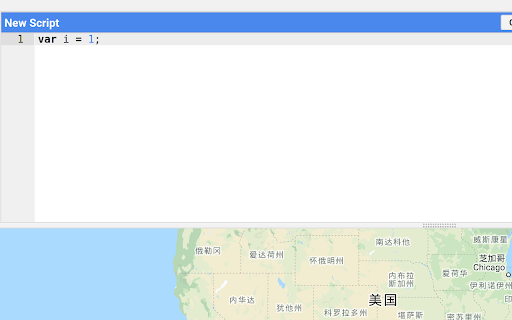
Autosave your code in the GEE editor in case the webpage collapses. Google Earth Engine is a very useful tool. However, one must manually click the "save" button to save the code. This can cause loss of code when one unintendedly close the editor tab, or the tab crashes unexpectedly. This extension aims at preventing such loss by saving your code locally (in Chrome's localStorage), and restore the code when you open the same file (or a new file) again. The absolute file path is used to avoid collisions.

GEE AI Assistant
Generate, modify, and fix Google Earth Engine code using AI Models. Now with new Voice Mode & 5200+ Datasets! - Voice Mode & Auto-Agent: Work hands-free! Turn on Auto-Agent mode to continuously detect and fix code errors automatically. - Generate Code from Prompts: Generate and modify Google Earth Engine code using plain language in your native tongue. - 5200+ Datasets Search: Quickly search and load from over 5,200 Earth Engine and community datasets directly in the extension. - Multi-Model AI Access: Built-in support for multiple advanced AI models. - Ready-to-Use Analysis Library: Access a built-in library of real-world Google Earth Engine projects. Browse, run, and customize real user-validated scripts instantly. - Export to Local & Drive: Export outputs to Google Drive (CSV, GeoTIFF, Shapefiles) or use Python/R exports to bypass Drive and save locally. - GIS & Spatial Analysis: Calculate pixel-based, zonal, or temporal statistics and visualize spatial data with time series, bar, or pie charts. - Build GEE Apps: Easily add map elements (title, legend, scale bar) or build complete UI components (sliders, panels, charts). 💡 Built for Everyone – From GIS Beginners to Remote Sensing Experts No advanced coding knowledge required! The GEE AI Assistant is a powerful browser extension embedded directly into the GEE Code Editor. It makes geospatial analysis, satellite imagery processing, and remote sensing accessible for everyone. Streamline tasks, fix errors with one click, and convert code between JavaScript, Python, and R from a smart, integrated side panel. ⚠️ Disclaimer: This is a third-party extension and is not officially affiliated with Google, Google Earth Engine, or Alphabet Inc.

ColabAI
Open-source AI assistant for Google Colab with direct integration for OpenAI, Google, and DeepSeek models. Transform your Google Colab experience with our intelligent notebook assistant. This powerful extension enhances your Colab workspace by adding advanced AI capabilities that help you code, analyze, and document more efficiently. Allowing you to scaffold, debug, and analyze notebooks easily by speaking to our chatbot. The extension is completely free, use your own API keys to power the chatbot! Key Features: - Smart Cell Management: Easily add, modify, and organize notebook cells through our chatbot - Full Context Understanding: The chatbot understands the full context of the notebook and can provide suggestions and improvements that can take your projects to the next level - Seamless Integration: Works naturally within your Colab environment - Bring you Key: Use your own API keys Perfect for: ✓ Data Scientists and Analysts ✓ Machine Learning Engineers ✓ Students and Researchers ✓ Python Developers ✓ Anyone working with Jupyter notebooks in Colab Technical Highlights: - Real-time AI-powered assistance - Support for both code and markdown cells - Intelligent context understanding - Clean, intuitive interface - Secure and privacy-focused Open Source: The project is now open-source. Any PRs are welcome: https://github.com/MuathZahir/colabai Privacy & Security: Your code and data privacy are our top priority. The extension processes information locally where possible. We never store your notebook contents or sensitive information. Made by developers, for developers - enhance your Colab workflow today!

Earth 3D View Map
Search and View Map on 3D Explore the virtual world by looking at maps of cities and popular attractions. Travel virtually around the Earth. On the popup of the extension you will find list of popular attractions to view. When you click a location on this list, you'll get a bird's-eye interactive map. A bird's-eye view is an elevated view of an object from above, with a perspective as if the viewer were a bird. It looks like a 3D model of a city. When you click the "Open larger map" button, the map opens on an external website.

Google Maps to Earth
A handy tool for quickly opening the location you are viewing on Google Maps in Google Earth Web.
