
clkhkjfdmenabbbldfplainfefjdjekm

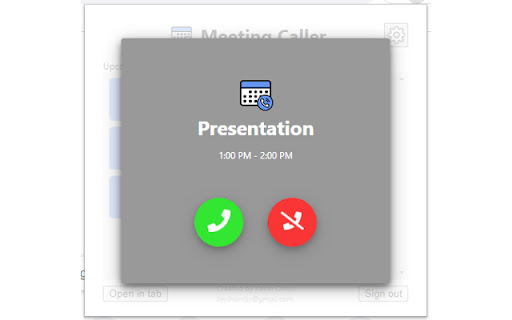

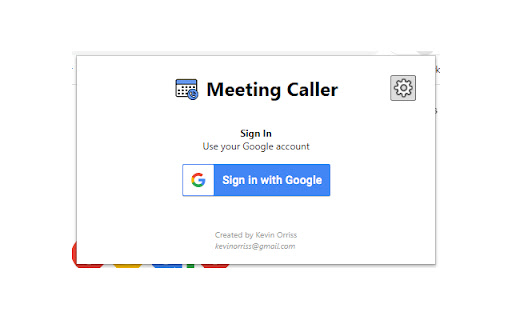
Meeting Caller will call you when a meeting in your Google calendar is due to start. Do you ever miss meetings because you didn't notice the notification or you simply lost track of time? Meeting Caller will play a sound to alert you when a meeting starts. You can accept or reject the call within the extension and accepting the call will open the Google Meet in a new tab! Your calendar is checked every 10 minutes for updates and will show you your meetings for the next 12 hours. Settings allows you to control which meeting response types calls you. Maybe you only want accepted meetings to call you, this defaults to accepted, maybe and "requires action". This extension does not store/use any of your calendar data other than to display it to you and to set the alarms. As per Google's strong suggestion, your authorisation token is not stored in Chrome storage. Once logged in, your token is stored as a local variable that can only be accessed by this extension.

Bing Search For Chrome
You can use Bing Search for Chrome. You can use Bing Search for Chrome. You can Search with Bing You can search in the address bar.

Thread Master
Extends Google Chat Threads with extra features Thread master allows naming & renaming individual threads in google chat. The names are shared among all participants of the threaded room and changing a name should be visible to all those who also use this add-on. Additionally, displays links to all loaded threads in said room on the right side with a separate scroll bar to scroll through a large list of threads in selected room. Clicking on any of them will scroll to said thread. UPDATE: Added support for new google chat displayed through mail.google.com UPDATE 2: Added support for both chat.google.com and chat displayed through mail.google.com/chat UPDATE 3: Fixed compatibility with Chrome v92 (i.e. https://chromestatus.com/feature/5148698084376576 ) which didn't allow users to change thread names. UPDATE 4: Added support for dark mode UPDATE 5: fix for new google chat layout UPDATE 6: Added basic support for in-line threads.

Calendar Reminders: Event Notifications for Google Calendar™
Boost Attendance and Reduce No-Shows with Calendar Reminders. Easily manage meeting reminders with automated notifications and real-time tracking to stay ahead of your schedule. 📅 Calendar Reminders lets you send timely reminders to all event participants from your Google Calendar—improving meeting attendance and reducing no-shows by over 50%. Plus, with reminder open tracking, you’ll know exactly when participants engage with your notifications. 💡 Keep attendees informed and organized with customizable reminder timings: send notifications one day before, 30 minutes before, or both! 🚀 Maximize Attendance Automatically send reminders to meeting participants, ensuring everyone remembers the meeting. 📆 Flexible Reminder Timing Choose when your reminders are sent—one day before, 30 minutes before, or both. 🎯 Track Reminder Engagement Get notified the moment participants open your reminders, giving you real-time insights into their engagement. ⚙️ Fully Integrated with Google Calendar Seamlessly connects to your existing calendar, so you don’t have to switch tools. 🔔 Real-Time Alerts Receive notifications when participants open your reminders or as event updates occur. Need help? Check out our comprehensive guides or get in touch at hello@calendar-reminders.com. Our team is ready to assist you. Calendar Reminders offers both free and premium plans to meet your needs. Learn more at: https://www.calendar-reminders.com/pricing We respect your privacy and never store or access your personal data. Calendar Reminders is designed to work securely with your Google Calendar. View our full privacy policy here: https://www.calendar-reminders.com/privacy This version integrates the reminder open tracking feature as a core benefit while keeping the structure concise and user-friendly.

Google Chat thread links & quote reply
Adds button to copy links to threads on Google Chat and adds button to messages to quote reply Google Chat does not make it easy to reference chat threads by linking to them. This plugin adds a button to each thread to copy a link to it and also adds a button to quote reply to messages. Select a part of a message and click on the quote reply button to quote that particular part or simply click on quote reply to quote the complete message. Consider donating to keep the extension up and maintained if you enjoy it.
