
ckhfdghjhdofhjbahifpmdkafmhgfbjj
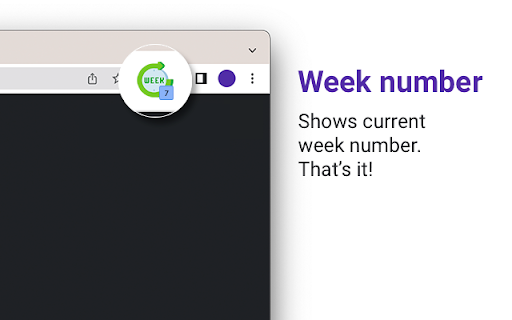
The "Week Number" Chrome extension displays the current week number in the browser's extension icon, making it easy for users to quickly reference the current week. Once installed, the extension will automatically update the week number in real-time, so you never have to worry about it being out of date. The week number is displayed in the extension icon, which can be found in the top right corner of the Chrome browser. The "Week Number" extension is a lightweight and easy-to-use tool that can be helpful for anyone who wants to stay on top of their schedule and keep track of the current week. Whether you're a student, a professional, or just someone who likes to stay organized, this extension can help you stay on top of your game.

Week Number
This extension will show the current week number, day, and date. 🚀 Excited to announce my latest Chrome extension: Week Number! 📆 Ever wondered which week of the year it is? Or needed a quick glance at the date range for a specific week number? Look no further! ✨ Features: - View the current week number. - Check any date to find its corresponding week number. - Input a week number to see its date range. - Quick glance at week number in the icon. - Customize the icon color. Feedback and reviews are much appreciated! Let's make planning and scheduling a tad easier. 🙌

Calendar Current Week
Visually marks current week at Google Calendar. Make sure your gCalc UI is in English and you have enabled Settings -> View Options -> Show week numbers in your Calendar for this extension to work.

Week
2.5.1 - implement date in popup - enhance week display functionality - added settings for date format - updated popup layout and integrated date formatting logic 2.5.0 - using dynamic svg instead of pre-generated png's for each week - changed background color for better contrast - removed full page view, instead showing a more solid popup showing the current week 2.1.1 - updates week number more frequent - icon added on Chrome extension page in Google Chrome

Full Year Calendar Tab
Shows a year calendar view when you open a new tab, also highlights todays date. Transform every new tab into a meaningful reminder of time's passage. Full Year Calendar Tab displays all twelve months at a glance with today's date highlighted, giving you instant context about where you are in the year. - Full year overview with current date highlighted - Multiple visualization modes: traditional calendar, percentage, progress bars, blocks, day numbers, and random patterns - Day counting: count up from January 1st or count down to December 31st - Navigate between years (previous, current, next) - Keyboard shortcuts for quick navigation - Automatic dark mode support - Clean, distraction-free interface ## Why this extension? Days blend into weeks, weeks into months, and suddenly the year is nearly over. This extension provides a constant visual reminder that time is finite and precious. See how days, weeks, and months add up to a complete year, and stay mindful of how you're spending your time. Perfect for anyone who wants to maintain perspective on time's passage and make the most of every day. ### 1.2.0 - Add Day Number view with count up/down support - Add "Random" visualization mode - Refactor modals into reusable Flyout component with slide-up animation - Update dependencies ### 1.1.0 - Add percentage, progress, and blocks view options - Add keyboard shortcuts for year navigation - Update dependencies
