
cipeepjilkbilfmpjalegdlgmgoimjii
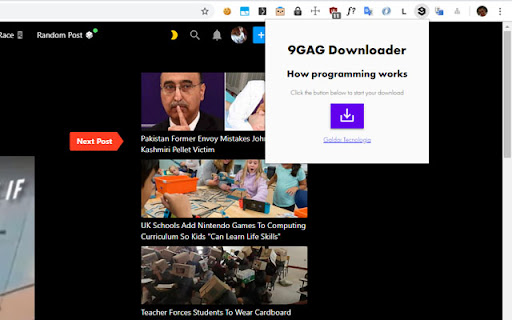
Download images and video memes from 9GAG Instantly download and share your favorite 9GAG memes with one click! Our lightweight browser extension adds a handy “Download” button to every image, GIF, and video on 9GAG—no hunting through menus or right-clicks required. Just click to save, then spread the laughter across social media, chat apps, or anywhere you connect with friends. With its clean, intuitive interface and blazingly fast performance, you’ll never miss a moment of fun.

Reddit Video Save
Reddit Video Downloader is a handy Chrome extension designed for Reddit enthusiasts. While browsing Reddit.com, simply click the extension icon to extract video URLs from the webpage. These videos are then conveniently displayed within the extension, allowing users to choose from various resolutions for downloading. Whether it's hilarious cat videos, thrilling sports highlights, or informative educational content, this extension empowers users to save their favorite Reddit videos effortlessly. Seamless Integration: Integrate directly into your browsing experience on Reddit.com. Easy Extraction: Extract video URLs with just one click of the extension icon. Multiple Resolutions: Choose from a range of resolutions for downloading videos. User-Friendly Interface: Intuitive design for a hassle-free experience. Enhance your Reddit browsing experience with Reddit Video Downloader. Download your favorite videos in just a few clicks and enjoy them offline anytime, anywhere.

MyCoub - Download from Coub Video and Audio
The way to download Coub videos and music - immediately or separately The extension allows you to download everything you need from coub.com. Main functionality: - Download from coub Video file - Download from coub Audio file - Download video with sound - Create gif animation - Downloading coubs in one archive Additional functions: - Search artist by audio - Search by picture from a cube - Night theme for coub website - Built-in site style editor The pop-up window contains (extension icon): - List with added coubs for download in the archive - Link to your CSS style editor - General settings Some functions require authorization via google or vk, of your choice The project is constantly being improved, new features are added!

New Reddit Enhancements & Chemo (nREC)
Improvements for new Reddit: subreddit filters, ad-block, user-tags, video downloading, and more. Hide trending and sidebars. Add options to hide the trending strip, right sidebar, and/or subreddit sidebar. Blur NSFW. Quick option to blur NSFW thumbnails. Not a replacement for the similar option in the Reddit settings but provides a shortcut to quick turn on/off should the need arise without having to navigate through the settings. Fix image previews. Clicking on image previews take you directly to the image itself, instead of the lightbox element. Direct image links. Bypass Reddit forcing direct image links onto a preview page/template. Add video download links. When viewing a video, download links are provided, using both a direct link and a link through rapidsave.com. On installation, most features are enabled by default. However, features like Reddit Chemo and user tags need to be populated to see their full effects. Features can be enabled, disabled, and modified through the extension's UI (accessed by clicking the extension logo on the browser Toolbar). Most features, such as dark mode, hide trending and sidebars, blur nsfw, fix image previews, direct image links, and add video download links can simply be toggled in the UI using the various controls. Add video download links attempts to add a link to the video (with buttons in the upper-left corner). In the feed, it will attempt to find and apply a direct video link. However, this is only possible with short videos. Otherwise, if the buttons do not appear, try opening the post/comments. Then two links will be provided: one for the direct video (usually without sound as Reddit separates the video/audio feed) and another using RapidSave (which can rectify the video download with audio). To add subreddits to Reddit Chemo's ban list, simply click the "ban" button next to posts in the r/all or r/popular feed from subreddits you do not wish to see. By default, a small strip will be shown in place of the blocked post with an option to remove the subreddit from the ban. To hide this strip, toggle "Show/hide blocked posts" in the extension's UI. To remove subreddits from the ban go to "Edit banned list" in the extension's UI to view the full ban list and remove subreddits from it. The effects of removing subreddits from the ban list may not take effect until a page change or refresh. User Tags. Next to every username (including your own) you will see an empty 'tag' icon (or an active tag, if one was set). To set or edit this value, simply click once and type to edit the text. When in edit mode inside of a tag, click the tag again to cycle different tag colors. Click outside the tag or press 'enter' to save changes or press 'esc' to cancel changes. If the new tag value is set as empty or whitespace, the tag will be removed. All existing user tags may also be viewed and edited from the extension's UI. Click "Edit user tags" to get a list of all existing user tags and edit individual tags as necessary. If you liked this extension, consider donating @ https://ko-fi.com/F1F25YGLA

Youtube Short Controller
The extension will add to the Youtube Short player an overlay with video control functions including stop playing, fast forward or rewind the video for a period of time that can be set in the settings popup.
