
cimelnkhnffcenamjdjhjdieknlcbeaj

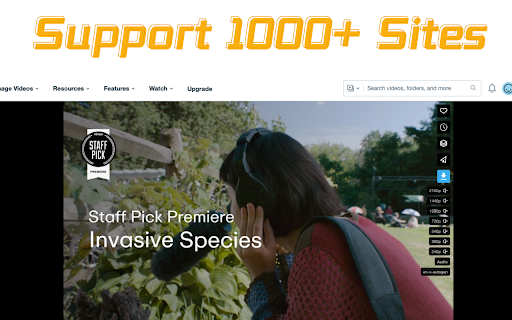
Chrome Professional video downloader and image downloader, you can download videos and pictures online. Free, safe and easy to use. The Unlimited Video Downloader extension is your powerful assistant on the Chrome browser, enabling you to effortlessly save videos and images from various online platforms with just a few clicks. Whether it's thrilling travelogues, amusing cat videos, or your favorite music MVs, you can save them to your computer in the simplest and quickest way possible, allowing you to enjoy them anytime, anywhere, even without an internet connection. With the Unlimited Video Downloader extension, you can easily collect videos and images from different sources and freely edit them into your desired music clips, funny segments, or workout tutorials. Moreover, you can record and save your own exciting moments at any time, ensuring that these precious memories are always with you to reminisce over. Covering a wide range of popular video-sharing platforms, including but not limited to Facebook, Twitter, Vimeo, and Dailymotion, the Unlimited Video Downloader extension provides you with a convenient tool to download various videos and images, freeing you from the limitations of platform-specific download functions. No registration required, free to use, and enjoy the fun of online videos and images hassle-free. Please note that some web pages may require you to start playing the video to help the Unlimited Video Downloader extension locate the video resources accurately. Additionally, due to Google and YouTube's privacy policies and terms of use, we cannot support downloading videos from YouTube. However, you can rest assured that you can use our extension on many other websites to download and save any video content you desire. Take videos with yourself and run it offline at any time. Training videos from Instagram or jokes from Facebook, exciting travels from Vimeo or even entertainment for the dates from Twitter, all these and even more are available now for online downloading. Be ready for any move with the collection of downloaded videos. No longer confined to online playback, download videos and images now, save your wonderful moments, and share the joy with friends, making your browsing experience richer and more colorful! Features: ✅ Support 1080p, 2k, 4k video download ✅ Support for Instagram photo, Instagram reels, instagram video downloads, and can be downloaded in bulk ✅ Save any video in just one click. important: ❌ We do not allow downloading from Adult(NSFW) websites. ❌ We do not allow downloading illegal/copyrighted content. ❌ It's restricted to download videos from Youtube (due to Chrome policies). ⚠️ For some unsupported sites, you may temporarily jump to other sites to download, and then gradually update the support How to use? 1. Install the extension and open a web page with a video. 2. Click the extension icon (in the top right of the Chrome browser). 3. In the pop-up window, select the video you want to download – and it will be saved to your device in the best quality available.

Free VPN for Chrome - VPN Proxy VeePN
Fast, ultra secure, and easy to use VPN service to protect your privacy online. Enjoy Unlimited Traffic and Bandwidth! VeePN: unblock access to websites. Enjoy your favorite services, media, and games fast and safe, no matter where you are! Get the VeePN FREE VPN Chrome extension and ensure your freedom. Get yourself the necessary resource access and total protection of the Internet connection. Use our servers and assign yourself a new IP address. Then, enjoy your privacy. The VeePN extension guards you against frauds and hackers. It hides your location and secures your personal data. Our main features are: ✔ 2600+ servers all over the world ✔ High-speed server network ✔ Block ads, trackers, malware ✔ Spoof location, time and browser language ✔ Bypass & auto-protect websites custom list ✔ User-Agent Switcher ✔ Strict No Logs policy ✔ 24/7 customer service ✔ Windows, MAC, iOS, Android apps + we are available on smart TVs, routers and Linux The VeePN free VPN browser extension is a simple solution. Still, it fixes all the potential troubles with an Internet connection. It copes with all the burning obstacles. Access to the blocked or restricted content under safe IP-protection. Surf the Web safe from any location. More Information about the VeePN Advantages: ✦ Full Access to Blocked Websites and Applications Unblock the restricted access to resources. VeePN is equally effective for both government censorship and geo-based limitations. These free Chrome VPN extensions make it possible to ignore any bans. Enjoy your favorite social media and any other web resources you'd like to access. ✦ Unlimited Traffic and Bandwidth. Don't be concerned about the bandwidth and traffic available through the free VPN for Chrome. There are no restrictions on traffic. Watch your favorite video content, listen to the music in HQ, or play games with the VeePN mediator. ✦ Anonymity and Privacy Protection Use the secured VeePN connection to hide your activities on the Web. Protect yourself from any tracking attempts, and secure your Chrome browser. Install and apply the Chrome extension instead of installing Incognito browsers. There is no use to tinker with several apps at once. ✦ One-click Setup No need to waste your time messing around with the settings. Connect to free unlimited VPN Proxy service with one click. The configuration is automatic – VeePN chooses the best options for you. If you want to change them – do it any moment manually. ✦ Secure Web Access in HotSpots Protect your device and activities with a free unlimited VPN Proxy. If you connect to the Internet in public spots – get rid of any dangers. The Chrome extension secures all your sensitive data. Keep the passwords, personal details, and any other information under the safe lock. ✦ Accelerated Speed of Surfing More than 2600 proxy servers in 85+ countries are at your service. VeePN connects you automatically to the nearest one. The secured channel is robust and ensures high-speed surfing. The extension blocks the pop-ups and ads on webpages too. This Chrome extension makes the pages lighter! Load the information faster and get rid of annoying banners. ✦ High-class Encryption All your Internet traffic stays encrypted. Select an encryption protocol from many supported by the service. Note the Smart VeePN encryption protocol too. It is the custom military-level option developed by our specialists. With your unlimited free VPN, conceal your actions and exclude any trackers. ✦ No Activity Logs Don't be concerned if the service collects or stores your data. Your visits and download history, location data, and IP addresses stay secret. The free VPN access via VeePN ensures your anonymity and hides all your actions. They are invisible to everyone, including us! ✦ Cross-Platform Solution The VeePN is available in many forms besides the Chrome browser extension. The service allows up to ten simultaneous connections from different devices under one account. Connect to the Web freely from your laptop and smartphone. On the smart TV, bypass the geographical restrictions. Ensure yourself full access to all the content you need. ✦ Disable Other Proxy Extensions – Automatically resolves conflicts with other proxy extensions to keep your VPN connection stable and secure The best free Chrome VPN extension must meet many technical criteria to please the user. The primary demands are still the same. VeePN allows you to surf safely what you want, wherever you are, and whenever you wish. Add the VeePN extension to your Chrome browser, and the service does the rest itself. Now you can connect to the Internet via the dedicated proxy servers. Make it fast and mask your location, queries, and surfing routes. Let yourself stay protected in any area, even in the public airport WiFi hotspot! The Privacy Policy Notes Your privacy and safety are the primary values of our company. VeePN does not collect or store your data. You can ensure it by checking the No Log policy – all the details are there for your information. If we get access to your data in the service delivery process, we don't share it with any third-party. We are also firmly against putting ads into our applications.

Telegram Video Downloader - download telegram video
Download videos and images from any Telegram group or channel in one click with our fast, secure Chrome extension. Telegram Video Downloader is a powerful Chrome extension designed to help you effortlessly download Telegram videos, movies, and video content from private groups, channels, and restricted Telegram content directly to your computer. Whether for personal or academic use, this tool provides a seamless way to save your favorite Telegram videos with one click. Fast, secure, and Telegram video downloader supporting all video formats including MP4, MOV, AVI, and more. High-quality video downloads with original resolution preserved. We advise users to refrain from downloading copyrighted material without permission. 💥 Key Features One-Click Multi-Select Download: Easily select and download multiple files or a single resource with just one click, making the process quick and smooth. Wide Format Support: Download a variety of media formats, including videos, images, photos, GIFs, music, and audiobooks, all in one convenient tool. Save Content from Restricted Channels and Groups: Easily save audio and video files from restricted Telegram channels and groups directly to your local computer, ensuring you never miss out on your favorite content. Extract Private Content: Safely save audio and video content from private channels and personal shares. No Passwords or API Required: Simplified user experience with no need for additional information to start downloading. 24/7 Support: Enjoy round-the-clock technical support to resolve any issues you may encounter. Effortless Download of 1GB+ Content: Handle large downloads with ease. Full Compatibility: Our Telegram video downloader supports both A and K versions of channels and groups, allowing you to access your favorite content effortlessly. Getting Started with Telegram Video Downloader 💥 Install the Chrome Extension Install the Extension: Download and install the Telegram Video Downloader extension from the Chrome Web Store. Pin the Extension: Click on the "Extensions" button next to your profile icon in the browser. Locate the newly installed plugin and click the "Pin" icon on the right to fix it to the toolbar for quick access. 💥 Access Telegram Web Open Telegram Web: In your browser, go to Telegram Web: https://web.telegram.org/k or https://web.telegram.org/a. 💥 Download Content from Chat Dialogs Browse Chat Dialogs: Navigate to the chat dialogs of the channel or group you wish to download content from. Check Resources: The plugin icon in the toolbar will display the number of resources it has fetched. Select and Download: Click the plugin icon in the toolbar to open the plugin window, select the desired content, and easily perform a batch download. 💥 Download Content from Group Info Access Group Info: Go to the channel or group you are interested in and view the group information. Download Media: Click the "Download All Media" or "Download Media for the Current Month" button to quickly retrieve all media files within the group. 💥 Download Individual Files Select Individual Files: In the chat dialog of a channel or group, you will see a "Download" button below each music file, audiobook, video, or image. Download: Click the "Download" button to download the individual file, making the process convenient and fast. 📝 Disclaimer This plugin is independently developed and is not affiliated with the official Telegram app or website. Please ensure compliance with relevant laws and regulations before use.

Video Downloader Global - videos & streams
Video Downloader for Any Website – Save Videos and Live Streams Looking for a way to save videos from websites and social media? This extension allows you to download video content from multiple platforms, including Facebook, TikTok, Instagram, Twitch, and many others. Capture live broadcasts or save videos in MP4 or WEBM formats with ease. Whether it’s a short clip, a long video, or a live stream, this tool provides an efficient way to store your favorite content directly to your device. Features and Capabilities ✔ Download videos from a variety of websites and social networks ✔ Save MP4 and WEBM files for offline viewing ✔ Capture live streams and download them later ✔ Works on major platforms, including Facebook, Instagram, TikTok, and more ✔ Quick and simple process – no extra steps required Supported Websites and Platforms This extension provides video saving functionality for various online services, including: - Facebook – Save videos from feeds, pages, and even live broadcasts - Instagram – Download reels, stories, and video posts - TikTok – Capture videos directly from profiles and feeds - Twitch – Record and store live streams for later - Vimeo – Save high-quality clips from different creators How to Use the Video Downloader - Add the extension to your browser - Open a website or social media page containing a video - Check the extension icon – if it turns red, a video is detected - Click to start downloading or recording a live stream All saved videos will be stored in your browser’s default download folder. ✔ Convenient and user-friendly – No complicated settings, just click and save ✔ Works with different formats – MP4 and WEBM supported ✔ Compatible with multiple websites – From social media to streaming services ✔ No account required – Download videos directly without sign-ups Whether you want to store a tutorial, save a favorite moment, or keep an important video, this extension provides a simple and efficient way to do it. Try it now and start saving videos effortlessly!

Video Downloader Plus
Download and save videos from any website instantly. A fast, simple video downloader that just works. Video Downloader Plus detects videos as you browse and lets you save them in a few clicks. It picks up HLS, DASH, and MP4 streams the moment they load — no searching, no pasting links, no extra steps. 1. Visit any page with playable media 2. The icon lights up when something is found 3. Click it, choose your quality and format 4. Save to your device or upload to cloud storage WHAT YOU GET • Stream Detection — A smart video downloader that goes beyond direct file links. It captures adaptive HLS and DASH streams that basic tools miss entirely. • Up to 8K Quality — Whatever resolution the site offers, you can grab it. 720p, 1080p, 4K, and even 8K. • Audio + Video Merge — Some sites deliver audio and video separately. This video downloader combines them into one file automatically, ready to play. • Format Conversion — Convert to popular formats like MP4 or extract just the audio track. Multiple output options available. • Chromecast & AirPlay — Cast what you find to your TV directly from the browser. • Cloud Storage — Connect your preferred cloud provider and send files straight to the cloud. • Video Library — Save videos to your list and come back to them later. Syncs across devices when you are signed in. • Live Recording — Record live streams as they happen, before they disappear. • Filter by minimum file size to skip tiny clips and ad prerolls • Pick which formats to watch for • Block specific sites from detection • Set a preferred folder for all saves • Dark mode, light mode, or match your system • Badge style: video count or a simple dot FREE AND PREMIUM The free plan includes unlimited standard-quality saves and a daily allowance for HLS and DASH. Premium unlocks unlimited resolution, cloud uploads, format conversion, and priority support for users who need more from their video downloader. Choose monthly, yearly, or pay once with the lifetime option. Any site that delivers media over HLS, DASH, or plain HTTP is supported — news, education, social media, embedded players, and thousands more. Available in 59 languages. This video downloader does not support YouTube. Chrome Web Store rules do not allow it, and we follow those rules. Everything else that uses standard streaming is fair game.
